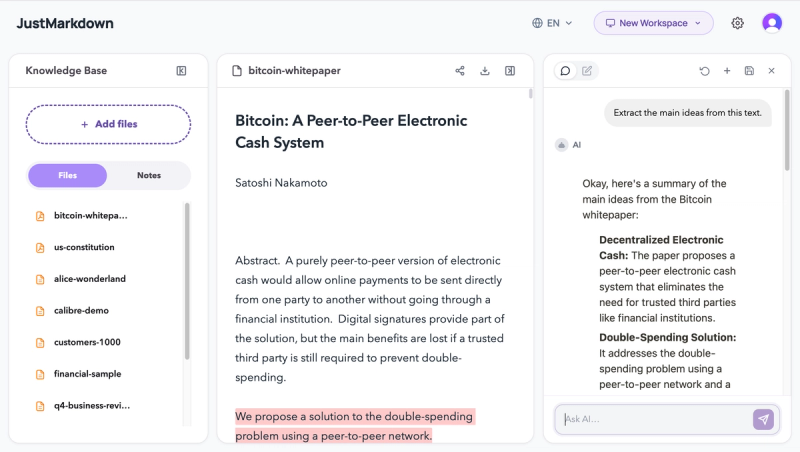
JustMarkdown is an all-in-one workspace that unifies PDF and EPUB reading, AI chatbot assistance, and Markdown note-taking in a three-pane workflow for research, drafting, and knowledge capture.
What is JustMarkdown?
JustMarkdown is a web-based platform that lets you import PDFs, EPUBs, URLs, images, Word documents, spreadsheets, screenshots, and AI conversations, then read, annotate, chat with an AI assistant, and write Markdown in one continuous workspace. It is developed by an independent team and runs entirely in the browser. The output is clean Markdown that can be exported as HTML, image, rich text, or PDF.
Key Features
- Lightning-fast parsing — Convert PDFs, Word files, and web pages to clean, structured Markdown with one click, stripping visual noise and preserving layout.
- AI reading assistant & deep chat — Ask the built-in AI to summarize, explain, or discuss any part of your document; one-click insertion of AI replies into your notes as Markdown.
- Dual-pane workflow — Annotate and edit long-form content in the left pane while taking free-form notes in the right pane, with easy excerpt copying.
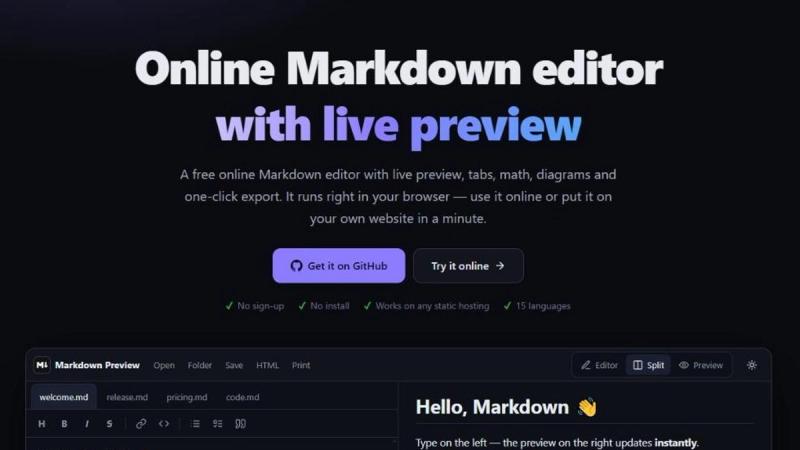
- WYSIWYG Markdown editor — Real-time rendered, distraction-free writing environment that feels like a blank sheet of paper; download .md files with a single click.
- 3-pane workspace — Combine your source document, an AI chat panel, and a Markdown editor side by side for a seamless read-ask-write flow.
- Multiple export formats — Export your final work as HTML, image (PNG?), rich text (RTF?), PDF, or plain .md from the same workspace.
Who is it for?
- Developers & founders — Sift through API documentation, draft product specs, and use AI to parse technical details into code-friendly Markdown.
- Lifelong learners — Get AI explanations like "explain it like I'm 5" while reading, and extract definitions and formulas into structured study notes.
- Researchers & analysts — Summarize 50-page academic papers, extract methodologies and findings, and draft literature reviews in clean Markdown with sources aligned.
What can you do with JustMarkdown?
- Summarize and synthesize — Have the AI summarize long articles or complex PDFs directly in your workspace, then append the summary to your notes.
- Convert and clean — Turn messy web clippings or formatted documents into clean Markdown without manual reformatting.
- Outline and draft — Use the dual-pane setup to copy excerpts from your reading into a draft, then expand with your own thoughts, all in one place.
How does JustMarkdown work?
- Import your source material (PDF, URL, image, etc.) into the workspace.
- Read and annotate in the left panel, and use the AI assistant to ask questions or get summaries.
- Once you have insights, click to insert them into your Markdown note in the right panel.
- Continue editing in the WYSIWYG editor, then export as HTML, image, rich text, PDF, or .md.
Pricing
JustMarkdown uses a freemium model — there is a free tier available ("Start for free" on the homepage), with paid plans implied but not detailed on the page.
FAQ
How is JustMarkdown different from a one-off converter?
Conversion is only the first step. You can keep reading, annotating, asking AI questions, and exporting from the same Markdown workspace instead of ending with a disposable download.
What kinds of source material fit this workflow best?
It is a strong fit for PDFs, web pages, Word files, spreadsheets, screenshots, and AI conversations when you still need to study, organize, or write from the result afterward.
Can I keep editing after the conversion finishes?
Yes. The goal is to preserve the result as useful Markdown so you can continue cleaning, expanding, annotating, and exporting it instead of treating conversion as the final step.
Is JustMarkdown free?
The platform offers a free tier to start. Specific pricing for paid plans is not disclosed on the homepage, but the "Freemium" tag indicates additional features or quotas are available for purchase.