
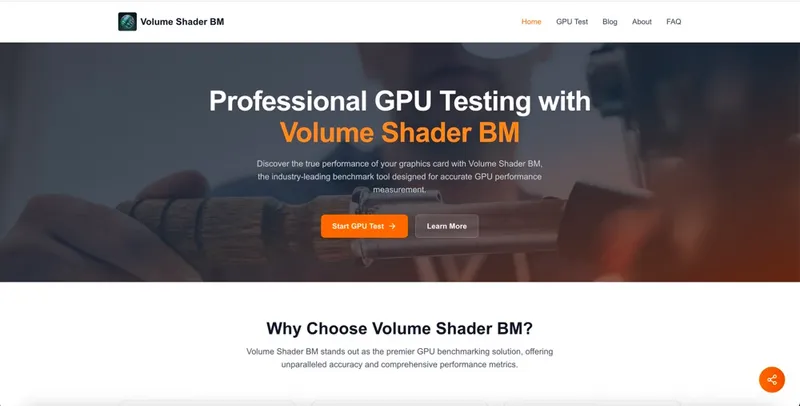
Volume Shader BM is a WebGL-based GPU benchmarking tool that measures graphics performance using advanced volume shader rendering techniques. It runs entirely in the browser without downloads or installations, providing accurate, reproducible performance metrics.
What is Volume Shader BM?
Volume Shader BM is a professional GPU benchmarking platform that evaluates graphics performance by running real-time volumetric shader computations. It takes a GPU testing task as input—users simply navigate to the test page and configure settings—and outputs detailed performance reports including frame rates, GPU utilization, memory bandwidth, and thermal readings. The tool operates in any modern browser via WebGL, and its benchmarks simulate complex 3D volumetric effects akin to those in modern games and professional applications.
Key Features
- Lightning-Fast Testing — Rapid GPU performance analysis without sacrificing accuracy, typically completing within 3-5 minutes.
- Reliable & Accurate — Strict testing standards ensure consistent, reproducible results for dependable performance metrics.
- Detailed Analytics — Comprehensive reports include frame rates, shader performance, temperature monitoring, clock speeds, and memory usage.
- Multi-GPU Support — Seamlessly handles single and multi-GPU configurations, including SLI, CrossFire, and professional workstation setups.
- Real-Time Monitoring — Live tracking of GPU metrics during testing, such as clock speeds, memory usage, and thermal performance.
- Stress Testing — Safe stress testing capabilities for overclockers and system stability verification, operating within normal GPU parameters.
Who is it for?
- Gaming Enthusiasts — Test GPU performance before purchasing new games, optimize settings for maximum frame rates, and compare GPU upgrades using benchmark scores.
- Content Creators — Verify GPU capabilities for video rendering and streaming performance, ensuring stable live broadcasts.
- IT Professionals — Validate workstation GPU performance, benchmark fleet systems, and diagnose performance issues efficiently.
- Overclockers — Test stability after overclocking, monitor temperatures during stress tests, and find optimal performance settings.
What can you do with Volume Shader BM?
- Compare GPU performance — Run the benchmark to obtain a score and compare with similar systems to gauge upgrade benefits.
- Optimize game settings — Use performance metrics to adjust graphics settings for the best balance of quality and frame rates.
- Verify system stability — Stress test your GPU to confirm that overclocking or new hardware is reliable under load.
- Diagnose bottlenecks — Analyze detailed metrics like GPU utilization and memory bandwidth to identify performance-limiting components.
How does Volume Shader BM work?
- Access the test page — Navigate to Start Basic Test or Advance Test directly in your browser.
- Configure parameters — Choose between a quick test or comprehensive benchmark; settings adapt automatically to your GPU's capabilities.
- Run the benchmark — The tool renders complex volumetric scenes with multiple light sources, shadows, and particles, processing millions of calculations per second.
- Review results — Analyze your score and detailed metrics, compare with similar systems, and export data for future reference. The benchmark completes within 3-5 minutes.
Frequently Asked Questions
Is Volume Shader BM free?
Yes, Volume Shader BM offers free GPU testing directly in the browser, with no downloads or installations required. There are no hidden costs for basic and advanced tests.
How accurate is the benchmark?
Volume Shader BM provides industry-standard accuracy with reproducible results. Its algorithms are continuously updated to reflect real-world GPU usage patterns and the latest graphics technologies.
Can Volume Shader BM damage my GPU?
No, the benchmark is completely safe for hardware. It operates within normal GPU parameters and includes built-in safeguards to prevent overheating or damage during testing.
How long does a test take?
A typical benchmark run takes 3-5 minutes, providing real-time feedback on performance metrics throughout the process.
What metrics are measured?
The tool reports frame rates, GPU utilization percentages, memory bandwidth usage, thermal readings, clock speeds, and a final benchmark score.


