
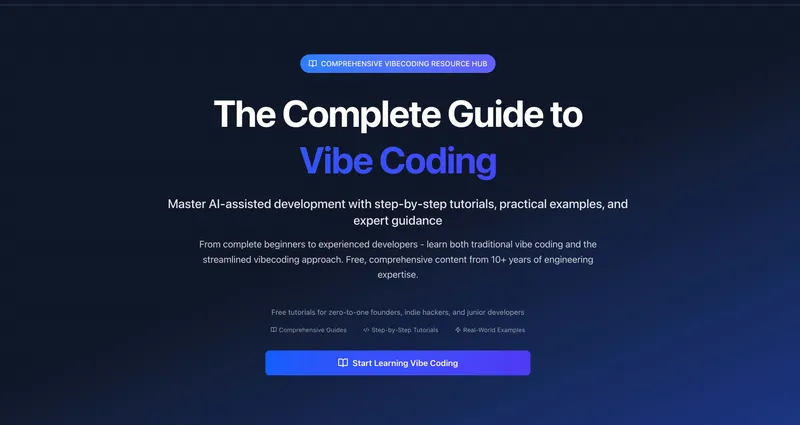
Vibe Coding Learn is a free, comprehensive educational resource that teaches both traditional vibe coding and the streamlined vibecoding approach through step-by-step tutorials, practical examples, and expert guidance from over 10 years of engineering expertise.
What is Vibe Coding Learn?
Vibe Coding Learn is an open-source knowledge hub providing free tutorials and guides for mastering AI-assisted development. It takes users from complete beginners to experienced developers, offering content on both vibe coding (intuition-driven AI development) and vibecoding (the streamlined 2025 approach). The platform is created by an experienced engineer with over a decade of expertise, and all content is freely accessible online. Start learning here.
Key Features
- Comprehensive step-by-step tutorials — Covers everything from building your first AI app in under 30 minutes to setting up advanced MCP integrations with Claude Code and Figma.
- Two complementary methodologies — Teaches both traditional vibe coding and the modern vibecoding approach, allowing users to compare and choose.
- Free and open-source content — All guides, tutorials, and examples are freely available, with an open-source model that encourages community contributions.
- Real-world examples and practical exercises — Includes full source code for hands-on projects, such as the Complete Beginner Tutorial.
- Tailored learning paths — Separate entry points for new programmers, experienced developers, and entrepreneurs, each with recommended starting guides.
- Curated tool lists — Provides a curated list of best vibe coding tools and frameworks for productive workflows.
- Community and contribution — Growing community of thousands of developers, founders, and indie hackers who share knowledge and projects.
Who is it for?
- Complete beginners — Start with the Complete Beginner Tutorial to build their first working prototype while learning essential AI tools and workflows.
- Experienced developers — Master the Ultimate Guide methodology and set up advanced MCP integrations like Claude Code MCP or Figma MCP.
- Entrepreneurs and indie hackers — Learn to rapidly prototype and ship MVPs using the vibecoding quick start approach, with tools optimized for fast iteration.
- Designers and no-code learners — Use design-to-code automation tutorials like Figma MCP integration to convert designs into working code.
Use cases
- Launching a startup MVP — Use the What is Vibe Coding? guide to quickly validate product ideas by building functional prototypes with AI assistants.
- Automating design-to-development — Set up Figma MCP with Claude Code to automatically convert UI designs into production-ready code, reducing manual coding time.
- Learning AI-assisted development from scratch — Follow the Complete Beginner Tutorial and the Quick Start Guide to learn how to prompt AI tools effectively for code generation.
- Building a full-stack project with AI — Apply the Ultimate Guide's five-chapter methodology to move from concept to production deployment using Claude Code and MCP integrations.
How does Vibe Coding Learn work?
The platform organizes its content into structured guides and tutorials. Users select a learning path based on their experience level, then follow step-by-step instructions with accompanying code examples. Each tutorial is designed to be self-contained, allowing learners to jump directly to relevant sections. The site also provides a learning hub with structured paths and a curated tool directory.
Pricing
All tutorials and guides are completely free. There are no paid tiers mentioned on the site.
FAQ
Is Vibe Coding Learn free?
Yes, all tutorials, guides, and examples are completely free and open-source, available without any payment or registration.
What is the difference between vibe coding and vibecoding?
Vibe coding refers to the broader intuition-driven AI development approach, while vibecoding is the specific streamlined 2025 methodology that emphasizes rapid prototyping with AI-first tools. The site covers both.
Do I need programming experience to start?
No, the platform offers a Complete Beginner Tutorial specifically designed for first-time learners with no coding background.
Can I contribute to the content?
Yes, all guides are open source, and the community encourages contributions, remixing, and sharing projects to help other learners.
What tools or integrations are covered?
The site covers tools like Claude Code, GitHub MCP, Figma MCP, and provides a curated list of best vibe coding tools and frameworks for productive AI-assisted development.


