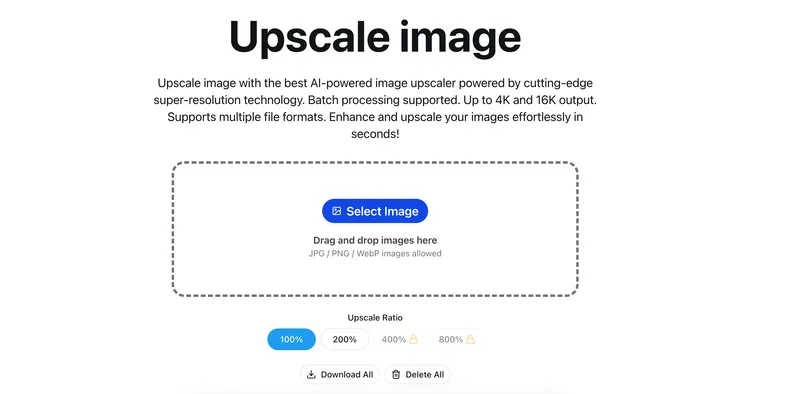
Upscayl AI Image Upscaler is a web-based tool that uses AI to transform low-resolution images into sharp, high-definition photos up to 8K resolution.
What is Upscayl AI Image Upscaler?
Upscayl AI Image Upscaler is an online AI-powered image enhancement tool that takes low-resolution JPEG, PNG, or WEBP images (up to 20MB each, up to 10 at a time) and produces upscaled versions at resolutions from 1K to 8K while preserving natural textures and details. It runs entirely in the browser (web-based) and is developed by Upscayl (the company behind the open-source Upscayl desktop app). The service offers a freemium model with free credits upon registration and paid plans for higher volume.
Key Features
- Multiple output resolutions — Choose from 1K, 2K, 4K, 6K, or 8K output to match your needs.
- Face enhancement — An optional GFPGAN-based face enhancement that runs alongside upscaling to improve facial details.
- Batch processing — Upload up to 10 images at once for batch enhancement (supported on paid plans).
- Wide format support — Accepts JPG, PNG, and WEBP formats, each up to 20MB.
- Lightning-fast processing — Optimized pipelines deliver results in under 2 seconds per image.
- Commercial-grade output — Upscaled images are suitable for printing, product shots, and professional use.
Who is it for?
- Photographers — Restore old, low-resolution photos and enhance portraits for print-ready quality.
- E-commerce sellers — Upscale product images to 4K for detailed, professional-looking listings.
- Social media content creators — Convert low-res photos into crisp HD images for Instagram, Facebook, or other platforms.
- Designers — Prepare images for high-resolution printing or display in portfolios.
What can you do with Upscayl AI Image Upscaler?
- Restore old family photos — Upload scanned or low-res old photos and upscale them to 4K or 8K with AI detail reconstruction.
- Enhance product images — Upscale product shots to 4K with face enhancement for e-commerce listings.
- Create print-ready assets — Convert web-resolution graphics to high-res files for brochures, posters, or banners.
- Improve social media images — Make pixelated or blurry images crisp and clear before posting online.
How does it work?
- Upload an image (drag and drop or click) — supports JPG, PNG, WEBP up to 20MB per file, up to 10 images.
- Choose output resolution (1K-8K) and optionally enable face enhancement.
- Click "Start Upscayl AI Image Upscaler" — AI analyzes and reconstructs lost details.
- Download the HD result directly to your device.
Pricing
Upscayl uses a freemium model. Free users get credits upon registration. Paid plans start at Professional ($4.9/month billed yearly, 2400 credits/year), Business ($7.9/month, 6000 credits/year), and Enterprise ($9.9/month, 36000 credits/year). Credits are consumed per image conversion. A flash sale offers 50% savings on yearly plans.
FAQ
Is Upscayl AI Image Upscaler really free?
Yes, new users receive free credits upon registration to try the service. For higher volume, paid plans are available.
What image formats does it support?
It supports JPG, PNG, and WEBP formats. Each image must be under 20MB.
How long does it take to upscale an image?
Processing is typically under 2 seconds per image, though times may vary with image size and resolution.
Will I lose image quality when upscaling?
No, the AI reconstructs missing details and textures, producing results that maintain or improve visual quality, with options up to 8K.