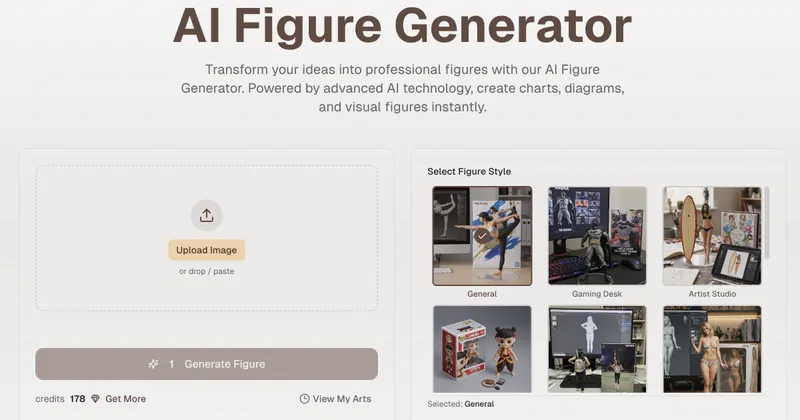
Image to Live is an AI-powered web tool that converts static photos into animated live videos or wallpapers in seconds, with no prompting required.
What is Image to Live?
Image to Live is an online platform that uses AI to transform uploaded images into dynamic video clips. It accepts common image formats (JPG, PNG, WEBP, HEIC) and outputs MP4 videos or Live Photos compatible with iPhone. The tool runs entirely in the browser and is created by an independent development team.
Key Features
- Pre-configured style presets: Choose from eight distinct styles including Cinematic, Ethereal Glow, 3D Parallax, Slow Motion, Vintage Film, Nature Flow, Cyberpunk, and Golden Hour, with over 12 presets total.
- Zero prompting required: No need to write AI prompts; simply select a style card to animate your image.
- High-resolution output: Generates videos in 4K resolution for crisp detail.
- Fast processing: Animations are created in approximately 30 seconds.
- Sound generation option: A "Generate with Sound" checkbox adds audio to the output.
- No watermarks: The free version does not apply watermarks to generated videos.
- Supported formats: JPG, PNG, WEBP, and HEIC images up to 20MB.
- Download options: Export as MP4 for social media or as a Live Photo for iPhone.
Who is it for?
- Social media creators who want to turn travel photos or flat images into engaging Instagram Reels or TikTok videos.
- Digital artists looking to animate their digital paintings without After Effects.
- Marketing professionals who need dynamic product visuals from static shots to improve ad ROAS.
- Casual users who want to bring personal memories to life as live wallpapers.
What can you do with Image to Live?
- Create iPhone live wallpapers: Upload a photo and select any preset to generate a Live Photo that works as a lock screen wallpaper.
- Animate product shots: Marketers can turn static product images into short promotional videos with cinematic motion.
- Enhance social media content: Content creators can produce looping video clips with effects like slow motion or vintage film feel.
- Experiment with artistic styles: Apply ethereal glow, cyberpunk, or golden hour looks to any image for creative projects.
How does Image to Live work?
- Upload an image (drag and drop or click) from your device (JPG, PNG, WEBP, or HEIC, max 20MB).
- Select a style preset from the available cards (e.g., Cinematic, Ethereal Glow).
- Optionally toggle "Generate with Sound" to include audio.
- Click "Animate This Image" and wait about 30 seconds for the AI to process depth and semantics.
- Download the result as MP4 or Live Photo.
Pricing
Image to Live is free to use with a credit system. New users receive initial credits (8 credits are shown in the UI, likely free tier). Additional credits or premium features may be available, but no specific pricing is listed on the page.
FAQ
Is Image to Live free?
Yes, Image to Live offers a free tier with initial credits to generate animations. There may be premium plans for more usage.
How do you turn a picture into a live video?
Upload your image, select a style preset, and click "Animate This Image". The AI processes the photo and delivers an MP4 or Live Photo download.
Can I use this for iPhone live wallpapers?
Yes, you can download the output as a Live Photo format, which is directly compatible with iPhone lock screen wallpapers.
Do I need to write complex AI prompts?
No, Image to Live uses pre-configured style cards. You simply choose a visual style without typing any text.
Are there watermarks on the free version?
No, the free version does not apply watermarks to generated videos.
What image formats are supported?
JPG, PNG, WEBP, and HEIC images up to 20MB are accepted.