
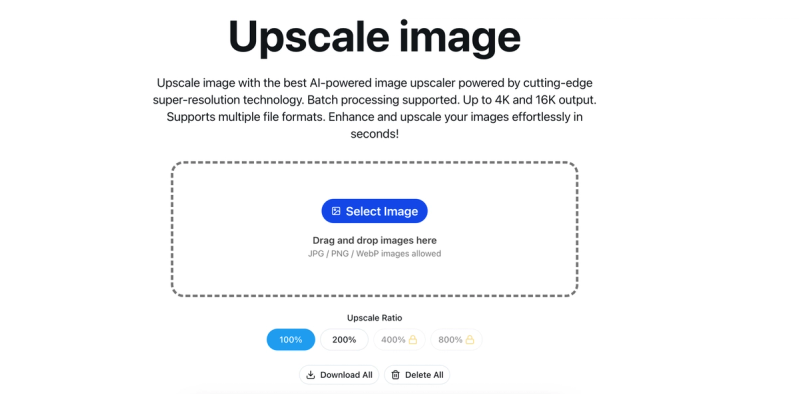
Upscale Image is an AI-powered web tool that increases image resolution using super-resolution technology, supporting batch processing and multiple formats.
What is Upscale Image?
Upscale Image is an AI-powered web-based tool that increases the resolution of images using advanced super-resolution technology and deep learning algorithms. It takes low-resolution images as input (JPG, PNG, WEBP, BMP) and produces high-resolution outputs up to 16K while preserving quality. The tool runs entirely in the browser with no software installation required and is developed by the team behind upscale-image.org. It uses intelligent pixel interpolation and detail reconstruction to maintain sharpness and enhance details.
Key Features
- High-Quality Upscaling — Increase resolution by 200%, 400%, or up to 16K output (up to 4K and 16K with Pro) without quality loss.
- Batch Processing — Upload and process multiple images simultaneously; Pro users get unlimited batch processing.
- Multiple Format Support — Accepts JPG, JPEG, PNG, WEBP, BMP, and more; outputs in same or higher quality.
- Lossless Quality — Uses intelligent pixel interpolation and detail reconstruction to maintain sharpness and enhance details.
- Privacy Protection — All uploaded images are automatically deleted within 24 hours; no permanent storage.
- Commercial Use — All upscaled images can be used for commercial purposes free of charge.
- Fast Processing — Most images processed in seconds; high-resolution images in 10-30 seconds.
- Built-in Image Editor — Crop, filter, fine-tune, annotate, add stickers and frames before or after upscaling.
Who is it for?
- Photographers and designers — Enhance low-resolution photos for large-format printing or restore old photos.
- — Upscale product images to HD quality for platforms like Shopify, Taobao, Amazon without blur.







