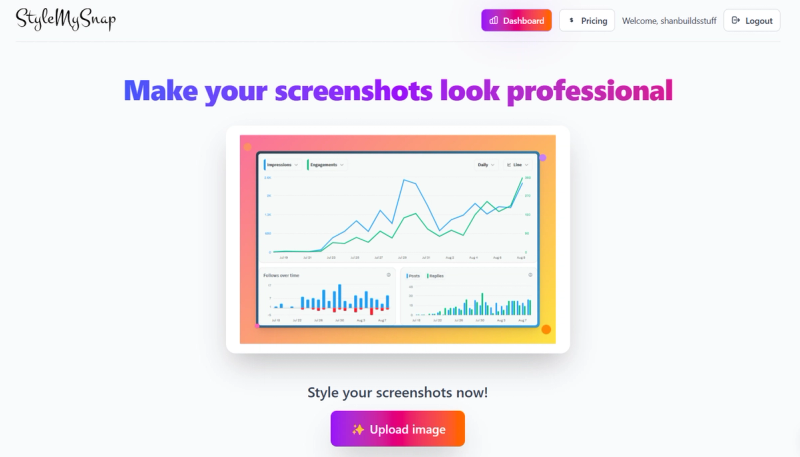
Style My Snap is an online screenshot beautifier that helps you create professional-looking screenshots and code snippets.
What is Style My Snap?
Style My Snap is a web-based tool that takes raw screenshots or code snippets as input and produces styled images with added backgrounds, shadows, borders, padding, and editor themes. It runs entirely in the browser on any device and is developed by an unstated team.
Key Features
- Screenshot Mode — Add customizable backgrounds, shadows, borders, and padding to your screenshots to make them pop.
- Code Mode — Style your code snippets with professional editor themes and headers, ideal for sharing on social media or documentation.
- Web-based — No installation required; works on any modern browser.
- Freemium model — Free to use with optional premium features (specifics not disclosed).
- Easy upload — Simply upload an image or paste code to get started.
Who is it for?
- Developers — Style code snippets for blog posts, documentation, or social media shares.
- Designers — Beautify UI screenshots for portfolios or presentations.
- Content creators — Enhance screenshots and snippets for tutorials, articles, or product demos.
What can you do with Style My Snap?
- Create polished social media graphics — Turn plain screenshots into eye-catching images with consistent styling.
- Prepare code for documentation — Generate clean, readable code blocks with syntax highlighting and professional headers.
- Showcase app designs — Present UI mockups with added shadows and frames to simulate device context.
Pricing
Style My Snap operates on a freemium model. The basic features are free to use, and premium options may be available for advanced customization.