Banana AI is an AI-powered image generator and editor that transforms photos and text prompts into professional-quality images with a single click.
What is Banana AI?
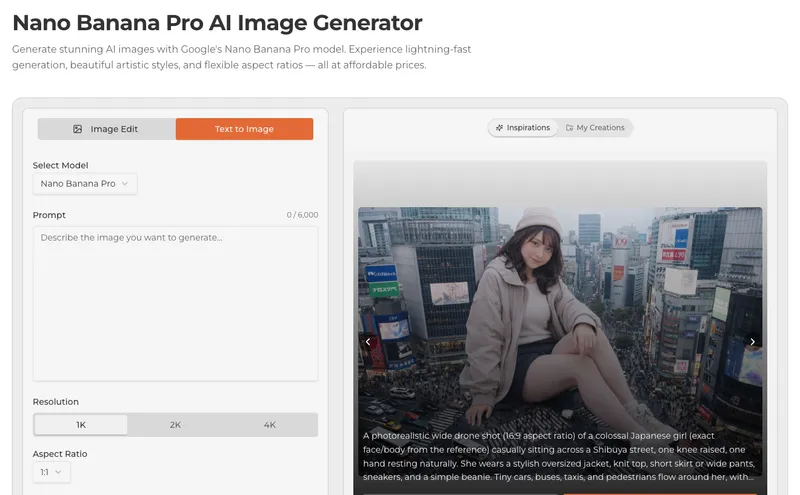
Banana AI is a web-based platform that generates and edits images using AI. It accepts text prompts and optional reference photos (JPG, PNG, or WEBP, up to 5 MB) and outputs high-resolution images (up to 4K) in seconds. The platform is developed by Banana AI and offers a free trial without requiring a login.
Key Features
- Photo to Anime Style — Convert real photos into anime artwork with one click.
- Smart Background Change — Replace or remove backgrounds using AI precision.
- Natural Language Editing — Describe changes in plain English; the AI applies edits automatically.
- Character Consistency — Maintain the same character likeness across multiple generated images.
- Multi-Image Fusion — Blend several photos into a single cohesive composition.
- One-Shot Editing — Complex edits (style transfer, restoration, hair transformation) in a single attempt.
- Model Selection — Choose between GPT Image 2 by OpenAI or other models for generation.
- SynthID Watermarking — Invisible watermarks on all outputs for authenticity verification.
Who should use Banana AI?
- Content creators — Generate unique visuals for social media, blogs, and videos.
- E-commerce sellers — Edit product photos with background removal and style enhancements.
- Photographers — Restore vintage images, apply artistic styles, or remove tourists from travel photos.
- Designers — Rapidly prototype visual concepts without manual editing.
What can you do with Banana AI?
- Social media creators — Generate eye-catching images for posts and stories using text prompts alone.
- E-commerce sellers — Cleanly remove backgrounds from product photos and apply consistent branding across a catalog.
- Photographers — Transform real photos into anime style or restore old family photos with a single prompt.
- Designers — Blend multiple reference images into a new composition or maintain character consistency across a series.
How does Banana AI work?
- Upload (optional) a reference photo in JPG, PNG, or WEBP format, up to 5 MB. 2. Write a prompt describing the desired edit or image (e.g., "a cat sitting on a beach"). 3. Generate — click the Generate button; results appear in seconds. 4. Download — preview full resolution and save in JPG or PNG.
Pros and cons
- Pros: Lightning-fast processing (under 2 seconds), one-shot editing precision, free trial without login, supports character consistency across multiple images.
- Cons: Free tier adds a watermark to all outputs; credit-based billing (each generation consumes credits).
Pricing
Free trial available with limited credits; paid plans remove watermarks and offer more credits. No specific dollar amounts are disclosed on the site.
FAQ
Is Banana AI free?
Yes, a free trial is available without requiring a login. Generated images during the trial include a Banana AI watermark. Members can remove the watermark.
What file types are supported?
Upload JPG, PNG, or WEBP images up to 5 MB. Exports are JPG or PNG depending on the operation.
Can I use images commercially?
Yes, commercial use is permitted for outputs unless your plan states otherwise. You must hold rights to all input images and comply with applicable laws.
How are credits billed?
Each generation or edit consumes credits based on the task and selected model. Failed jobs are automatically refunded; partial results may incur a reduced cost.