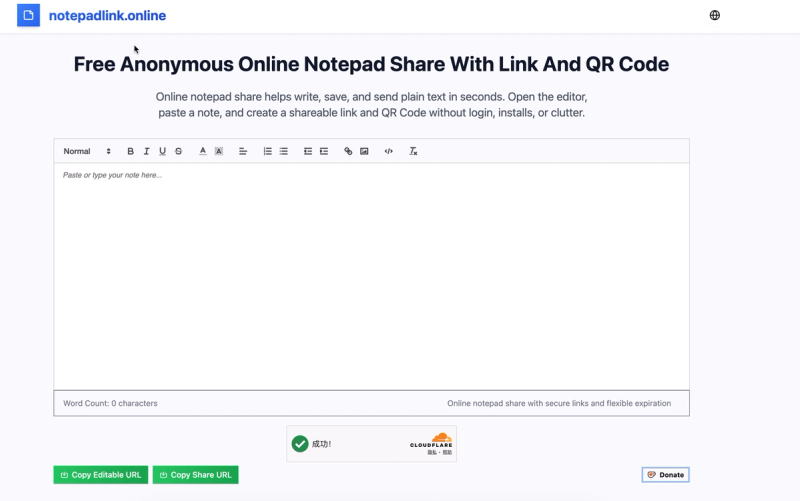
OnlineNotepadShare is a free anonymous web-based notepad tool that lets you create shareable links and QR codes for plain text notes without registration or installation.
What is OnlineNotepadShare?
OnlineNotepadShare is a free online tool for writing, saving, and sharing plain text notes via a unique URL and QR code. You type or paste text into the editor, configure optional expiration settings (e.g., 1 hour, 1 day, 1 week), and generate a link. The tool runs in any modern browser (Chrome, Firefox, Safari, Edge) on desktop and mobile. No account or personal data is required. The service is provided by onlinenotepad101.org and supported by voluntary donations via Buy Me a Coffee.
Key Features
- No Registration Required — Start typing immediately without signing up or providing personal information.
- Cross-Platform Compatibility — Works on Windows, Mac, Linux, Android, and iOS through any modern browser.
- Fast Link & QR Code Generation — Create a shareable link and QR code in seconds; both are ready to copy or download.
- Expiration Options — Choose how long the note stays active: 1 hour, 1 day, 1 week, or never expire (manual deletion).
- Clean Plain Text Editing — Minimalist editor with no formatting clutter; focus on readable text.
- Mobile-Friendly Layout — Notes display and edit well on small screens without zooming.
- Free to Use — No subscription or payment required; the tool is supported by optional donations.
Who is it for?
- Students — Share class notes, study guides, or instructions with classmates instantly via link or QR.
- Remote Workers — Send temporary updates, checklists, or meeting notes to colleagues without email attachments.
- Support Teams — Provide quick reference snippets or troubleshooting steps during live chats.
- Teachers — Distribute assignment details or reading materials to students in class or online.
What can you do with OnlineNotepadShare?
- Quick note sharing: Write a note, set expiration, and copy the link to send in chat or email. Recipients open the note in their browser without any account.
- Temporary updates: Use short expiration (e.g., 1 hour) for time-sensitive messages like meeting room changes or event reminders.
- Mobile QR sharing: On your phone, generate a QR code and display it for nearby people to scan — ideal for in-person handoffs.
FAQ
Is OnlineNotepadShare free to use?
Yes, the tool is completely free. There are no accounts, subscriptions, or hidden fees. Optional donations support the service.
Do I need to install anything?
No installation required. Everything runs in your browser. Just open the site and start typing.
How long does a note stay available?
You choose an expiration window when creating a note: 1 hour, 1 day, 1 week, or never expire. After expiry, the note is automatically deleted.
Is my note private?
The note is accessible only to anyone who has the unique URL. It is not indexed by search engines. Using expiration further limits access.
What content can I share?
Plain text only — notes, drafts, lists, instructions, short code snippets. No images or formatting are supported.