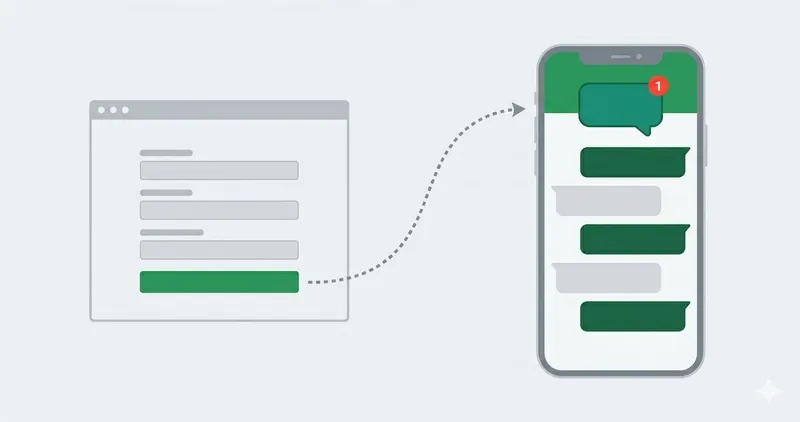
ConnectMachine is a privacy-first, AI-powered digital business card and contact management app for iOS and Android that turns every handshake into a searchable, contextual relationship record.
What is ConnectMachine?
ConnectMachine is a digital business card and contact management app for iOS and Android, built as a "relationship memory layer" for professionals. It takes as input your own card details or photos of physical business cards, and produces shareable digital cards, searchable contacts, AI-generated notes, and follow-up reminders. Developed by ConnectMachine, it was named #1 Product of the Day on Product Hunt and carries a 4.7/5 rating from 22K users.
Key Features
- Digital cards — Build multiple context-specific cards (Free plan includes up to 4; Individual plans allow unlimited) and share via QR code or link; recipients need no app to view or save them.
- AI business card scanner — Point your camera at any paper card; the AI reads the details into a clean contact record. Free plan limits this to 3 scans; Individual removes the limit.
- AI Notetaker — Record conversations on the spot, attach audio to a contact, and have the AI transcribe the meeting, extract key follow-ups, and auto-tag with location, timestamp, and event details.
- AI Concierge — Talk to your contacts and calendar in natural language: search ("who did I meet at the conference?"), schedule meetings, set reminders, and add events via Google Calendar.
- CRM integration — On Individual and Team plans, sync contacts upstream to CRMs like Salesforce and HubSpot.
- Wallet integration — Add any card to Apple Wallet or Google Wallet for one-tap access.
- Offline mode — Create, share, and scan cards without an internet connection; data syncs when you're back online.
- Privacy controls — GDPR-compliant with data localization, encrypted data, and cards that reveal only what you choose.
What can you do with ConnectMachine?
- Networking event attendees: Display your QR code or share link and new contacts can save your details instantly with no app download or signup.
- Sales professionals: Record a post-meeting voice note, let AI Notetaker transcribe and extract follow-ups, then have AI Concierge schedule the next touchpoint and push the contact to your CRM.
- Freelancers and consultants: Create separate cards for work, personal, and VIP contexts, then update one card and all shared versions sync automatically.
- Conference-goers: Scan every physical business card you collect, then ask AI Concierge to pull up everyone you met at a specific expo.
Who is it for?
- Sales and business development professionals who need to remember the context behind each meeting and maintain follow-up cadence.
- Event and conference attendees who want to go paper-free and organize dozens of new contacts in one place.
- Freelancers and small business owners who want different digital profiles without mixing audiences.
- Teams and organizations that need a shared contact network with centralized billing, admin branding controls, and team analytics (Team plan).
How does ConnectMachine work?
- Download the free app from the App Store or Google Play and create an account.
- Build your first digital card using the guided steps; add separate cards for different roles.
- Share your card via a unique QR code or share link — recipients point their phone camera at it to see your live card.
- If you receive a paper card, use the in-app scanner; AI turns it into a searchable contact.
- After a conversation, record a voice note or use AI Notetaker to capture context; ask AI Concierge to schedule follow-ups or find the contact later.
Pricing
- Free — $0 forever: up to 3 physical card scans, up to 4 cards, CSV export, Apple & Google Wallet integration, WhatsApp Assistant, and home screen widgets.
- Individual — $5.99 per month, or save 20% on yearly billing: unlimited card scans and cards, CRM integration, AI Notetaker, AI Concierge, and Netsend.
- Team — $5.99 per seat per month: everything in Individual plus centralized billing, seat management, team analytics, custom domain support, admin branding controls, and priority support.
FAQ
How do I create my ConnectMachine card?
Download the app, sign up, and follow the guided steps to build your first digital card. You can create additional cards for different contexts, such as VIP, Friends, or Work.
What happens when someone scans my QR code?
They see your live card with the details you chose to share. No app download or signup is needed — just their phone camera.
Can I export my contact data?
Yes, go to Settings > Export Contacts to save your contacts as a CSV file. This feature is included in the Free plan.
Are digital business cards secure?
ConnectMachine is GDPR compliant with data localization, uses industry-standard encryption, and each card only shows the details you choose. The company says your contacts stay private and that it never sells your data.
Does ConnectMachine have a free plan?
Yes, the Free plan includes up to 3 physical card scans, up to 4 cards, CSV export, Apple/Google Wallet integration, WhatsApp Assistant, and home screen widgets. Paid plans remove scan and card limits and add AI features and CRM integrations.