
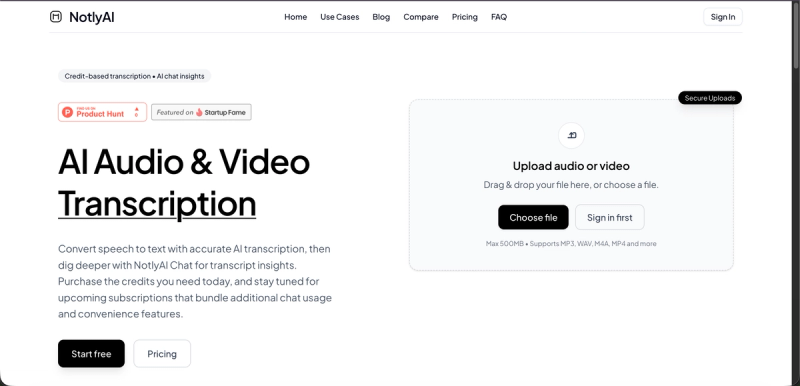
NotlyAI is a credit-based AI transcription platform that converts audio and video files into searchable, editable text and enables users to chat with their transcripts for instant insights via a RAG-powered chat interface.
What is NotlyAI?
NotlyAI is an AI transcription tool that accepts audio and video files (MP3, WAV, M4A, MP4, and more, up to 500MB) and outputs accurate transcripts with speaker identification and automatic summaries. It runs as a web application and is created by Nikhil. The platform also offers a unique transcript chat feature that lets users ask follow-up questions, extract action items, or summarize content directly from the transcript.
Key Features
- Credit-based pay-as-you-go — Purchase credits for transcription and chat usage; new users receive 30 free credits upon signup with no credit card required.
- Transcript Chat — Chat with your transcript using a RAG-powered system that provides streamed responses grounded in the transcript with citations.
- Speaker identification and automatic summaries — The AI automatically identifies different speakers and generates concise summaries of the content.
- Export to multiple formats — Copy transcribed text directly, download SRT subtitle files, or export to other popular formats for workflows.
- Secure uploads — Files are transmitted securely; no specific encryption details are public.
- Upcoming subscriptions — Forthcoming subscription plans will bundle expanded chat context windows, faster response tiers, export automation, chat organization tools, shared chat notes, and priority support.
Who is it for?
- Podcasters and content creators — Generate accurate show notes, searchable archives, and SRT captions for YouTube videos automatically.
- Researchers and interviewers — Search through hours of recorded interviews to find key quotes, insights, and moments instantly.

- Professionals and teams — Convert Zoom, Teams, or in-person meetings into detailed transcripts with AI-generated summaries and action items.
- Students and lifelong learners — Turn lectures and voice notes into searchable text for study and review.
What can you do with NotlyAI?
- Podcast Transcription: Produce show notes, create a searchable episode archive, and generate SRT files for video captions.
- Interview Analysis: Upload interview recordings and use the chat feature to quickly locate key quotes or themes without re-listening.
- Meeting Transcription: Convert meeting recordings into text and extract action items and summaries using the chat interface.
How does NotlyAI work?
- Upload your file — Drag and drop an audio or video file (up to 500MB, formats like MP3, WAV, M4A, MP4).
- AI processing — The system processes the file with high-accuracy speech recognition, identifies speakers, and generates an automatic summary.
- Export or chat — Copy the transcript, download an SRT subtitle file, or open the transcript chat to ask follow-up questions and extract insights.
Pricing
NotlyAI operates on a credit-based model. New users receive 30 free transcription credits (no card required). Additional credits can be purchased as needed. Subscriptions are in development and will bundle increased chat usage, expanded context windows, faster response tiers, export automation, chat organization tools, shared chat notes, and priority support.
FAQ
What formats does NotlyAI support?
NotlyAI supports MP3, WAV, M4A, MP4, and more audio and video formats. Files must be under 500 MB.
Is there a free trial?
Yes, every new user gets 30 free transcription credits without needing a credit card. You can use these to transcribe short files or test the transcript chat feature.
Can I chat with my transcript?
Yes, the Transcript Chat feature allows you to ask questions, get summaries, or extract action items from your transcript using credits. Each prompt consumes credits.
Are there any limitations with the credit model?
Transcript chat uses credits per prompt. Heavy users may find the upcoming subscriptions more economical, as they will bundle expanded context windows and faster response times.








