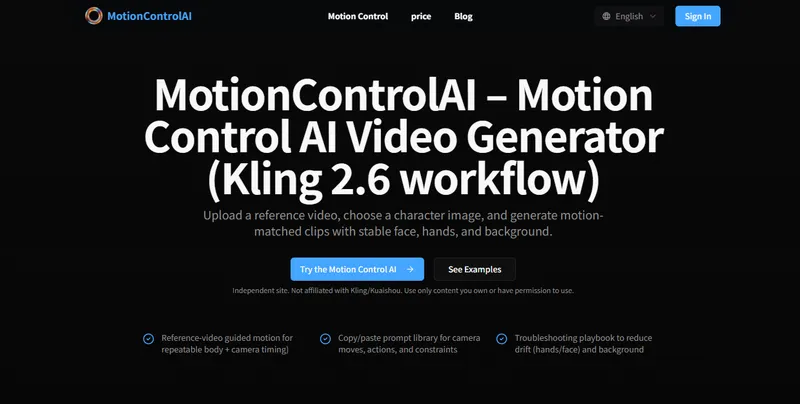
MotionControlAI is a web-based AI video generator that animates a character image by copying the motion from a reference video, using a Kling 2.6 workflow to keep face, hands, and background stable.
What is MotionControlAI?
MotionControlAI is an independent web tool that generates motion-matched video clips from two inputs: a reference video and a character image. You upload or paste a URL for both, optionally add a text prompt, choose a resolution, and the service produces a new video where the character performs the motion from the reference. The site runs in the browser, requires credits for generation, and is not affiliated with Kling or Kuaishou even though it uses Kling 2.6's motion control workflow.
Key Features
- Reference-video guided motion — Uses a reference clip to guide body motion, gestures, and camera dynamics, making results more repeatable than text-only video generation.
- Character image input — A single image (upload or URL) defines the subject; image-to-video is highlighted as often more controllable than text-to-video.
- Resolution options — 720p uses fewer credits, while 1080p costs more, giving a quality/cost trade-off.
- Sample reference videos — The site includes a sample MP4 clip so you can test the workflow without sourcing your own footage.
- Copy/paste prompt library — Ready-to-use templates for camera movement, character animation, and orbits, plus pro tips like describing pan/dolly-in/orbit/handheld explicitly.
- Troubleshooting playbook — Provides guidance to reduce drift in hands and face and stabilize backgrounds.
- Video tutorials and guides — A curated list of YouTube tutorials covering beginner workflows, prompt strategies, and Kling 2.6 comparisons.
- Comparison table — Side-by-side view of Kling motion control versus text-only video and manual animation across repeatability, setup effort, best use cases, and consistency.
Who is it for?
- Content creators who want to make dance or performance videos with a specific character, like the Donald Trump or Harley Quinn clips showcased on the page.
- AI video experimenters who want to test motion control with provided sample videos and a prompt library.
- Social media managers producing short, high-engagement clips for X/Twitter, using the viral examples as inspiration.
- Beginners who need step-by-step tutorials and troubleshooting help to avoid common drift issues.
What can you do with MotionControlAI?
- Celebrity dance videos: Transfer the motion from a reference dance clip onto a character image, as seen in the viral Donald Trump example.
- Character animation: Bring anime or game characters to life, e.g., Harley Quinn and Reze dance examples.
- Creative narratives: Combine a character image with reference motions to create humorous scenarios, such as the "cats running a luxury spa" post.
- Lip-sync and expression tests: Depending on your plan, the motion control workflow can include audio-ready features like lip sync and expressions, per the official Kling documentation.
How does MotionControlAI work?
The workflow has three main steps: 1) choose a clean reference video with stable framing and minimal occlusion; 2) pair it with your target character image, since image-to-video is often more controllable; 3) generate variations and refine prompts. In the tool itself, you upload or paste URLs for the reference video and character image, optionally enter a prompt, select a resolution, and click generate.
Pricing
Generation is credit-based. The site states that credits are required and that 720p uses fewer credits, while 1080p costs more. No specific credit prices or tiers are listed.
FAQ
What is motion control AI?
Motion control AI uses a reference clip to guide movement and timing — body motion, gestures, and camera dynamics — so results are more repeatable than standard text-to-video approaches.
Do I need a reference video?
Yes, the workflow is reference-video guided: you upload a reference video to define the motion, then pair it with a character image. The site includes sample reference videos to get started.
How do I write camera movement prompts?
Describe camera moves explicitly using terms like pan, dolly-in, orbit, and handheld, and add constraints like subject centered, no jitter, and stable background. The site provides ready-to-copy prompt templates.