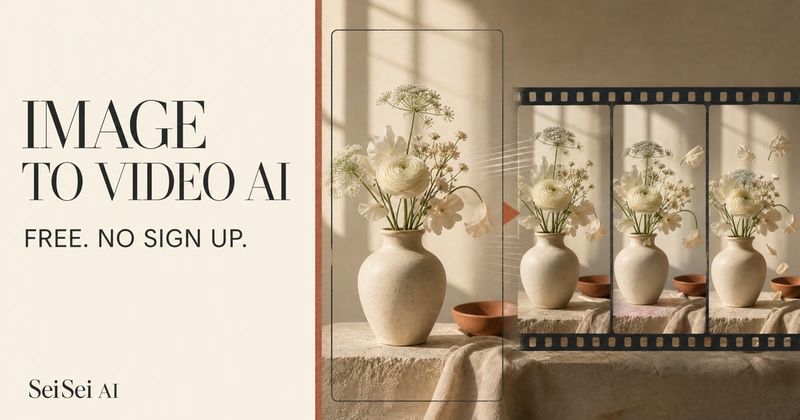
SeiSei AI Image to Video is a free web-based AI tool that turns a still photo, product visual, or illustration into a short video clip with synchronized audio. No sign-up is required for a daily 2-4 second generation. Upload a JPEG, PNG, or WEBP image up to 10MB, describe the motion in plain language, and download the result with audio.
What is SeiSei AI Image to Video?
SeiSei AI Image to Video is a browser-based AI generator that converts a still image into a short video with synchronized audio. It takes an uploaded image and a text description of the desired motion, then outputs a downloadable video file. The tool is made by SeiSei AI and runs entirely in the web browser, with a free trial that requires no account.
Key Features
- Free daily trial — One 2–4 second video per day without signing up; failed attempts do not consume the daily allowance.
- Multi-model support — Choose from Grok Imagine, Veo 3.1 (Fast, Quality, Lite), Seedance 2 variants, Gemini Omni, Kling Video, and Minimax, each with different credit costs.
- Audio included — Every generated video includes synchronized audio; users describe the atmosphere along with visible motion.
- Customizable output — Select aspect ratio (e.g., 16:9), duration from 2 seconds onward, and resolution from 480p up to 4K depending on the selected model.
- Credit system — Videos 5 seconds or longer cost 2 credits per second; the required credits are shown before generation for the active model, resolution, and duration.
- Rights guidance — The tool reminds users to check rights for people, logos, characters, and copyrighted material before publishing.
Who is it for?
- Travel content creators — Animate travel photos with gentle camera moves and ambient audio to create short atmospheric clips for social media.
- Small brand owners — Test product motion ideas with a still visual before commissioning more versions; the free trial gives a quick first pass.
- E-commerce operators — Compare how the same product image reads with different motion prompts to select the best for each product page.
- Illustrators — Bring characters, outfits, or backgrounds to life while preserving the original illustration style.
Use cases
- Portraits — Add subtle expression, hair movement, and camera motion to a still portrait.
- Product visuals — Reveal material and shape with a slow, polished product-camera move.
- Travel scenes — Animate rain, light, and passing movement to retain a place's atmosphere.
- Architecture — Use a gentle camera move to reveal depth, light, and the shape of a space.
How does it work?
- Upload a photo, product visual, or illustration (JPEG, PNG, or WEBP, up to 10MB).
- Describe the camera movement, subject motion, and atmosphere in plain language.
- Preview the audio-backed result and download it when ready.
The tool also provides prompt-writing guidance: start with a camera move, one subject action, and a simple audio direction, then refine based on the output.
Pricing
SeiSei AI Image to Video is freemium. The no-sign-up trial gives one free 2–4 second video daily. After signing in, credit-based plans start at Basic $19/month (300 credits), Pro $38/month (1,600 credits), and Max $190/month (9,200 credits), with yearly billing saving roughly 40%. Videos 5 seconds or longer cost 2 credits per second; credit requirements vary by model, resolution, and duration.
FAQ
Is it free to use?
Yes, you can generate one free video every day without signing up. Videos 5 seconds or longer, and later generations, cost credits.
Does the generated video include audio?
Yes, audio is included in the generated image-to-video result.