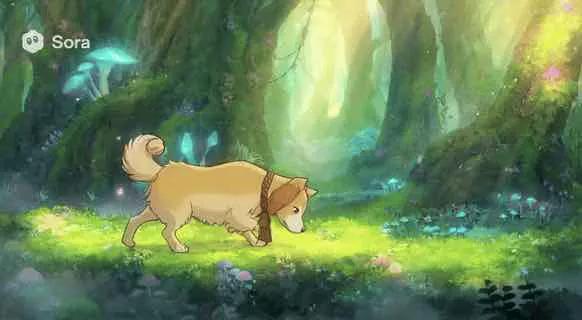
Sora 2 AI is an AI video generator that converts text prompts into videos, powered by models including OpenAI's Sora 2 and Google's Veo 3.1.
What is Sora 2 AI?
Sora 2 AI is an independent, web-based platform that transforms text descriptions and optional image inputs into AI-generated videos. It leverages multiple underlying models (currently Sora 2 and Veo 3.1) to produce clips in resolutions up to 4K with durations from 8 to 15 seconds. The platform is not affiliated with OpenAI or Google and offers both free and premium tiers.
Key Features
- Text-to-Video & Image-to-Video — Generate videos from plain text prompts or guide the output with an uploaded image.
- Multiple AI Models — Choose between Sora 2 and Veo 3.1 modes, each with different capabilities and quality.
- Resolution & Aspect Ratio Options — Output at 720p (fast) or 1080p (HD), with 16:9 landscape or 9:16 portrait ratios.
- Duration Flexibility — Generate clips of 8, 10, or 15 seconds depending on the selected mode.
- Watermark Control — Free tier adds a visible watermark; premium plans allow watermark-free exports.
- Rapid Generation — Most videos are ready in minutes, with higher-quality modes taking longer.
- Enterprise-Grade Security — All uploaded content and generated videos are encrypted and stored with privacy controls.
Who is it for?
- Content creators — produce short-form videos for YouTube, TikTok, Instagram Stories, and other social platforms.
- Marketers — create advertising and promotional videos without needing production teams.
- Educators — generate visual learning materials, explainer clips, and animated diagrams for courses.
- Artists — bring abstract concepts and imaginative scenes to life as video art.
What can you do with Sora 2 AI?
- Social media videos — Turn a product description into a 15-second Instagram Reel or TikTok clip in 16:9 or 9:16.
- Advertising spots — Generate 10-second ads for digital campaigns with custom prompts and optional image references.
- Educational animations — Create science-fiction scenes or historical reenactments from text for classroom use.
- Artistic projects — Produce surreal landscapes or fantasy sequences using detailed, cinematic prompts.
How does Sora 2 AI work?
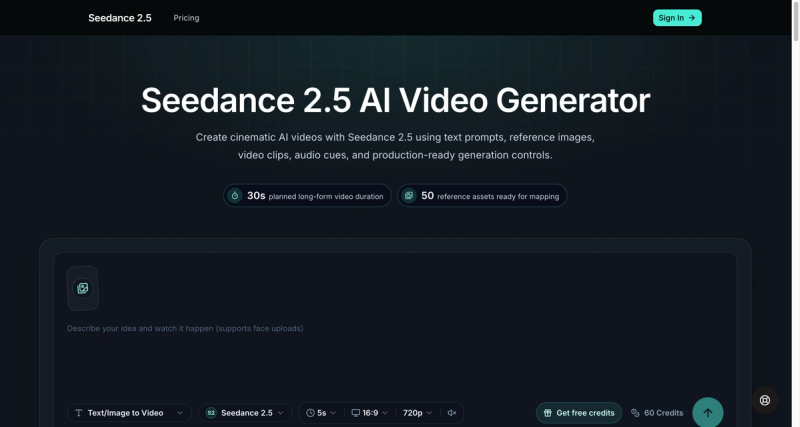
- Describe Your Vision — Type a prompt (up to 300 characters) and optionally upload an image to steer the output.
- Configure Settings — Choose model, duration, aspect ratio, and watermark preference.
- Generate & Download — The AI processes your inputs and returns a video preview; download in your chosen format.
Pricing
Sora 2 AI operates on a freemium model. The free tier allows limited generations with a visible watermark and public display of your videos. Premium subscriptions remove the watermark, enable private exports, and may offer higher resolution or longer durations. Specific credit costs vary by model and duration.
FAQ
What video resolutions does Sora 2 AI support?
It offers 720p for fast generation and 1080p for high-definition output, with some modes supporting 4K.
How long can my videos be?
Common options are 8, 10, and 15 seconds, depending on the selected model and mode.
Can I upload my own images?
Yes, the Image-to-Video mode accepts image uploads to guide the generation.
Can I use Sora 2 AI videos for commercial projects?
Generally yes, but commercial use may require a premium plan to remove watermarks and ensure compliance.
How does the credit system work?
Each generation consumes credits; the cost depends on model, duration, and quality. Free users receive a daily allotment.