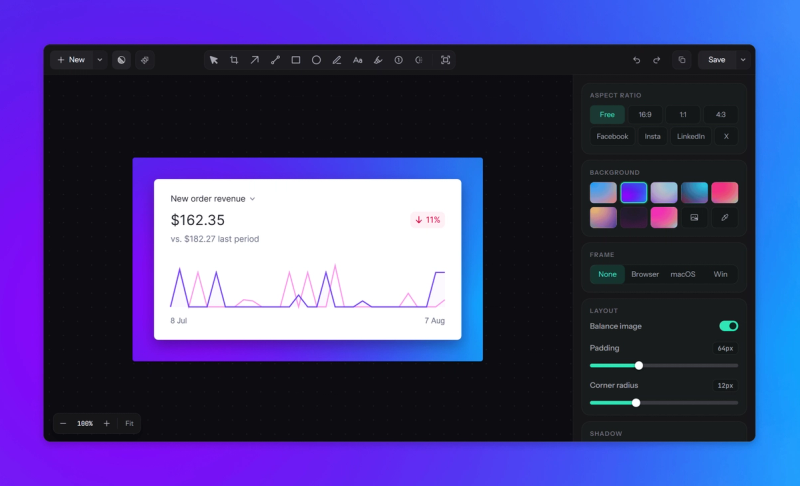
Lumshot is a desktop screenshot and visual communication tool designed for people who need to capture, explain, and share information quickly. Available for both Windows and macOS, Lumshot provides a streamlined workflow for turning screenshots into clear and useful visual explanations without relying on multiple separate tools.
With Lumshot, users can capture their screen and immediately annotate the result using arrows, shapes, text, highlights, blur, and other visual tools. These features make it easier to point out bugs, explain design changes, provide feedback, create documentation, or communicate an idea with a visual reference. Instead of capturing a screenshot and then opening another application to edit it, Lumshot keeps the capture and annotation workflow together.
Lumshot also includes OCR for extracting text from screenshots. This can be useful when working with error messages, documents, websites, applications, or other content where copying the original text is difficult. Smart Redact provides a quick way to hide sensitive information before a screenshot is shared with others.
For modern AI-based workflows, Lumshot includes AI Auto Paste, which makes it easier to send captured screenshots directly into AI tools and chat workflows. This reduces repetitive copy-and-paste steps when asking questions, analyzing visual content, troubleshooting problems, or working with AI assistants. Jira Issue Creation also helps developers, QA teams, and support teams turn visual findings into actionable Jira issues directly from the screenshot workflow.
Lumshot is built for designers, developers, product teams, customer support, QA testers, educators, writers, and anyone who regularly communicates information visually. Its goal is to make screenshot-based communication faster, clearer, and more convenient while keeping the interface focused and easy to use.