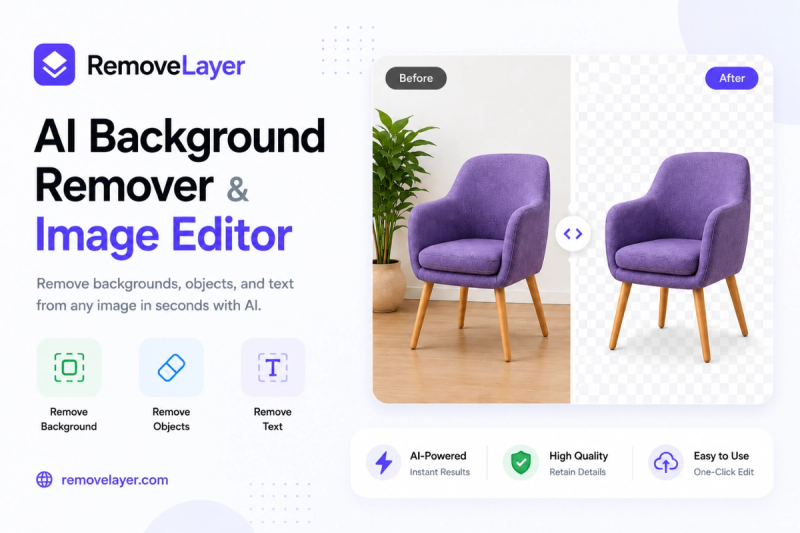
RemoveLayer is an AI-powered image editor that removes backgrounds, erases objects, and cleans text from images — all in a web browser with no design experience required.
What is RemoveLayer?
RemoveLayer is a focused AI background remover and image editor that runs entirely in the browser. It takes any image (product shot, portrait, logo, or everyday photo) and outputs a cleaned image with a transparent or solid background, or with objects or text removed. The platform is free for signed-in users and is developed by the RemoveLayer team.
Key Features
- Free online background removal – Remove backgrounds from any image for free after signing in; no credit card needed for the free tier.
- AI object and text removal – Erase unwanted objects, text overlays, watermarks, or other distractions from images without manual selection.
- Before/after preview – Compare the original and result side by side, inspect edges, and choose transparent or solid backgrounds before download.
- PNG export – Download results as PNG files with transparent backgrounds.
- Credit-based subscription plans – Plus ($9.90/mo, 500 credits), Pro ($19.90/mo, 1500 credits), Max ($49.90/mo, 5000 credits); credits are only charged on successful jobs.
- No design experience required – Each tool is designed for a single outcome: upload, run AI, review, and export.
Who is it for?
- E-commerce sellers – Remove backgrounds from product shots and export clean PNG cutouts for listings, catalogs, and ads.
- Creators and marketers – Erase text overlays, watermarks, and distracting objects from images for social media or advertising content.
- Teams and professionals – Prepare polished portraits, headshots, and brand assets with focused AI finishing tools like background removal and image sharpening.
- Everyday users – Quickly fix a single image (remove a background or clean up a photo) without learning a complex editor.
What can you do with RemoveLayer?
- Product photography – Isolate products on transparent backgrounds for ecommerce listings, marketplaces, and catalogs.
- Social media content – Clean up images by removing unwanted text, logos, or backgrounds to create shareable assets.
- Profile and portrait preparation – Remove backgrounds from headshots and portraits for professional profiles, team pages, or ID photos.
How does RemoveLayer work?
- Upload an image from your device.
- Choose the AI tool: background remover, object eraser, text remover, or image enhancer.
- Preview the result, adjust if needed, and download the final image as a PNG.
Pricing
RemoveLayer operates on a freemium model. Free online background removal is available after sign-in. Paid subscriptions offer monthly credits: Plus at $9.90/mo (500 credits), Pro at $19.90/mo (1500 credits), and Max at $49.90/mo (5000 credits). Credits are consumed only on successful jobs; failed runs are not billed. One-time credit packs are also available.
FAQ
Is RemoveLayer free?
Yes, background removal is free for signed-in users. For higher usage or access to all AI tools, paid subscription plans are available.
What does RemoveLayer do?
It removes backgrounds, objects, text, and watermarks from images using AI. It also offers image sharpening and blur tools.
Do I need an account?
Yes, you need to sign in to process images. Accounts are free and required to track credits and storage.
Can I download with a transparent background?
Yes, you can export the result as a PNG with a transparent background, or choose a solid color.
Does it work for products and people?
Yes, the background remover handles both product shots and portraits, with edge inspection and adjustment options.