The consistency problem
Most AI generators treat every prompt as a fresh roll of the dice. The character you liked in frame one is a different person by frame four — different jawline, different hair, different age. That is fine for a single wallpaper and useless for anything that needs to hold together: a comic, a product mascot, a sticker pack, a short film.
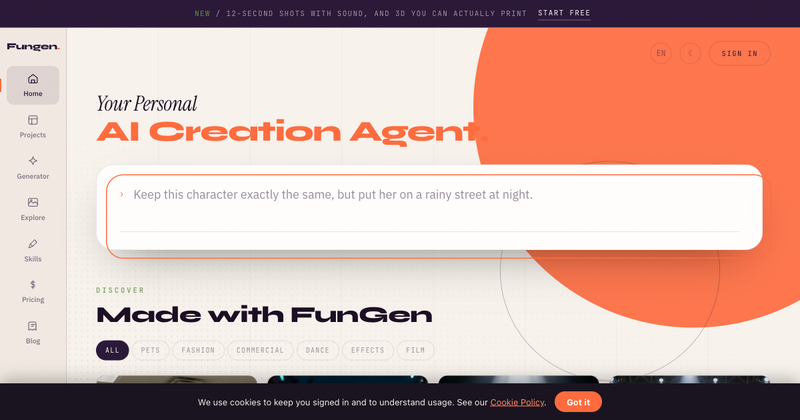
FunGen is built the other way around. It locks identity first, then varies scene, pose and style on top of it. You give it one reference image and the person, creature or object in that image stays the same across everything you generate afterwards.
What you can make from one image
Image to 3D model. Upload a flat image and get a usable 3D mesh back, with geometry clean enough to drop into a scene rather than re-sculpt from scratch.
Consistent character. Put the same character into new scenes, new poses and new lighting. Rainy street at night, studio portrait, mid-action — same face every time.
Sticker sets. Generate a full set of expressions and poses in one pass, all sharing a single visual identity, sized for messaging apps.
AI podcast and broadcast voice. Narrate video with voices that sit in the register people actually expect — conversational podcast delivery or clean broadcast read — rather than the flat TTS cadence that gives a clip away immediately.
Video with voiceover. Combine the above: a character, a scene, and a voice track, assembled into a short video.
One identity layer, shared across tools
The thing that makes this work is that the tools are not separate products bolted together. They share one identity layer. A character you build for a sticker set is the same character in the 3D export and the same character in the video. You are not re-describing your subject in a prompt every time and hoping the model lands in roughly the same place.
No install
Everything runs in the browser. There is no desktop app to download, no local GPU requirement, no model weights to manage. Open the page, upload an image, and start generating.