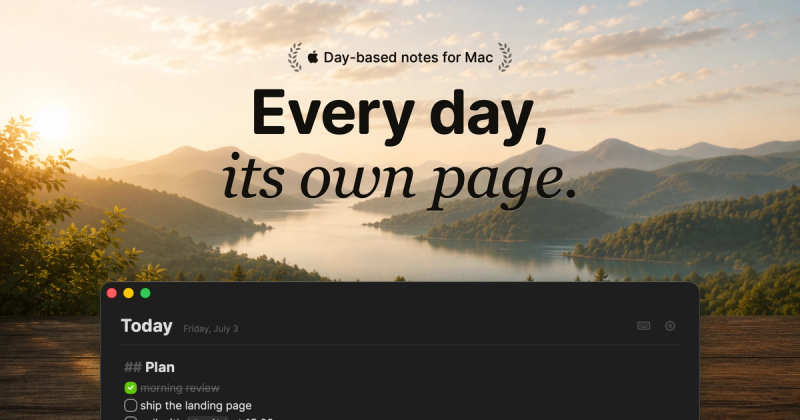
Hejour is a day-based notes app for macOS that organizes notes around calendar days, letting you write plans on future dates and have them appear automatically when that day arrives.
What is Hejour?
Hejour is a plain-file notes app for Mac that treats every calendar day as its own note page. It integrates with macOS Calendar to show events inline and supports todos with reminders, image embedding, and import from Apple Notes, Obsidian, NotePlan, Logseq, Bear, and Day One. It is developed by an independent creator and stores notes locally or in iCloud Drive.
Key Features
- Linked days — Type @ anywhere to open a menu and write a section for another day; it appears on both today’s page and the target day’s page.
- Smart todos — Type [] to create a checkbox; unfinished todos carry over to the next day with a label showing their origin date, and you can set a time for macOS notifications.
- Calendar events inline — Click an event in the sidebar to drop a heading like “15:00 Call with Fatih” into your note, with the cursor ready underneath.
- Image embedding — Paste (⌘V) or drag images into notes; they appear as thumbnails and expand to full width on click, stored in iCloud Drive with content-addressed deduplication.
- Import from six apps — File ▸ Import moves notes from Apple Notes, Obsidian, NotePlan, Logseq, Bear, or Day One; each note lands on its creation day, a backup is taken first, and duplicate imports are prevented.
- Vim mode and smooth caret — Toggle Vim keybindings (normal, insert, visual) with ⌥⌘B; all caret movements are animated for a fluid typing experience.
- Routines and snippets — Recurring todos drop onto the right days automatically; press ; to insert a reusable block (e.g., standup template, journal entry).
- Privacy-first — No servers, no accounts; notes are plain .md files in your iCloud Drive. Calendar access is read-only. Touch ID lock available in Pro.
Who is it for?
- Daily planners — Professionals or students who want a single place to write tasks, meeting notes, and plans tied to specific calendar dates.
- Journalers — People who prefer day-based journaling and want to import past entries from Day One or Apple Notes.
- Power users of other notes apps — Anyone migrating from Obsidian, Logseq, Bear, NotePlan, or Day One, who want an app that organizes notes by day rather than folders.
What can you do with Hejour?
- Plan future tasks ahead of time — Write “pick up the cake” on Friday’s page while it’s still Tuesday; when Friday comes, it’s already waiting.
- Take meeting notes with one click — Click a calendar event to insert a timestamped heading in your note, then type notes directly underneath.
- Manage recurring routines — Set a recurring todo for “Morning pages” or “Standup” and it appears on the correct days automatically, without manual setup each time.
Pricing
Hejour is freemium. The Free tier includes unlimited daily notes, todos, search (⌘P), quick capture, import from other apps, plus 3 linked days and 2 snippets. Pro is a one-time payment of $19 (currently on sale at $9.50) and adds unlimited linked days, calendar events, iCloud sync, images and code blocks, unlimited snippets, Vim mode, smooth caret, mechanical keyboard sounds, Touch ID lock, and use on up to 3 Macs with lifetime updates.