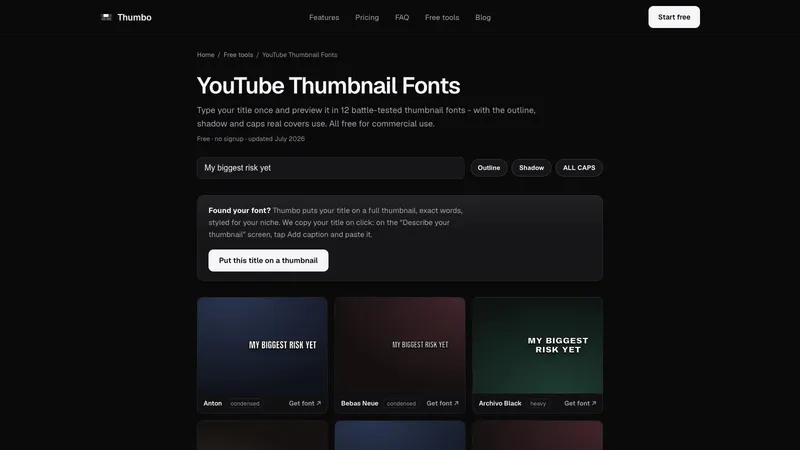
YouTube Thumbnail Fonts lets you type your title once and preview it in 12 fonts that work at thumbnail size, with the outline, shadow and caps that real covers use. Every font is free for commercial use, and each one has a download link.
How it works
- Type your real title. The preview renders it in all 12 fonts at once, on dark video-style backdrops, so you judge the font the way viewers will see it.
- Flip the styling. Outline, hard shadow and ALL CAPS are the three treatments most high-CTR thumbnails use. Toggle them to see which font holds up with and without help.
- Grab the font. Every font here is on Google Fonts under an open license, free for commercial use, monetized videos included. One click takes you to the download page.
The 12 fonts
Anton, Bebas Neue, Archivo Black, Oswald, Montserrat, Barlow Condensed, Bangers, Luckiest Guy, Titan One, Lilita One, Passion One and Alfa Slab One, grouped as condensed, heavy, comic, rounded and slab.
What makes a font work at thumbnail size
A thumbnail is judged at roughly 400x220 pixels on desktop and nearer 120 pixels wide in the mobile feed. Thin strokes vanish at that scale. The fonts that survive share a heavy weight, open letter counters and tall, tight proportions, so a three-word hook fills the frame. Made by Thumbo, the AI thumbnail maker. Free, no signup, no watermark.