webfem is a free Chinese-language online toolbox that collects 88 browser-based utilities — financial calculators, unit converters, text processors, encoders and developer tools — alongside a blog documenting JavaScript, Node.js, Vue and front-end engineering practice.
What is webfem?
webfem runs entirely in the browser at webfem.com and groups its 88 tools into eight categories: 财务计算 (12 tools), 日常计算 (7), 换算计算 (12), 文本处理 (10), 设计创作 (5), 编码加密 (15), 研发工具 (26) and 教育科学 (1). Inputs are typed or pasted into each tool page — or a photo is uploaded for the bead-pattern generator — and outputs are calculated values, converted formats, generated images or downloadable files. It is built and maintained by an individual developer (contact [email protected], filing number 京ICP备16066763号-2), and no account, login or payment is required to use any tool.
What makes webfem stand out?
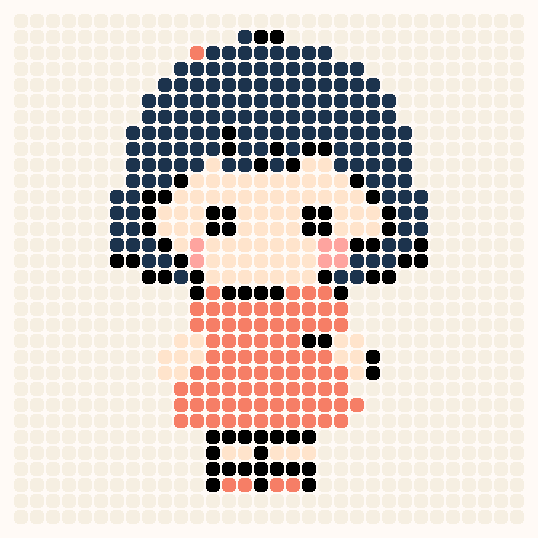
- Perler bead pattern generator (拼豆图纸) — turns a photo into a bead chart that matches MARD, COCO and 漫漫 brand colour codes, counts how many beads of each colour are needed, and exports a high-resolution chart with grid lines and code labels; the image is processed locally.
- 12 finance calculators — loan repayment by 等额本息 or 等额本金, mortgage with commercial, provident-fund and combined loans, personal income tax with five-insurance deductions, credit-card instalment real rate, tax-inclusive/exclusive amount solving, live exchange rates, and China EV purchase tax across policy years.
- 26 developer tools — JSON formatting and JSON-to-TypeScript interface generation, YAML ↔ JSON, CSV ↔ JSON, SQL formatting for MySQL/PostgreSQL/SQLite, HTML/CSS/JS beautifying and minifying, regex tester, CIDR subnet calculator, JWT parsing, WebSocket testing, User Agent parsing, and a visual crontab generator.
- 15 encoding and hashing tools — MD5, SHA-1/SHA-224/SHA-256/SHA-384/SHA-512, SHA-256/SHA-512/HMAC via the Web Crypto API, AES encrypt/decrypt, CRC with custom generator polynomials, Base64 and image-to-Base64, JavaScript obfuscation, Caesar cipher, and GUID/UUID generation.
- 10 text tools — word, character and paragraph counting, line and paragraph deduplication, regex replacement, side-by-side text diff with synced scrolling, hanzi-to-pinyin with tone marks, animated stroke-order lookup, and full-width/half-width conversion.
- Unit, date and number conversion — area, length, weight, volume, time and 1024-based byte units, binary/octal/decimal/hex bases, IPv4 to IPv6 mapping, Gregorian-to-lunar date conversion, and a stopwatch accurate to the millisecond.
- Local-first processing — tools that can run locally compute inside the browser and do not upload entered text or files; only features that depend on live public data, such as exchange rates, make network requests.
Who is it for?
- Chinese-speaking front-end and back-end developers: format and validate JSON, convert it to TypeScript interfaces, format SQL, test regular expressions, parse JWTs, compute subnets and debug WebSocket connections without leaving the browser.
- Households and office workers: estimate mortgage monthly payments and total interest, compute salary income tax, convert amounts to Chinese uppercase, and work out date differences or holiday arrangements for 2026.
- Craft makers: convert a photo into a perler bead chart with brand colour codes and a per-colour bead count before buying supplies.
- Students and teachers: look up the periodic table of elements, check Chinese character stroke order, or convert between number bases and units.
What can you do with webfem?
- Developers preparing data: paste JSON to format, minify or validate it, convert it into a TypeScript interface, or translate between YAML, CSV and JSON, all with browser-local processing.
- Crafters and hobbyists: upload a photo to the bead-pattern generator, get a grid chart with colour codes and bead counts, then export it at high resolution for printing or screen reference.
- Social media users: convert a plain date into the Xiaohongshu superscript/subscript style used in captions, or turn ordinary text into Unicode fancy-font styles.
- Anyone doing a quick calculation: solve a loan, tax, BMI, area, weight, timezone or timestamp question in one page load without installing software.
How does webfem work?
The homepage shows all 88 tools plus a search box that filters by tool name or description and opens a tool directly when selected. Category tabs (全部, 财务计算, 研发工具 and so on) let you browse instead of searching, and every tool then runs as a standalone page inside the browser.
Pricing
webfem is free to use. The site states that all tools listed on the homepage can be opened directly with no account creation and no payment, and no paid tier is mentioned.
FAQ
Does webfem require registration or payment?
No. Every tool listed on the homepage can be opened and used directly without creating an account, and the site lists no paid plan, subscription or credit system.
Are my inputs uploaded to a server?
Tools that support local processing calculate inside the browser and do not upload the text or files you enter. A small number of features that rely on public data, such as exchange rates, fetch information online.
Do any webfem tools need an internet connection?
Most calculations and conversions work without network calls. Features that depend on real-time public data need a connection to fetch the latest values, but they do not upload unrelated input content.
Can I use webfem on a mobile phone?
Yes. The directory and the main tools are accessible on mobile browsers, though complex editor-style tools such as the code formatter or Markdown editor give more working space on a desktop screen.
How do I report a bug or request a new tool?
Email [email protected] with the tool name, the problem or the scenario you need, and the author states that tools are added and improved continuously.