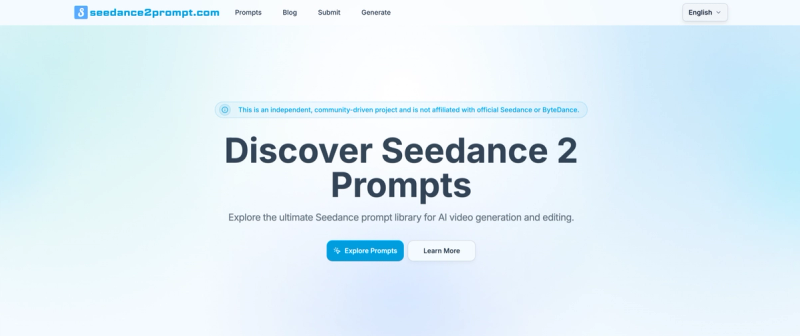
Seedance2Prompt is a community-driven prompt library and video generation workspace for Seedance 2.0, curating over 2,500 tested prompts and offering a built-in workspace to generate text-to-video or frames-to-video output, track history, and manage credits.
What is Seedance2Prompt?
Seedance2Prompt is an unofficial, community platform for Seedance 2.0 prompts. It provides a curated library of battle-tested prompts (2,517 total) with reference images/videos, and a Generate workspace where you can input text and references or start/end frames to create videos. It runs in the browser and outputs downloadable videos with configurable resolution, duration, and model tier. The platform was built by an individual creator who organized their personal prompt collection into a shared resource.
Key Features
- Curated Prompt Library — 2,517 prompts across narrative, ad, product, and cinematic scenarios, each with a description, reference media, and a one-click "Recreate" button to prefill the Generate workspace.
- Generate Workspace — Two modes: text & references (type prompt + optional images/videos) or frames-to-video (supply start/end frames). Supports concurrent jobs, credit estimation, and download once complete.
- History & Recreate — Account-level history stores past outputs; you can revisit, download again, or spin up new variations without losing reference files.
- Flexible Credits — Monthly subscriptions and one-time packs (100, 500, 1,000 credits). Failed generations automatically refund credits. Credit cost depends on resolution, duration, and model tier (e.g., Fast 720p is cheapest).
- Guides & Tutorials — 10 guides covering prompt structure, camera movements, video extension, and editing-first templates. Also includes a YouTube video library with four editorial picks (e.g., TheAIGRID, Noble Goose).
- Community Showcase — Embedded Twitter embeds featuring real user creations (e.g., GPT Image 2.0 + Seedance 2.0, CapCut integration).
Who is it for?
- AI video beginners — Explore pre-written, proven prompts to learn prompt engineering without starting from scratch.
- Content creators — Generate branded assets, cinematic clips, or narrative sequences quickly using the workspace and history for iteration.
- Filmmakers and animators — Use the frames-to-video mode for keyframe interpolation and character consistency experiments.
- Prompt collectors — Access a growing, organized library of Chinese- and English-supported prompts with reference assets.
What can you do with Seedance2Prompt?
- Indie filmmakers: Browse library prompts like "heroine walking 19th century London wind skirt" and recreate with your own references to produce short narrative clips.
- Marketing teams: Generate consistent character-driven ads using the prompt library's brand asset examples and export in multiple resolutions.
- AI artists: Experiment with camera language and scene transitions by using the library's one-shot or follow-camera prompts as templates for new ideas.
- Educators: Use the built-in guides and YouTube tutorials to teach prompt engineering for text-to-video generation.
How does Seedance2Prompt work?
The workflow has five steps: (1) pick a starting point by browsing the prompt library or opening Generate with your own idea, (2) prefill the workspace with a library prompt using the "Recreate" button, (3) configure output (choose text & references or frames mode, set resolution, duration, model tier), (4) track progress in the workspace and download when complete, (5) review past outputs in History and optionally recreate into a new variation.
Pricing
Seedance2Prompt offers monthly subscriptions with recurring credits and one-time credit packs (100, 500, 1,000 credits). Credit consumption depends on resolution, duration, and model tier. Failed generations are automatically refunded. See full pricing at https://www.seedance2prompt.com/pricing.
FAQ
Is Seedance2Prompt free?
The prompt library is free to browse. Video generation requires credits, which can be obtained via paid subscriptions or credit packs. There is no free generation tier mentioned on the site.
Can I use my own images or videos as references?
Yes. The Generate workspace supports text & references mode where you can upload images or videos, as well as frames-to-video mode using start/end frames. Reference media is also used in library prompts (e.g., @image-1, @video-1).
How many prompts are in the library?
As of the page date, there are 2,517 curated prompts, with new additions likely over time. Each prompt includes a description, reference thumbnail, and a link to view details or recreate.
Does Seedance2Prompt support Chinese?
Yes. Many prompts are labeled "ZH" (Chinese), and the platform is accessible to English and Chinese speakers. The interface itself appears in English.