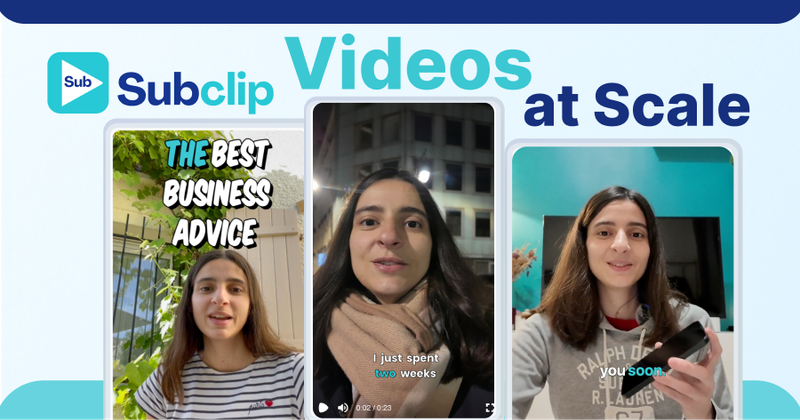
Subclip is an AI-powered video editing platform that automates captioning, clipping, dubbing, and voice enhancement for creators and teams, reducing editing time by up to 80%.
What is Subclip?
Subclip is a web-based video editing tool that takes raw footage as input and outputs edited clips with dynamic captions, multilingual dubs, and platform-ready exports. It runs entirely in the browser without installation and is developed by Subclip App, which also provides a FAQ page and support via [email protected].
Key Features
- AI Clipping — Automatically identifies high-energy segments, punchlines, and emotional shifts from long videos and generates short clips. Exports to DaVinci Resolve, Final Cut Pro, and Adobe Premiere Pro as
.fcpxmlfiles. - One-Click Unlimited Captions — Generates dynamic subtitles in 48+ languages with local transcription, unlimited video minutes, and customizable formatting.
- AI Dubbing with Voice Clone — Translates and dubs videos into 21+ languages while preserving the original speaker’s tone and emotion.
- Voice Enhancement — Removes background noise, reduces echo, and boosts vocal clarity with one-click processing.
- Share and Collaborate — Share projects like Google Docs with unlimited collaborators, collect feedback in a single workspace.
- Built-in Scheduling — Schedule and publish posts directly to YouTube and X (formerly Twitter), with Instagram and TikTok support coming soon.
- Rough Cut via Text Transcript — Edit video by trimming transcript text, then export an NLE timeline to DaVinci Resolve, Final Cut Pro, or Adobe Premiere Pro.
- No Upload/Download Wait — Processes videos in about 8 minutes versus 45 minutes for competitors.
Who is it for?
- Creators & Podcasters — Clip long-form videos and 10x viewership by repurposing content into short, viral clips with auto-captions.
- Coaches — Dub recorded courses or videos into 20+ languages using their own AI-generated voice clone.
- Vloggers — Add captions, B-roll, audio, and remove noise in one click, with unlimited exports.
- Agencies & Freelancers — Increase output at reduced cost using unlimited transcription, team collaboration, and export to professional editors.
What can you do with Subclip?
- Podcasters: Turn long podcast episodes into multiple short clips with AI-selected highlights and publish directly to YouTube or X.
- Language content creators: Record once, then produce versions in 21+ languages with AI dubbing that keeps your original voice.
- Social media managers: Schedule posts for YouTube and X from a single calendar, with captions already burned in.
How does Subclip work?
Upload a video file or paste a link (e.g., YouTube). Subclip’s AI automatically transcribes the speech, detects viral moments, and generates captions. You can adjust the transcript, add voice enhancements, dub into other languages, then export or schedule the final video—all within the browser.
Pricing
Subclip operates on a freemium model. The website promotes a Lifetime Deal ending July 7th (use code REDEEM10OFF). Plans include a Lifetime plan and a Creator plan, with the free tier offering limited features. Exact pricing is not displayed on the page.
FAQ
Is Subclip free to use?
Yes, Subclip offers a free tier. The FAQ confirms free usage with limitations, but details on credits or watermarks are not provided on this page.
What features are included in Subclip?
The platform includes AI clipping, unlimited captions, AI dubbing with voice clone, voice enhancement, team collaboration, and scheduling for YouTube and X. See the full feature list.
What languages are supported for transcription and dubbing?
Transcription supports 48+ languages; dubbing supports 21+ languages. Both are detailed on the languages FAQ.
What is the difference between the Lifetime and Creator plans?
The FAQ covers this distinction, but the page does not provide specifics.
Does Subclip store my video content?
According to the privacy FAQ, Subclip addresses video storage policies.