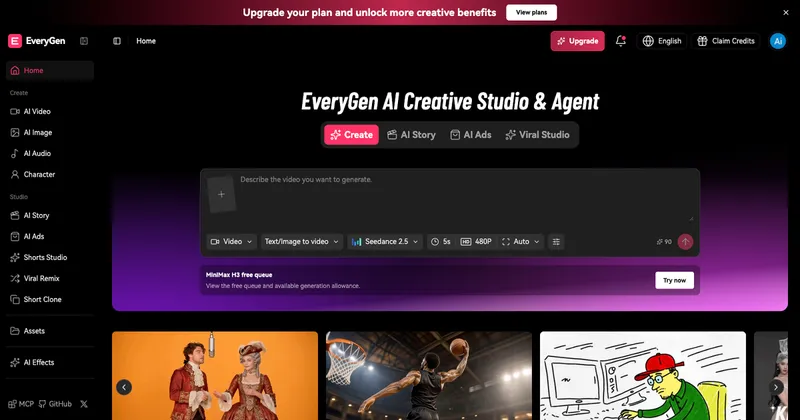
Seedance 2.0 Mini AI Video Generator is a lightweight, fast, low-cost web interface for generating short AI video drafts from text, image, or video prompts, designed for rapid creative iteration before committing to a higher-quality render.
What is Seedance 2.0 Mini?
Seedance 2.0 Mini is a streamlined version of the Seedance 2.0 video generation model, optimized for speed and lower cost. It takes text prompts, images, or short video references as input and produces short video clips (4–15 seconds) at up to 720p resolution. The platform runs on the Seedance 2.0 Mini model, developed by ByteDance, and is accessed through a third-party web interface at seadance-video.com.
Key Features
- Text-to-Video Generation — Write a scene description, camera move, subject, and style direction to generate a short video draft directly from text, supporting up to 8,000 characters per prompt.
- Image-Guided Motion — Upload a reference image to preserve a subject, product, composition, or visual direction in the generated video.
- Video Reference Workflow — Use a short video reference to guide motion, pacing, or scene continuity in the new output.
- Multiple Duration Options — Choose from 4 to 15 seconds in one-second increments to fit different use cases like social hooks or concept tests.
- Resolution Settings — Generate at 480p (faster) or 720p (higher quality) depending on your need for speed or fidelity.
- Aspect Ratio Choices — Select from 16:9, 9:16, or 1:1 to suit different platforms and formats.
- Random Prompt Helper — Get started quickly with a random prompt generator to inspire creative exploration.
Who is it for?
- AI filmmakers and concept video creators — Test multiple prompt directions quickly before spending credits on a final render.
- Social media creators — Generate many short video variations for hooks, ad concepts, and high-volume ideation.
- Marketing leads and teams — Create motion concepts for client or team previews to approve a direction before deeper production.
- Budget-conscious creators — Keep early discovery inexpensive, then move the best prompt to Seedance 2.0 or Seedance 2.5 for stronger polish.
What can you do with Seedance 2.0 Mini?
- Prompt A/B testing — Quickly compare small wording changes to learn what the model responds to, visible in short clips.
- Social video drafts — Create high volumes of short-form content for platforms like TikTok, Instagram Reels, or YouTube Shorts.
- Ad concepts — Discover the strongest visual angle for ad campaigns with minimal credit investment.
- Creative brief visualization — Rough out the rhythm of a scene so collaborators can approve a direction before final production.
How does Seedance 2.0 Mini work?
- Choose your input mode (text, image, or video).
- Select a duration (4–15 seconds) and resolution (480p or 720p).
- Write or upload your prompt (up to 8,000 characters for text).
- Click "Generate" to produce a short video draft — credits are consumed per generation.
- Review the output, iterate, or move the best prompt to Seedance 2.0 or Seedance 2.5 for higher quality.
Pros and cons
- Pros: Fast generation (designed for quick creative loops); lower cost than full Seedance 2.0; supports text, image, and video input; good for high-volume ideation and prompt exploration.
- Cons: Lower output quality and fidelity compared to Seedance 2.0; not suitable for final polished or cinematic renders; limited to short clips (max 15 seconds).
Pricing
Seedance 2.0 Mini operates on a credit-based system with monthly subscription tiers: Starter ($39.9/month for 2,000 credits), Plus ($59.9/month for 3,600 credits), and Pro ($119.9/month for 7,500 credits). Annual plans save 40%. Credits are consumed per generation, with Mini videos costing fewer credits than Seedance 2.0 renders.
FAQ
What is the difference between Seedance 2.0 Mini and Seedance 2.0?
Seedance 2.0 Mini is built for speed and low-cost exploration, while Seedance 2.0 delivers higher fidelity, more complex motion, and polished cinematic results. Mini is best for drafts and testing; Seedance 2.0 is for final renders.
Can Seedance 2.0 Mini create cinematic videos?
It can produce short clips with camera control and motion, but the output quality is lower than Seedance 2.0. Mini is ideal for concept testing rather than final cinematic deliverables.
Does this generator support text, image, and video input?
Yes. You can generate videos from text prompts, upload an image to guide motion and composition, or use a short video reference to influence pacing and style.
When should I use Seedance 2.0 Mini to save credits?
Use Mini for early-stage prompt exploration, high-volume social ideas, and budget-sensitive iteration. It costs fewer credits per generation than Seedance 2.0, making it economical for testing.
Where does Seedance 2.5 fit?
Seedance 2.5 is a more advanced upgrade path for higher-end work when a Mini draft proves the idea and you need stronger generation quality.