RenderPop is a browser-based AI image generator and video creation workspace that turns text prompts or source photos into images and videos, with free daily Fast image generations that require no sign-up.
What is RenderPop?
RenderPop is a free AI image generator that works directly in the browser. You start with a text prompt or an uploaded photo, and the tool produces an image. For motion, you can generate videos from prompts or images once you sign in and have credits. The product is developed by the team behind renderpop.app and keeps image and video tools in a single workspace.
Key Features
- Free daily Fast images — Generate up to 2 Fast images per day without creating an account or signing in.
- No sign-up barrier — Try image generation immediately; only credit-based tools like video and Dance require an account.
- Multimodal generation — Start from a text prompt or a source photo for image, video, and image-to-video creation.
- AI video generator — Create videos from text or images using 28 video generation models, including Sora 2 Pro, VEO 3.1, Kling V3, and Seedance 2.0.
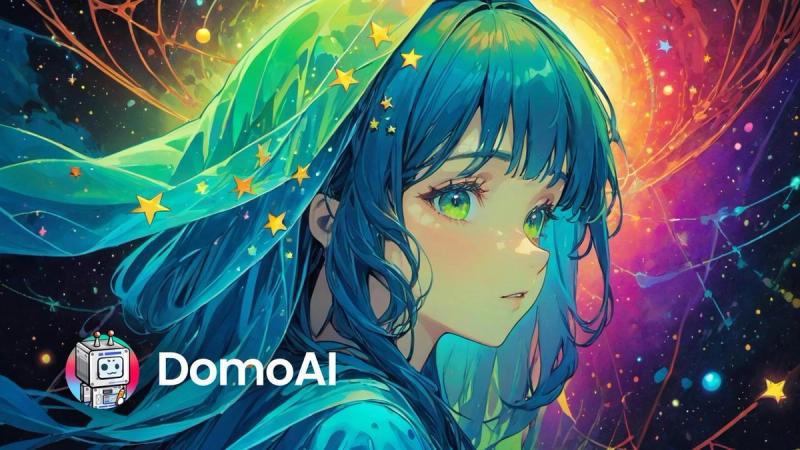
- Image generation models — Choose from 11 models such as Z-Image Turbo, Seedream 4.5, Nano Banana Pro, and GPT Image 2.
- Professional headshots — Turn one photo into a polished LinkedIn or resume headshot with editable studio presets.
- Dance motion control — Pair an authorized photo with a dance template or reference video to create motion-controlled videos.
- Credit transparency — The creation screen shows required credits before you generate, and active subscription credits roll over up to twice your monthly allocation.
Who is it for?
RenderPop suits anyone who needs quick AI images or videos without heavy setup.
- Social media creators — Generate profile pictures, post concepts, and visual ideas using prompts or source photos.
- Marketers and small businesses — Explore product and fashion visual directions, storyboards, and camera ideas before a larger shoot.
- Content producers — Use image-to-video to turn stills into short clips, or create dance videos with authorized photos and reference motion.
- Job seekers — Create polished professional headshots for LinkedIn or resumes from a single photo.
What can you do with RenderPop?
- Profile and avatar images — Use prompts to explore portrait styles for a profile image or bio page.
- Social image concepts — Create visual ideas for posts, lookbooks, and personal projects.
- Image-to-video experiments — Use a still image as the source for a short video created in the workspace.
- Product and fashion concepts — Use prompts and approved source images to explore visual directions before a larger shoot.
- Storyboards and camera ideas — Draft scenes, framing, and mood references before production.
- Dance video concepts — Pair an authorized photo with a dance template or reference video to generate motion-controlled clips.
How does RenderPop work?
The workflow is simple: describe your idea, choose a creation mode, and generate.
- Write a prompt or add a source image when the tool supports it.
- Choose Fast or Pro for images, or sign in for video and reference-upload tools.
- Review the credit requirement, generate your result, and save or download it from your account.
Pricing
RenderPop is freemium. Fast image generation is free for a limited daily number of attempts without an account. Video generation, image-to-video, Dance, and other credit-based tools require a signed-in account and credits. The site offers memberships and credit packs, and active subscription credits roll over into the next billing cycle up to twice the plan's monthly allocation.