Introduction
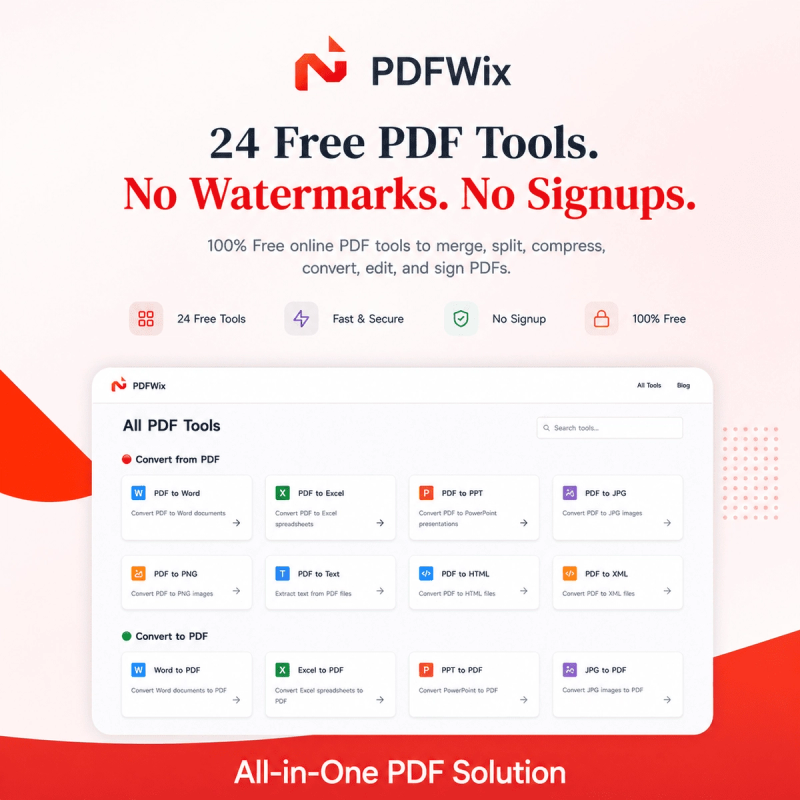
PDFWix is a free online PDF toolkit designed to make everyday PDF tasks simpler. It brings practical PDF tools into one browser-based workspace for everyday document work.
What is PDFWix?
PDFWix provides tools for editing, organizing, converting, signing, securing, and managing PDF documents. Users can open the website, choose the PDF tool they need, process their document, and download the result.
Key Features
- Merge PDF — Combine multiple PDF files into one document.
- Split PDF — Separate a PDF into individual pages or selected sections.
- Organize PDF — Add, remove, and arrange PDF pages.
- Extract Pages — Select specific pages and create a new PDF.
- Rotate PDF — Change the orientation of PDF pages.
- Remove Pages — Remove unwanted pages from a document.
- Compress PDF — Reduce PDF file size for easier sharing and storage.
- Edit PDF — Add text, images, shapes, and annotations to supported documents.
- Fill PDF Forms — Complete supported interactive PDF forms.
- Sign PDF — Add electronic signatures to PDF documents.
- Watermark PDF — Add text or image watermarks.
- Crop PDF — Crop pages and remove unwanted margins.
- Protect PDF — Add password protection to PDF documents.
- Unlock PDF — Remove password protection when the required password is available.
- Redact PDF — Permanently remove selected information from supported documents.
- Repair PDF — Attempt to recover usable content from damaged PDF files.
- Compare PDF — Compare two PDF documents side by side.
Who Is PDFWix For?
PDFWix is useful for students preparing assignments, professionals working with reports and forms, freelancers handling client documents, businesses managing digital files, and anyone who needs convenient online PDF tools.
Common Use Cases
Use PDFWix to combine reports, extract pages, remove unwanted pages, rotate documents, compress files, sign documents, protect PDFs, and prepare files for sharing.
How Does PDFWix Work?
Choose a PDFWix tool, add the required document, configure the available options, and process the file. After processing, download the resulting document.
Pros and Cons
Pros:
- Free online PDF tools
- No watermark on generated output
- No account required for web tools
- No daily task limits
- Works across modern browsers and devices
Cons:
- Browser-based processing can depend on device resources.
- Some advanced conversion tools are still being developed.
Pricing
PDFWix provides its web PDF tools free of charge with no daily task limits and no watermarks. Users can access the available PDF tools directly online without requiring a paid subscription.
Alternatives
- iLovePDF — Online tools for merging, splitting, converting, compressing, and editing PDFs.
- Smallpdf — PDF tools for conversion, compression, editing, signing, and document workflows.
- PDF24 — Online and desktop PDF tools for common document tasks.
- Adobe Acrobat — A widely used platform for editing, signing, creating, and managing PDF documents.
FAQ
Is PDFWix free?
Yes. PDFWix's web tools are available free of charge without watermarks or daily task limits.
Do I need an account?
No. The web tools can be used without creating an account. An optional account provides additional functionality.
Does PDFWix add watermarks?
No. PDFWix does not add watermarks or branding to PDF output.
Does PDFWix work on mobile devices?
Yes. PDFWix is a web application designed for modern desktop and mobile browsers.
What can I do with PDFWix?
Depending on the tool, users can merge, split, organize, extract, rotate, remove pages, compress, edit, fill, sign, watermark, crop, protect, unlock, redact, repair, compare, and work with supported PDF workflows.
Can PDFWix be used for business work?
Yes. PDFWix can be used for everyday business document workflows such as reports, forms, contracts, and other PDF files.