
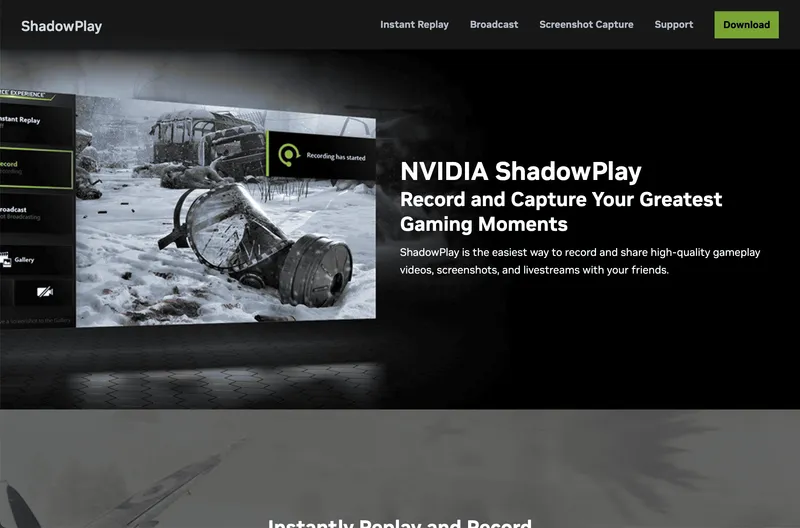
NVIDIA ShadowPlay is a free screen recording and live streaming tool built into GeForce Experience, designed to capture high-quality gameplay footage with minimal performance impact. Using NVIDIA's NVENC hardware encoder, ShadowPlay records gameplay in resolutions up to 4K at 60 frames per second, producing MP4 files with H.264 or H.265 codecs. It runs on Windows PCs with an NVIDIA GeForce GTX 600-series GPU or later.
What is NVIDIA ShadowPlay?
ShadowPlay is a game capture and streaming utility developed by NVIDIA as part of the GeForce Experience software suite. It takes real-time gameplay video as input and outputs recorded video files (MP4) or live streams to platforms like Twitch and YouTube Live. The tool leverages hardware encoding on compatible NVIDIA GPUs to keep CPU usage low, allowing smooth recording without affecting game performance.
Key Features
- Instant Replay — Continuously records the last 1, 5, 10, 15, or 20 minutes of gameplay so you can save a clip after a great moment happens.
- Manual Record — Start and stop recording on demand, with customizable quality presets (up to 4K at 60fps at 130 Mbps bitrate).
- Live Broadcasting — Stream directly to Twitch, YouTube Live, or Facebook Live with resolutions up to 1080p at 60fps, integrating chat overlays and microphone audio.
- In-Game Overlay — Access recording controls via a customizable overlay (Alt+Z default) without leaving the game, including on-screen status indicators.
- GIF Mode — Save short loops (up to 30 seconds) as animated GIFs, automatically trimmed from recordings.
- Audio Controls — Independently control game volume, microphone volume, and desktop audio; optionally apply noise removal via NVIDIA RTX Voice or Broadcast.
- 4K 60fps HDR Recording — Capture HDR gameplay from supported games and output in HDR10 format (requires HDR display and GPU).
Who is it for?
- Gamers who want to record highlights — ShadowPlay’s Instant Replay feature automatically saves memorable moments with no manual pre-planning.
- Content creators — YouTubers and streamers can use manual recording and live streaming for footage, tutorials, or live broadcasts.
- Competitive players — Use Instant Replay or manual record to review gameplay for analysis and strategy improvement.
What can you do with NVIDIA ShadowPlay?
- Capture epic kills: Enable Instant Replay to save the last 5 minutes of a clutch play with a single hotkey.
- Stream your gameplay: Start a live broadcast to Twitch or YouTube with just a few clicks, adding webcam and microphone overlays.
- Create clips for social media: Record short gaming moments in 4K or as GIFs to share on Twitter, Discord, or TikTok.
How does NVIDIA ShadowPlay work?
ShadowPlay runs as a background service within GeForce Experience. Press Alt+Z to open the overlay, choose recording or streaming, and adjust settings. The NVENC hardware encoder on the GPU handles video compression, so CPU usage stays low. Recorded files are saved to a user-configurable folder (default: 'C:\Users[User]\Videos').
Pros and cons
- Pros: Free, minimal performance overhead, high-quality encoding, easy-to-use overlay, supports all major streaming platforms.
- Cons: Requires an NVIDIA GPU (GeForce GTX 600+ or RTX series), lacks advanced editing features, no built-in game engine integration like OBS.
Pricing
NVIDIA ShadowPlay is completely free with no premium tiers or hidden costs. It is included in GeForce Experience, which is free to download and use.
FAQ
Is NVIDIA ShadowPlay free?
Yes, ShadowPlay is entirely free. It comes bundled with GeForce Experience, which can be downloaded from NVIDIA’s website at no cost.
What are the system requirements?
You need a Windows PC with an NVIDIA GeForce GTX 600-series GPU or newer. ShadowPlay works on Windows 10 and Windows 11. A supported GPU and the latest GeForce Experience driver are required.
Can I record in 4K without lag?
Yes, ShadowPlay can record up to 4K at 60 frames per second using NVENC hardware encoding, which keeps performance impact minimal on capable GPUs.
Does ShadowPlay work with all games?
It works with most DirectX 9/10/11/12 and Vulkan games. ShadowPlay automatically detects supported games, but you can also manually add any application in the GeForce Experience settings.
How do I start recording?
Press Alt+Z to open the overlay, then select Record or Instant Replay. You can also assign custom hotkeys under Settings > Keyboard Shortcuts.


