
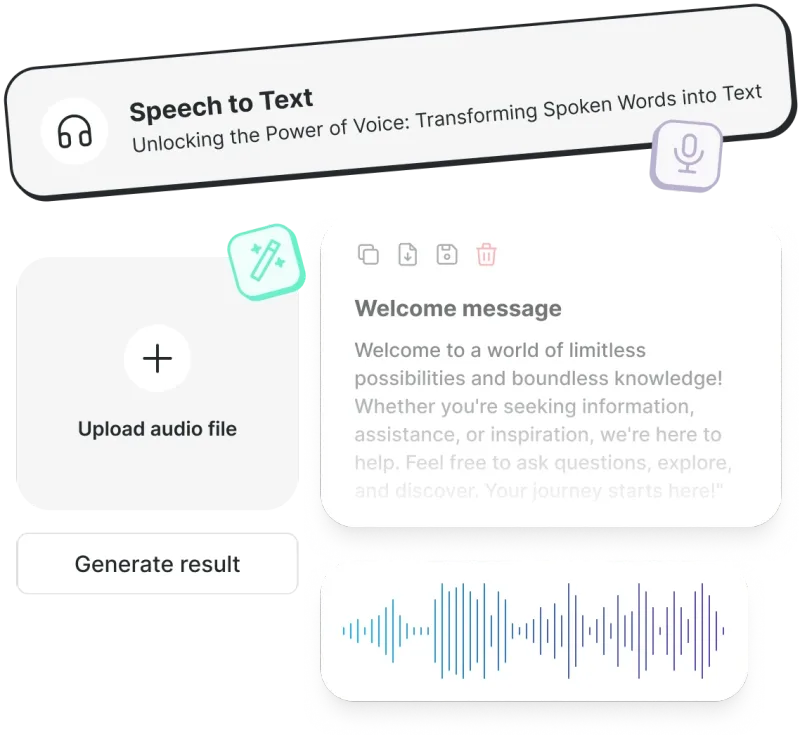
NoScribe is a browser-based speech-to-text service that turns uploaded audio and video files into editable, timestamped transcripts with automatic speaker labels. You drag in a file such as MP3, WAV, FLAC, M4A, MP4, AAC, MOV or AVI, pick a language (or let the tool auto-detect it), and download the result as TXT, SRT, VTT, DOCX or PDF. The page does not name a company behind the tool; everything runs at noscribe.ai through the browser.
What is NoScribe?
NoScribe is an online transcription tool that accepts audio and video uploads and returns written transcripts, optionally split by speaker. Inputs are media files (MP3, WAV, FLAC, M4A, MP4 listed on the uploader, with AAC, MOV and AVI named in the FAQ); outputs are text files in TXT, SRT, VTT, DOCX or PDF, each carrying timestamps and speaker labels where applicable. There is no desktop or mobile app mentioned — the whole workflow happens in the browser at noscribe.ai, including a built-in editor for correcting recognition errors.
Key Features
- Speaker diarization — the engine analyses voice patterns, tone and speech characteristics to separate participants, labeling them Speaker A, Speaker B and so on; you can let it auto-detect the number of speakers or set it manually from 2 to 10.
- Language coverage and auto-detect — the language menu lists well over 100 entries, from Afrikaans and Amharic to Welsh, Xhosa and Zulu, with regional variants such as English (US, UK, Australian) and Spanish (Spain, Latin America) called out in the marketing copy.
- Five export formats — transcripts download as .txt, .srt, .vtt, .docx or .pdf, so subtitles for video players and caption tracks for web players come out ready without conversion.
- Translation — transcript translation is listed on every tier, including the free plan, alongside transcription.
- Built-in transcript editor — recognition errors can be corrected directly in the browser before exporting.
- Handling of large files — upload limits scale by plan: 100 MB per file on Free, 5 GB on Pro, and 10 GB per file on Business.
- Encrypted storage — every tier includes encrypted cloud storage for files, from 5 GB on Free up to 1 TB on Business.
- Auto language detection — leaves the language on "Auto-detect" and the engine identifies the spoken language instead of requiring a manual choice.
Who should use NoScribe?
- Podcasters and interviewers: upload an episode or recorded interview and get a speaker-labeled transcript plus an .srt caption file from the same job.
- Journalists and researchers: turn recorded interviews into searchable, editable text and correct names or jargon in the built-in editor before exporting to Word.
- Meeting and lecture note-takers: drop in a recording of a multi-person session, set the expected speaker count, and export a PDF or DOCX for sharing.
- Multilingual content teams: transcribe material in Spanish, Mandarin, Arabic, Hindi or any of the other listed languages, then use the translation option to reach another audience.
What can you do with NoScribe?
- Video creators: produce .srt or .vtt caption files with timestamps for YouTube or web players instead of typing subtitles by hand.
- Freelance transcribers: buy a one-time credit pack (Starter, Pro or Max) with lifetime validity when a single project exceeds the monthly allowance.
- Global teams: transcribe a call recorded in one language and, with the translation feature, read it in another.
How does NoScribe work?
Three steps: upload the audio or video file by dragging it onto the page or browsing for it, run the transcription with optional language selection and speaker diarization settings, then download the finished transcript in the format you need. A progress indicator shows the upload status and asks you to keep the tab open until it completes.
Pricing
NoScribe runs on a freemium credit model where 1 credit equals 1 minute of audio or video. The Free tier gives 300 credits (about 5 hours) per month with a 100 MB per-file limit and 5 GB of storage. Paid options are monthly subscriptions (Pro at $9.99, Business at $19.99) or one-time packs with lifetime validity (Starter $4.99 for 1200 credits, Pro Pack $9.99 for 2500 credits, Max Pack $19.99 for 5500 credits). Annual billing is discounted and adds bonus credits.
FAQ
Is NoScribe free to try?
Yes. New users get 300 free credits, roughly 5 hours of transcription, and no credit card is required. The free tier caps each upload at 100 MB and includes 5 GB of encrypted storage; watermark-free exports appear only on the Pro and Business tiers.
How accurate are the transcripts?
The FAQ states 95–99% accuracy depending on audio quality, accents and background noise; the marketing copy cites 99%. Clear recordings with little background noise produce the best results, and any errors can be fixed in the built-in editor.
Which file formats can I upload?
MP3, M4A, WAV and MP4 are listed on the uploader, and the FAQ adds AAC, MOV, AVI and other common audio and video containers. There is no need to convert to a proprietary format first.
Does speaker identification work on overlapping speech?
Diarization detects and labels different speakers automatically, but the FAQ notes it works best with clear audio where speakers do not talk over each other.
Are my recordings kept after transcription?
The page states files are encrypted during upload and processing and that audio files and transcripts are not stored on the servers once processing finishes.


