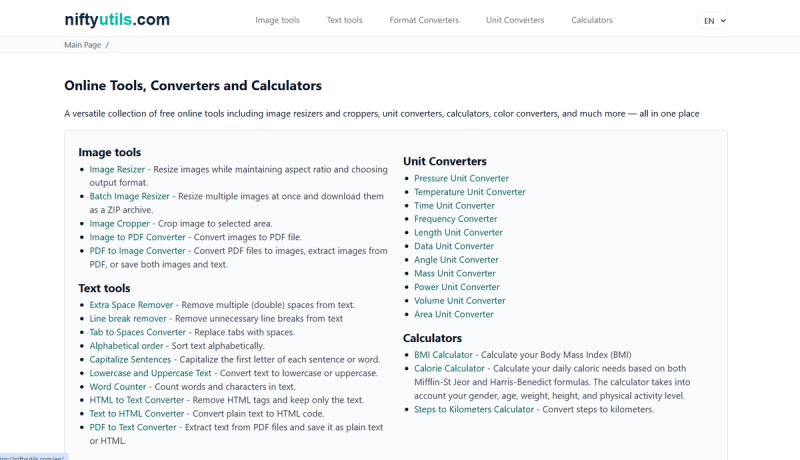
NiftyUtils is a free, browser-based platform offering a wide collection of practical online tools for image editing, text processing, color manipulation, unit conversion, and everyday calculations—all accessible without sign-up.
What is NiftyUtils?
NiftyUtils is a free, browser-based platform that provides a comprehensive set of single-purpose online tools. It takes user input such as images, text, colors, or data, and transforms them into desired outputs like resized images, cleaned text, converted units, or computed results. The platform runs entirely in the browser with no software installation required. It is developed and maintained by the team behind niftyutils.com.
Key Features
- Wide Range of Tools — Over 50 tools across five categories: image editing, text manipulation, color utilities, unit converters, and miscellaneous calculators.
- Browser-Based — No downloads or sign-ups; all tools work directly in modern web browsers.
- Image Editing Capabilities — Tools include resizing, cropping, batch processing, format conversion (SVG, PNG, JPG, WebP), QR code generation, and effects like blur, pixelate, vignette, and more.
- Text Utilities — Features like word counting, space removal, line break removal, case conversion, sorting, and CSV-to-HTML table conversion.
- Color Tools — Includes WCAG contrast checker, color space conversion (RGB, HEX, HSL, HSV, CMYK), color adjustment, palette extraction from images, and CSS gradient generator.
- Unit Converters — Covers pressure, temperature, time, frequency, length, data size, angle, mass, power, volume, and area conversions.
- Miscellaneous Calculators — BMI, calorie, steps-to-km, pace, date calculators, date difference, stopwatch, and Base64 encoding/decoding.
Who is it for?
- Content creators and marketers — who need quick image resizing, cropping, or format conversion for social media posts and websites.
- Writers and editors — who require text cleanup tools like removing extra spaces, line breaks, or duplicates, and converting between text and HTML.
- Designers and developers — who need color conversion, contrast checking, and gradient generation for UI/UX projects.
- Students and professionals — who frequently use unit conversions (length, mass, temperature, etc.) or calculate BMI, calories, or time intervals.
What can you do with NiftyUtils?
- Resize and crop images — Use the Image Resizer or Image Cropper to adjust dimensions while maintaining aspect ratio; save as PNG, JPG, or WebP.
- Convert between units — Change measurements between metric and imperial systems using dedicated converters for pressure, temperature, length, etc.
- Clean and format text — Use the Extra Space Remover, Line Break Remover, or Capitalize Sentences to prepare text for publishing.
- Generate QR codes — Create custom QR codes with logos and color options for marketing materials.
- Calculate health metrics — Compute your BMI or daily calorie needs using the Mifflin-St Jeor or Harris-Benedict formulas.
How does NiftyUtils work?
Each tool presents a simple interface: users upload or paste input data, select options, and click a button to get results. For image tools, users upload files from their device; text tools accept typed or pasted text; unit converters use dropdown menus for unit selection. Results are displayed immediately, and images or converted files can be downloaded. No data is stored on servers—all processing is done client-side.
Pros and Cons
- Pros: Completely free, no registration required, works offline after initial load (for some tools), wide variety of tools in one place, clean and fast interface.
- Cons: Some image effects may be basic compared to dedicated software, no collaborative features, and the site depends on JavaScript.
Pricing
NiftyUtils is entirely free to use with no paid tiers or premium features visible on the site.