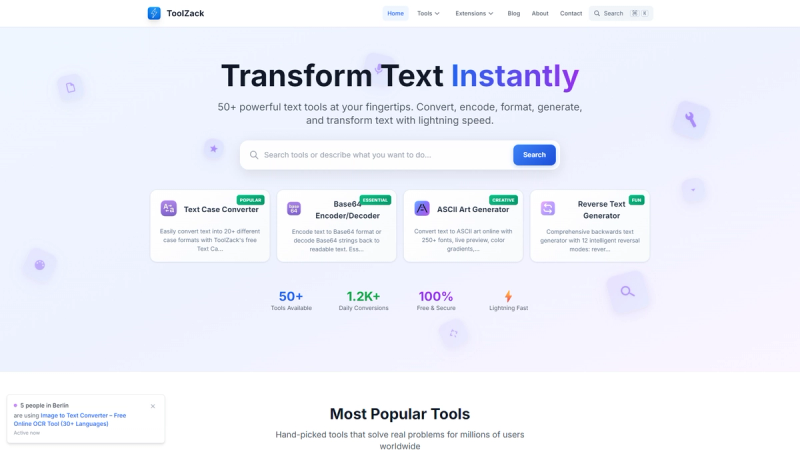
ToolZack is a free online toolkit with over 120 text transformation tools, including case conversion, Base64 encoding, ASCII art generation, and text formatting, designed for instant browser-based processing.
What is ToolZack?
ToolZack is a collection of fast, free text tools that run entirely in your browser. You input text (or URLs for tools like the Domain Authority Checker) and get transformed output—changed case, encoded strings, ASCII art, or cleaned-up content—within milliseconds. All tools are developed and maintained by the ToolZack team and require no sign-up or downloads.
Key Features
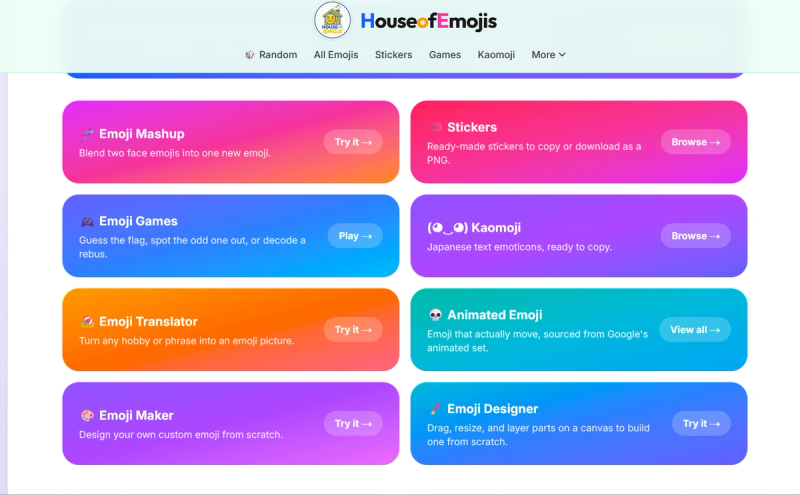
- 120+ Tools — Covering text case conversion (20+ formats), Base64 encode/decode, ASCII art (250+ fonts with color gradients), reverse text (12 modes), spin the wheel, domain authority checker, robots.txt generator, emoji collection, and more.
- Instant Processing — Optimized algorithms process millions of characters in milliseconds; no page reloads or waiting.
- 100% Private — All computations happen client-side in your browser; your data never leaves your device.
- Always Free — No subscriptions, limits, or hidden fees. All tools are completely free forever.
- Mobile Friendly — Fully responsive design works on all devices, from phones to desktops.
- Smart Features — Auto-detection of input type, smart suggestions, and AI-powered recommendations where applicable.
Who is it for?
- Developers — Quickly encode Base64 strings, format JSON, or generate robots.txt files without leaving the browser.
- Students — Use the case converter for coding assignments or the ASCII art generator for creative projects.
- Writers and Content Creators — Format text, remove duplicate words, or generate styled text for social media posts.
- Designers — Create ASCII art, flip text, or generate upside-down text for eye-catching designs.
What can you do with ToolZack?
- Convert text case — Transform any text into upper, lower, title, sentence, or one of 20+ case formats for consistent formatting.
- Encode/Decode Base64 — Securely encode sensitive data or decode Base64 strings for data transfer and debugging.
- Generate ASCII Art — Turn plain text into ASCII art with 250+ fonts, live preview, and color gradients for social media headers or fun graphics.
- Reverse or Flip Text — Use 12 reversal modes (reverse words, reverse letters, upside-down) for creative or puzzle purposes.
- Check Domain Authority — Enter a URL to get Domain Authority, Page Authority, and other SEO metrics instantly.
- Spin the Wheel — Create custom wheels with weighted options for random decision-making or giveaways.
How does ToolZack work?
Simply navigate to any tool on the website, paste your input text (or URL for SEO tools), and the result appears immediately. Most tools auto-detect input type and offer additional options (e.g., case selection, font choice). No account, installation, or configuration needed.
Pricing
ToolZack is entirely free. There are no subscription tiers, paywalls, or usage limits—all 120+ tools are accessible without any cost.
FAQ
Is ToolZack really free forever?
Yes. ToolZack has no subscriptions, no hidden fees, and no limits on usage. All tools remain free indefinitely.
Does ToolZack store my data?
No. All text processing occurs locally in your browser; your data never leaves your device and is not stored on any server.
How many tools does ToolZack offer?
ToolZack currently has over 120 tools, with new ones added regularly based on user feedback.
Can I use ToolZack on my phone?
Yes, the entire site is fully responsive and works seamlessly on smartphones, tablets, and desktops.
Do I need to create an account?
No account or registration is required. Just visit the site and start using any tool instantly.
👉 Try it here: toolzack.com