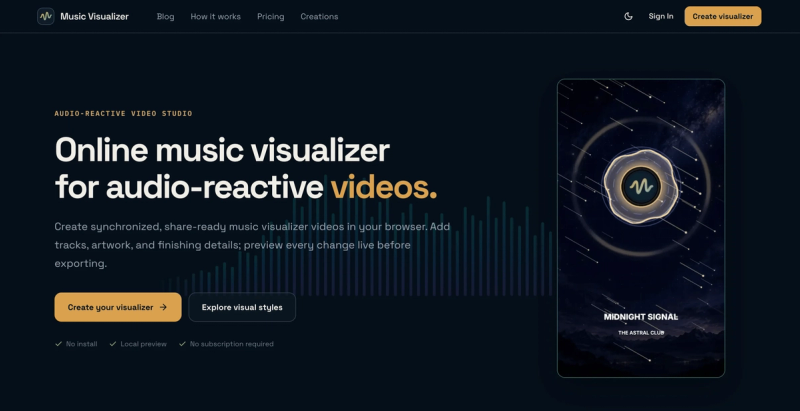
Music Visualizer (musicvisualizer.net) is a browser-based studio that turns an audio track, artwork and text into an audio-reactive music visualizer video, with editing and live preview running locally in the browser and the final render done in the cloud.
What is Music Visualizer?
Music Visualizer is an online studio that converts an audio file into an audio-reactive video: it runs real-time frequency analysis on the track so bars, pulses and gradients move with each beat, then renders the result as a share-ready H.264 video. Inputs are your audio, artwork, logo, title text, colors and a visual-intensity setting; outputs are videos in square 1:1, vertical 9:16 or widescreen 16:9 at 720p, 1080p or 2K. It runs in modern desktop and mobile browsers with no install, and it is operated by the team behind musicvisualizer.net.
What makes Music Visualizer stand out?
- 25 audio-reactive presets — named visual styles such as Liquid Bass, Retro Cassette, Prism Reactor and Forest Echo, each a designed starting point you customize rather than a blank timeline.
- Local-first editing — audio and images stay inside the browser while you edit and preview; uploads begin only when you start an export.
- Cloud rendering — high-quality H.264 video is rendered asynchronously so the export does not tie up your device.
- Three frame formats — 1:1, 9:16 and 16:9 with a preview that adapts instantly, plus ratio-aware artwork cropping with background pan and zoom.
- Three export resolutions — 720p, 1080p and 2K from a single composition.
- 14-day retention with unlimited downloads — source media, rendered videos and creation records are deleted automatically after 14 days, and tracks can run up to 10 minutes.
- One-time credit packs — 2, 10 or 30 credits via Stripe checkout, and credits never expire.
- No install, works on phone — the studio runs in modern mobile browsers as well as desktop.
Who should use Music Visualizer?
- Independent artists and producers: turn a finished track and its cover art into an audio-reactive video carrying their artist name and color palette for a release.
- DJs and mix creators: pair a mix with consistent artwork and motion that follows the music from the opening track to the final transition.
- Bands and musicians: combine band name, artwork and music into a recognizable visual for a release.
- Podcasters and audio storytellers: combine episode artwork, a logo and responsive motion into a screen-ready version of spoken-word audio.
How does the product work?
Four steps take you from audio to a share-ready video. Choose a preset, add your media (audio, artwork, logo), shape the frame with text, ratio, color and visual intensity, then sign in and spend export credits to receive the finished video.
Is Music Visualizer free?
Editing and live preview are free with no subscription required. Exports are paid with one-time credits: 720p and 1080p cost 1 credit each and 2K costs 2 credits. Credit packs are 2 credits for $3.90, 10 credits for $14.90 (most popular) and 30 credits for $34.90, with credits that never expire and checkout handled by Stripe.
FAQ
Do I need to upload files before editing?
No. Audio and images remain local while you edit and preview, and they are uploaded only when you start an export. That keeps source media on your device through the whole creative stage.
What happens if a render fails?
Rendering-system failures return reserved credits automatically. Invalid, corrupt or mismatched uploaded media is not eligible for restoration, so credit is not returned in those cases.
How long are my files kept?
Source media, rendered videos and creation records are automatically deleted after 14 days. Inside that window you can download the finished video an unlimited number of times.
Can I create a visualizer on my phone?
Yes. The studio supports modern mobile browsers in addition to desktop browsers, with a responsive layout and a preview that adapts to each aspect ratio.
Which formats and resolutions are supported?
You can create 1:1, 9:16 and 16:9 videos and export them at 720p, 1080p or 2K as H.264 files suitable for YouTube, TikTok, Instagram and other channels.