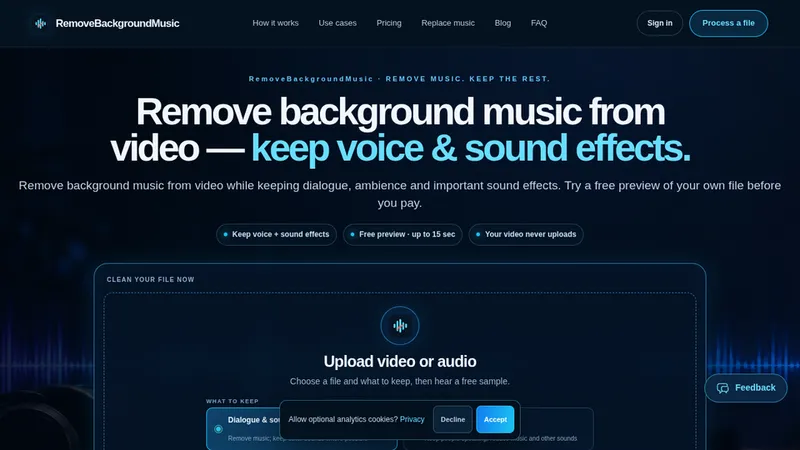
Remove music from finished recordings
RemoveBackgroundMusic helps creators remove or replace background music in their own or authorized video and audio. Preview a processed section before purchasing processing minutes.
- Useful for interviews, podcasts, gameplay and social clips.
- Compare the preview on your own source recording.
- Voice, ambience and sound-effect retention varies; listen before exporting.
- Replace removed music with your own permitted track when needed.
Support: [email protected].## Remove or replace music in finished recordings
RemoveBackgroundMusic is a web tool for creators working with video or audio that contains unwanted background music. It processes a recording you own or have permission to edit. A short preview lets you hear the result on your own source before purchasing processing minutes.
A practical workflow
Choose a file and identify what you want to keep. Listen to the original and processed preview on the same headphones or speakers. Pay attention to speech, pauses, room sound and effects, rather than judging only the loudest part of the recording. If the preview is useful, purchase processing and continue with the full file. When you need a different soundtrack, use the replacement-music workflow with a track you have permission to use.
Who it is for
The tool can help people preparing interviews, video podcasts, gameplay recordings, tutorials and social clips. It is intended for an existing recording, where the music and other sounds may already be mixed together. The preview is useful for deciding whether a particular source is suitable before committing to a longer job.
Check the result before publishing
Music removal does not guarantee perfect separation. Voice, ambience and sound-effect retention depends on the original mix, and overlapping sounds can produce audible changes. Listen through the complete exported recording and check the beginning, transitions and quiet sections. Keep your original file so you can compare versions and choose another approach when the result is unsuitable. Local preview availability does not mean full processing is free; review the current offer on the official website.
Support: [email protected].