Newsletter
Join the Community
Subscribe to our newsletter for the latest news and updates
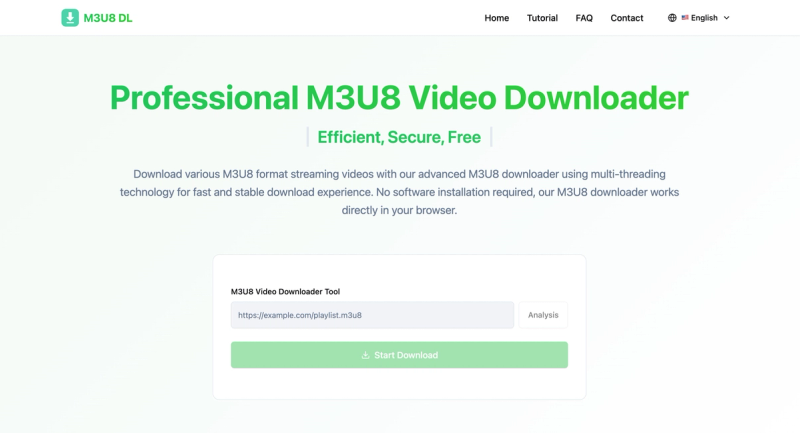
Professional M3U8 Video Downloader — Efficient, Secure, Free
Traffic, search & AI signals for m3u8dl.com.
Third-party traffic estimate · Updated Sep 9, 2026
Submit your own product to reach creators and founders looking for the next tool to try.
Download HLS (M3U8) streaming videos directly in your browser with a fast, reliable, and privacy-safe experience. Our M3U8 downloader uses a multi-threaded engine to accelerate segment fetching and automatically merges them into a single MP4 file—no software installation, plugins, or extensions required. Choose from available video quality options, from highest to bandwidth-friendly, and enjoy wide compatibility with both live streams and on‑demand content. Built with end‑to‑end encrypted transmission and robust error handling, it ensures stable performance across major browsers including Chrome, Firefox, Safari, and Edge. Designed for simplicity and power, it delivers professional‑grade results in just a few clicks.
M3U8 Downloader is a browser‑based tool that fetches HLS streaming videos and merges them into MP4 files using multi‑threaded acceleration. It takes an M3U8 playlist URL as input and outputs a complete MP4 video file, all within your browser—no software installation or plugins needed. It works on Chrome, Firefox, Safari, and Edge, and supports both live streams and on‑demand content from mainstream platforms.
The tool operates in four simple steps:
M3U8 is a playlist file format based on the HTTP Live Streaming (HLS) protocol by Apple. It contains links to video segments and playback metadata.
Our M3U8 downloader supports standard M3U8 format files, including both live streams and on‑demand content. The downloaded file is merged into a single MP4 video.
Download speed depends on your network environment and the source server. Multi‑threading optimizes segment fetching to improve overall speed.
The downloader works on all major browsers including Chrome, Firefox, Safari, and Edge. No additional software or plugins are needed.