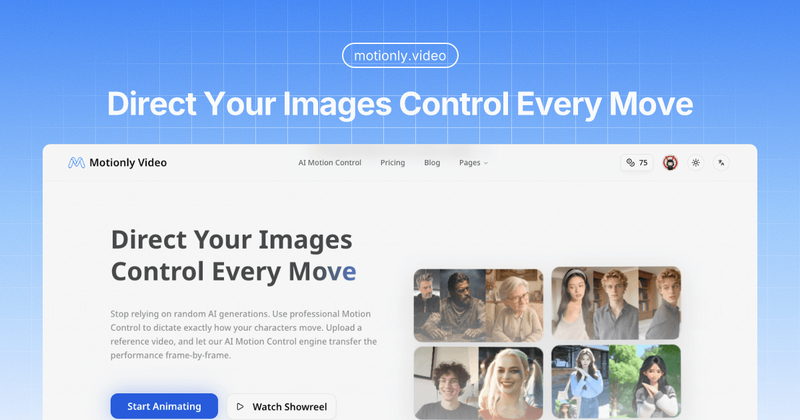
MotionlyVideo is an AI-powered motion control platform that animates static images by transferring precise movements from reference videos, offering professional-grade results with frame-by-frame accuracy.
What is MotionlyVideo?
MotionlyVideo is a web-based AI tool that takes a static image and a driver video as input and outputs an animated video where the character in the image mimics the motion of the driver. It uses the Kling AI Motion Control engine to transfer performance frame-by-frame. The platform is offered by Motionly Video and requires no software download—everything runs in the browser.
Key Features
- Precision Motion Control — Transfer complex movements (e.g., a sword swing, a walk) from a reference video to your target image with frame-by-frame accuracy. Unlike random AI generation, it maps specific actions onto the image.
- Dual Fidelity Modes — Choose between STD (720p) and PRO (1080p) modes. PRO mode uses denser sampling that requires 5x computational power, delivering broadcast-ready results with better texture handling during fast movement.
- Smart Driver Trimming — Trim your reference video to the exact moment you want before generating the animation, avoiding unnecessary context.
- Cinematic Orientation — Maintain professional-quality aspect ratios and composition in all outputs, suitable for film and advertising.
- Multiple Style Support — Works with realistic photos, anime, oil paintings, and 3D renders, preserving the original artistic style while adding motion.
- Credit-based Pricing — Free tier gives 50 credits/month; Pro tier costs $16.9/month (billed yearly) for 600 credits; Max tier costs $49.9/month (billed yearly) for 2500 credits. Credits correspond to video duration and resolution.
Who is it for?
- Indie filmmakers — Film yourself performing a scene, then upload a stylized character portrait and use AI Motion Control to "reskin" the performance without expensive mocap suits.
- Motion designers — Precisely time specific movements like smiles, turns, and waves for explainer videos and branded content.
- Concept artists and illustrators — Add subtle breathing, looking around, or wind effects to static art, turning them into looping motion posters.
- Content creators — Animate character portraits, fashion models, or fantasy characters for engaging social media posts.
What can you do with MotionlyVideo?
- Digital Double Strategy — Film yourself in your living room, upload a character image, and have that character perform the same movements. Ideal for indie production on a budget.
- Reviving Static Art — Use subtle slow-motion driver videos to add atmosphere to 2D illustrations, creating cinematic loops without complex animation software.
- Consistent Character Acting — Use the same driver video across different angles of your character to maintain performance consistency across shots—hard to achieve with text prompts alone.
How does it work?
- Upload the source image (the character you want to animate).
- Upload the driver video (the reference movement).
- Choose resolution (STD or PRO) and trim the clip to the perfect moment.
- Generate the animation—the system blends your visual style with the driver's motion using AI Motion Control.
Pricing
Freemium model: Free tier ($0) includes 50 credits/month, up to 10 seconds of 720p video. Pro tier ($16.9/month billed yearly) offers 600 credits/month, up to 120s of 720p or 60s of 1080p. Max tier ($49.9/month billed yearly) offers 2500 credits/month, up to 500s of 720p or 250s of 1080p. All payments are securely processed by Stripe, with 0.5% donated to Stripe Climate.
FAQ
Can I use any video as a driver?
Yes, but steady camera and clear subject movement give the best results. Avoid extremely shaky footage for optimal performance.
Why does PRO mode cost more?
PRO mode uses a denser sampling method that requires about 5x the computational power of STD mode, ensuring textures don't swim or blur during fast movement, delivering broadcast-ready quality.
Is this just for realistic video?
No. MotionlyVideo works beautifully on anime styles, oil paintings, and 3D renders. The AI maps movement logic, not just pixels, so your artistic style remains intact.
What are the credit costs per video?
Credits are consumed based on output duration and resolution: 720p costs approximately $0.141/s (Pro) or $0.100/s (Max); 1080p costs approximately $0.282/s (Pro) or $0.200/s (Max). The free tier is limited to 720p and 10 seconds per video.