Newsletter
Join the Community
Subscribe to our newsletter for the latest news and updates
Screen Studio alternative and Screen recording software that automatically applies professional effects like smooth cursor movement, zoom animations, and AI-powered audio cleanup.
Submit your own product to reach creators and founders looking for the next tool to try.
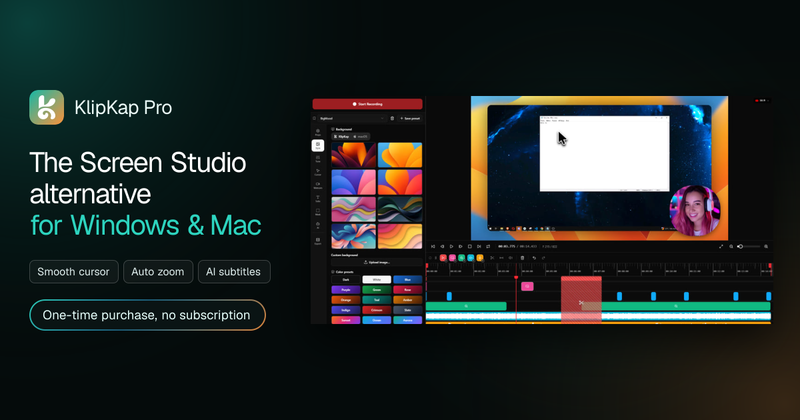
KlipKap Pro is a desktop screen recorder and Screen Studio alternative for Windows and macOS that records screen, window, or region captures with webcam and audio, then automatically applies zoom, cursor smoothing, subtitles, and noise removal before export.
KlipKap Pro is a screen recording application that edits footage as it is captured: it records your full screen, a single window, or a custom region together with webcam and audio inputs, then automatically applies zoom animations, cursor smoothing, subtitles, and audio cleanup. The output is a finished video exported at the resolution, frame rate, and aspect ratio you select for platforms such as YouTube, TikTok, LinkedIn, and Shorts. It runs on Windows 10/11 and macOS 13 Ventura or later, on both x64 and ARM64 processors. A Linux build is listed as coming soon, and the maker is not named on the page.
Developers and SaaS teams record two-minute bug reproductions, PR walkthroughs, and changelog videos with cursor highlighting and auto-zoom instead of writing long spec documents. Content creators turn raw screen sessions into upload-ready tutorials with AI subtitles and platform-specific exports. Marketers produce product walkthroughs and feature announcements in-house rather than handing work to an editing contractor. Educators and IT trainers build course libraries with multi-source audio, noise suppression, and word-level subtitle timing for chapter cuts.
Recording, editing, AI subtitles, and AI audio cleanup all run on your own machine, so footage is never uploaded. Only three actions need a connection: downloading the app, activating a licence, and exporting with a Pro account.
KlipKap Pro is freemium: a permanent free tier records, edits, and exports at 720p with a watermark on Windows and macOS, with no time limit. Pro is a one-time purchase (listed at $29.99, discounted to $25.49) with no subscription or renewal, unlocking 1080p/2K/4K export, 60 fps and 120 fps, all six social aspect ratios, the AI audio denoiser, watermark-free output, and priority support. One licence covers unlimited machines via the same account, and refunds are offered within 14 days.
Screen Studio is the closest comparable tool and is Mac-only with an annual subscription, while KlipKap Pro runs on both Windows and Mac with a one-time purchase. OBS Studio is a free broadcaster without a built-in editor, zoom animations, cursor effects, or AI subtitles, so it is typically paired with a separate video editor.
No. KlipKap Pro is a one-time purchase that includes future updates for the licensed version, with no monthly fee or renewal. A single licence signs in on as many Windows and macOS machines as you like through your account.
There is a permanent free tier rather than a trial. You can record, edit, and export at 720p with a watermark for as long as you want, and Pro removes the watermark while unlocking higher resolutions and frame rates.
Yes for anything touching footage: recording, editing, AI subtitles, and AI audio cleanup all execute locally, and transcription needs no account or credits. Downloading the app, activating a licence, and Pro exporting do require a connection.
KlipKap Pro runs on Windows 10/11 and macOS 13 Ventura or later, on both x64 and ARM64 processors. At least 4 GB RAM is recommended and 8 GB or more for 4K capture; a GPU helps with hardware-accelerated capture but is not required. Linux is listed as coming soon, so it is not available yet.
Yes. KlipKap captures system audio natively alongside microphone and webcam and lets you mix the tracks independently in the timeline — something Mac-only alternatives typically need a third-party virtual audio cable for.