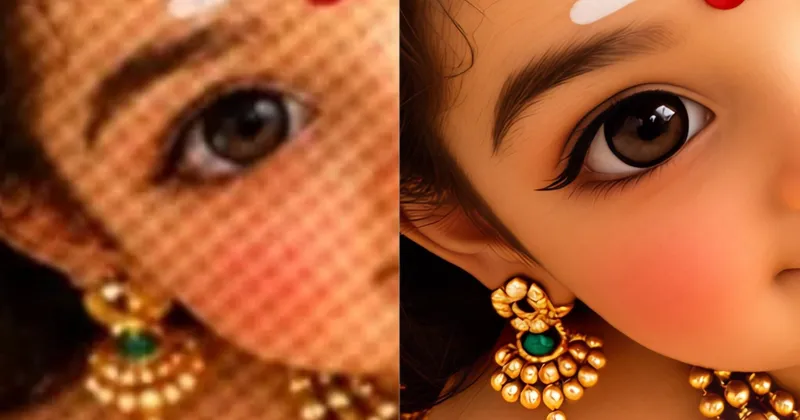
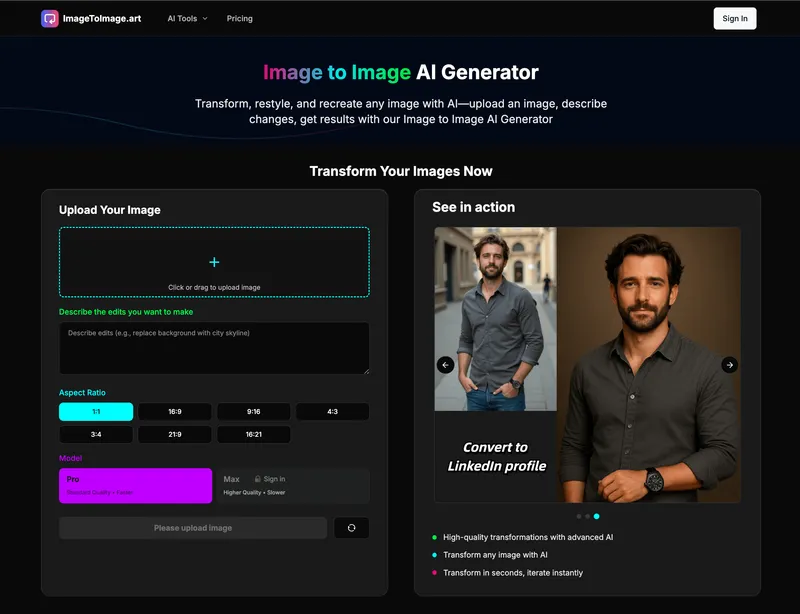
Imgtoimgai.io is a web-based image-to-image AI generator that transforms uploaded photos, sketches, or designs into new variations by applying a text prompt and a selected AI model.
What is Imgtoimgai.io?
Imgtoimgai.io, also branded as 'Image to Image AI Generator,' is a tool that takes an existing image as input and produces a new, edited version based on a text prompt. It supports JPG, PNG, and WebP uploads up to 30 MB and uses models such as OpenAI's GPT Image2 to change style, background, lighting, color, or scene. The service runs entirely in the browser on desktop and mobile devices, with no app download required.
Key Features
- Multiple AI models — The platform advertises access to several advanced AI models on one interface, letting users run the same photo and prompt through different models and compare results. The interface shows OpenAI GPT Image2 as an available model.
- High-quality results — Output images are described as having clear details, natural colors, and clean edges, suitable for product pages, ads, social posts, and thumbnails.
- Fast transformation — Generates a new image quickly, allowing users to iterate on prompts and settings without complex steps.
- Easy to use — Upload a photo, write a prompt, choose a model, and generate; no Photoshop or design skills required.
- High-resolution downloads — Results can be downloaded in high resolution, preserving small details for print and slides.
- Image settings controls — Users can set resolution, aspect ratio (e.g., 1K 16:9), watermark toggle, and number of images per generation (e.g., 15 in the mockup).
- Multiple reference uploads — Users can upload multiple reference images for a single generation to guide the AI.
Who is it for?
- Photographers — Restyle portraits, change backgrounds, and test new lighting in minutes, delivering more creative options to clients.
- Content creators — Turn one photo into a week of content by generating new scenes, styles, thumbnails, and covers.
- Marketing teams — Create up to 3× more campaign visuals by turning one image into multiple ads, landing page visuals, and social posts.
- Online sellers — Build product scenes in studio, home, outdoor, seasonal, and lifestyle settings from a single product photo, without booking another photoshoot.
What can you do with Imgtoimgai.io?
- Photographers: Upload client portraits and generate multiple background and lighting variants for faster delivery of edited proofs.
- Content creators: Turn a single lifestyle photo into themed visuals for seven days of posts — new backgrounds, styles, and thumbnails.
- Marketing teams: Restyle one campaign image into several ad variations with different colors and formats to test in social and landing pages.
- Online sellers: Place an e-commerce product photo into studio, home, outdoor, seasonal, and lifestyle scenes to fill product pages and ads.
How does Imgtoimgai.io work?
The workflow has four steps: upload a clear source image (product photo, portrait, room, pet photo, drawing, or sketch); write a plain-language prompt describing what to change and what to keep; choose settings such as AI model, resolution, and aspect ratio; then generate and download the final high-resolution image.
Pricing
Imgtoimgai.io offers a free version that allows immediate generation with limited credits. Paid subscriptions are structured in three annual tiers — Basic, Pro (most popular), and Max — each with a monthly credit allowance, faster generation speed, watermark-free downloads, commercial use license, and customer support. Annual billing supposedly saves 50% compared to monthly.