
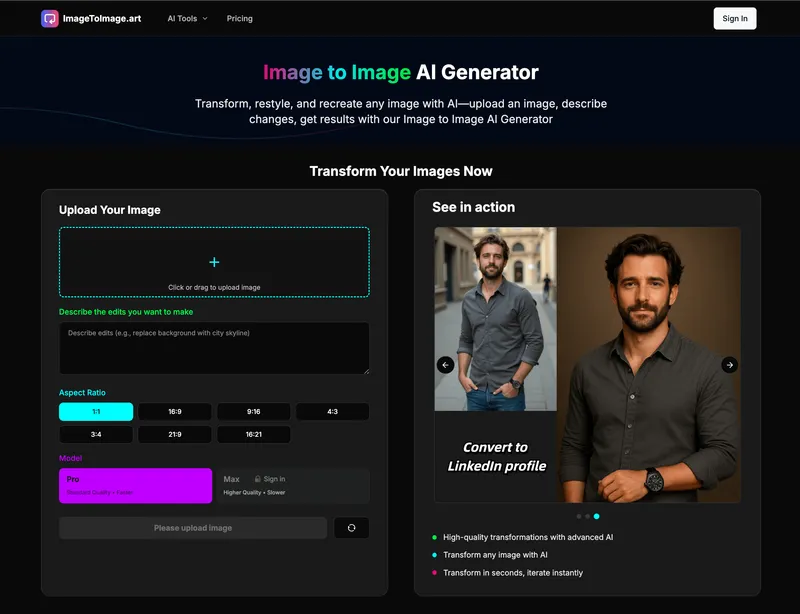
Image to Image AI Generator is a web-based AI tool from ImageToImage.art that transforms any uploaded image into a new version based on natural language instructions, delivering results in seconds.
What is Image to Image AI Generator?
Image to Image AI Generator is an AI-powered image transformation platform that takes an uploaded image (PNG, JPG, JPEG, WEBP, 300-4000px, up to 7MB) and a text description of desired edits, then generates a new image reflecting those changes. It runs on a web interface and is developed by ImageToImage.art, leveraging advanced diffusion and vision models for context-aware results.
Key Features
- Smart Image Understanding — AI analyzes uploaded images to grasp composition, style, and content for informed transformations.
- Edit Images with Instructions — Users describe changes in plain English; the AI executes precise edits like restyling, background swaps, or adding elements.
- Blazing-Fast Processing — Most outputs are returned in under 30 seconds, with an optimized pipeline that maintains quality.
- Live Preview and Iteration — Results appear instantly, allowing users to tweak prompts or settings and regenerate quickly.
- Natural Language Controls — No complex syntax needed; support for style, subject, mood, and adjustments.
- Aspect Ratio Selection — Choose from 1:1, 2:3, 3:2, 4:3, 3:4, 16:9, 9:16, or 21:9.
- Quality Modes — Standard, Fast and balanced, or Enhanced (requires sign-in) options.
- High Resolution Support — Outputs up to 8K resolution.
Who is it for?
- Digital Artists — Restyle existing artwork or remix pieces while preserving artistic intent.
- Content Creators — Generate on-brand social media posts quickly by swapping backgrounds and restyling visuals.
- Game Developers — Produce concept art, promotional assets, and iterative variations without manual redrawing.
- Photographers — Enhance lighting, change backgrounds, and apply styles while retaining image quality.
- Marketing Directors — Create consistent campaign variations for A/B tests, seasonal drops, and product shots.
- E-commerce Sellers — Clean product backgrounds, create consistent listing variants, and transform product shots.
What can you do with Image to Image AI Generator?
- Social Content at Scale — Transform existing images into posts in seconds, swap backgrounds, restyle visuals, and deliver on-brand content across channels.
- Concept Art and Illustration — Transform existing artwork or remix pieces, explore styles, add elements, and iterate rapidly without losing artistic intent.
- Campaign and Product Visuals — Transform existing campaign assets, restyle product shots, and create consistent variations for A/B tests and seasonal drops.
- Photography and Retouching — Enhance existing shots with AI, fix lighting, swap backgrounds, and apply styles while preserving quality.
- E-commerce & Listings — Transform product shots, clean backgrounds, and create consistent variants.
How does Image to Image AI Generator work?
- Upload your image (drag-and-drop or click; supports PNG, JPG, JPEG, WEBP).
- Describe the changes you want in natural language (up to 2000 characters).
- Choose settings like aspect ratio and quality mode, then click Generate.
- Download your edited image in seconds.
Pricing
Image to Image AI Generator operates on a pay-as-you-go credit system. Three credit packs are available: Starter ($9.99 for 100 credits, valid 30 days), Plus ($29.99 for 400 credits, valid 90 days), and Max ($49.99 for 800 credits, valid 180 days). Each credit typically corresponds to one generation. Faster processing and priority support are included in higher tiers.
FAQ
What is Image to Image AI Generator?
It is a web-based AI tool that edits images based on text instructions. Upload an image, describe the changes, and get a transformed result in seconds.
How fast are generations and edits?
Most generations complete in under 30 seconds, with an optimized pipeline ensuring both speed and quality.
Can I use Image to Image AI Generator images commercially?
The page states that users can use images commercially, but specific license terms are not detailed on this page. Check the platform's terms for full details.
What image formats are supported?
Input formats: PNG, JPG, JPEG, WEBP. Output is typically in high-quality image formats.
How do credits work?
Credits are purchased in packs and consumed per generation. Unused credits expire after the pack's validity period (30, 90, or 180 days).


