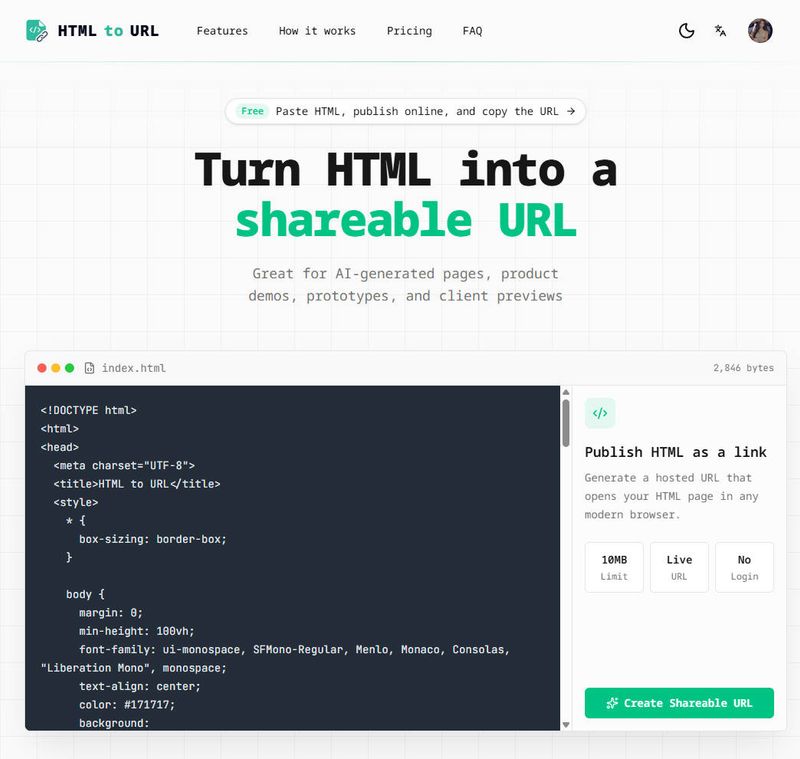
html-to-url is a free web tool that instantly converts raw HTML code—including inline JavaScript and CSS—into a live, shareable URL without requiring a server, account, or deployment platform.
What is html-to-url?
html-to-url is an online converter that takes raw HTML code (paste or file upload) and produces a hosted browser-ready URL. It runs entirely in the browser for preview and publishes the page to a public link. The tool is designed for single-page HTML, AI-generated code, and quick prototyping without any setup.
Key Features
- Zero-configuration publishing — Paste HTML or upload an
.html/.htmfile (up to 20 MB) and receive a live URL in seconds. No account, sign-in, or software installation needed. - Live browser preview — See the rendered page before publishing, catching layout, script, and style issues immediately.
- Full frontend support — JavaScript and CSS (inline, external, or from CDNs) work as expected; the page renders as a standard web page.
- Privacy by default — Generated pages include
noindexheaders, preventing search engine indexing and keeping prototypes and drafts private. - AI-optimized — Directly supports HTML output from ChatGPT, Claude, Cursor, v0, Bolt, Lovable, and similar AI coding tools.
- Instant sharing — Copy the generated URL and share via Slack, email, docs, tickets, or client messages.
Who is it for?
- Web developers — Quickly preview and share HTML pages generated by AI tools or hand-coded prototypes with colleagues or stakeholders.
- Designers — Convert exported single-page HTML mockups into clickable, interactive preview links for client feedback.
- AI builders — Turn HTML output from AI coding assistants into a shareable link for testing and review.
- Course instructors — Allow students to submit browser-ready page links instead of local files that require manual opening.
What can you do with html-to-url?
- Share AI-generated HTML — Paste code from ChatGPT or Claude and send a live link to teammates instantly.
- Demo prototypes — Create a temporary, shareable URL for a landing page or component prototype without deploying to a full hosting service.
- Submit class projects — Students generate a single URL that instructors can open directly without file downloads or extra instructions.
How does it work?
- Add your HTML — Paste raw code into the editor or upload an
.html/.htmfile. - Preview — The page renders in a browser preview to verify appearance and functionality.
- Generate URL — Click publish to create a live, hosted link.
- Share — Copy the generated URL and distribute it via any communication channel.
Pricing
html-to-url is free to use. No account or payment is required. Files up to 20 MB are supported.
FAQ
Do I need a server or hosting platform?
No. html-to-url generates a live URL directly from your HTML code, eliminating the need for Vercel, Netlify, GitHub Pages, or any server setup.
Will my HTML pages be indexed by Google?
No. All user-generated pages include noindex headers by default, so they are not crawled or indexed by search engines.
Can I use JavaScript and CSS?
Yes. The tool supports inline and external JavaScript and CSS. Your page will render with full interactivity and styling as intended.
Is there a file size limit?
Yes. The maximum HTML file size is 20 MB.