Seedance 2.5 is an AI video generator for creating longer, more coherent 30-second single-segment videos from text, image, video, and audio references. It focuses on control and consistency for creators who need publishable results.
What is Seedance 2.5?
Seedance 2.5 is a web-based AI video generator that produces up to 30-second single-segment videos with coherent scenes. It accepts inputs such as text prompts, first and last frames, reference images (up to 5), reference videos (up to 3, 50 MB each), and reference audio (up to 3, 15 MB each). Outputs are videos up to 1080p resolution in multiple aspect ratios (16:9, 4:3, 1:1, 3:4, 9:16, 21:9, Adaptive). The tool is developed by Seedance and runs entirely in the browser.
Key Features
- 30-Second Native Generation — Produce a single coherent scene up to 30 seconds long, reducing the need for stitching multiple clips.
- Multi-Reference Input — Combine up to 50 creative inputs including text, images, videos, and audio to guide the generation across character, product, and style consistency.
- Video Continuation — Extend an existing shot while preserving subject identity, camera direction, and visual style.
- Controllable Editing — Refine one variable at a time (product placement, background, expression, camera speed) without losing the overall direction.
- Resolution Options — Output at 480p, 720p, or 1080p (1080p available on Standard model).
- Audio-Guided Video — Use audio cues or sound references to shape scene timing and atmosphere.
- Inspiration Gallery — Browse community examples with prompt reuse via “Create Similar”.
Who is it for?
- Social content creators — Generate vertical 9:16 videos for TikTok, Reels, and Shorts with consistent style.
- Ecommerce teams — Turn product images into branded video showcases with controlled lighting and motion.
- Independent filmmakers — Previsualize scenes with camera movement, pacing, and atmosphere before production.
- Performance marketers — Produce ad concepts with full narrative arcs rather than quick motion tests.
What can you do with Seedance 2.5?
- Product ads — Upload a product image, add a text prompt describing the scene, and generate a 30-second video that keeps the product shape and color consistent.
- Brand storytelling — Combine brand style references, character images, and mood audio to create a coherent short film for social campaigns.
- Concept previews — Describe a story beat with camera language and lighting, generate a 30-second shot, then refine details like character placement or background behavior.
How does Seedance 2.5 work?
- Write a prompt describing subject, setting, action, camera movement, mood, and story rhythm.
- Optionally upload reference images, videos, or audio for stronger control over person, product, motion, or sound.
- Select resolution (480p/720p/1080p), aspect ratio, and duration (4s, 8s, 12s, or up to 30s for Standard).
- Click Generate — the AI produces a single-segment video. Use Continue to extend the scene or refine one variable at a time.
Pricing
Seedance 2.5 operates on a freemium credit model. Try Seedance 2.5 for free with a sign-in; generation costs are shown as an estimated credit value (e.g., ~112 credits per generation). Paid plans unlock longer durations, higher resolutions, and more references.
FAQ
Is Seedance 2.5 free to try?
Yes, you can generate videos for free after signing in. Free usage is limited by a credit system, with costs displayed before generation.
What formats can I upload as references?
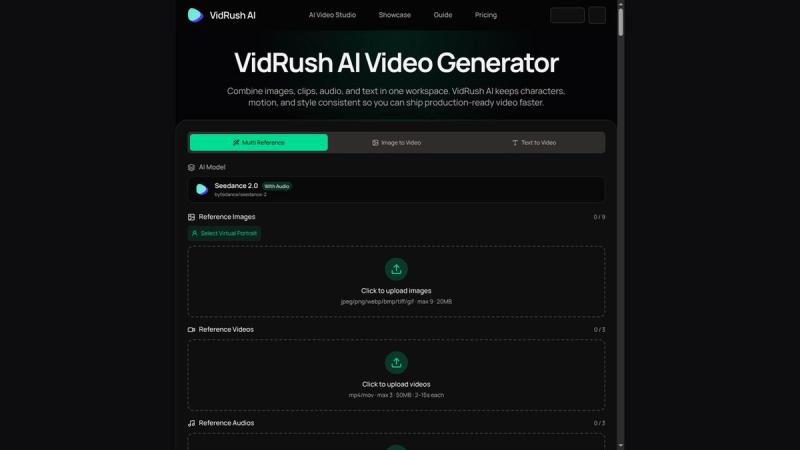
Images: PNG, JPG, JPEG, WEBP (up to 5). Videos: MP4, MOV, MKV (up to 3, max 50 MB each). Audio: MP3, WAV, AAC, FLAC (up to 3, max 15 MB each).
What resolutions and durations are available?
Resolutions: 480p, 720p, 1080p (1080p only on Standard model). Durations: 4s, 8s, 12s, and up to 30s for single-segment generation.
Can I continue a generated video?
Yes, Seedance 2.5 supports video continuation to extend a scene while preserving the subject, lighting, and style across segments.
Does Seedance 2.5 require sign-in?
Yes, a free sign-in is required to generate videos. The prompt setup is saved across sessions.