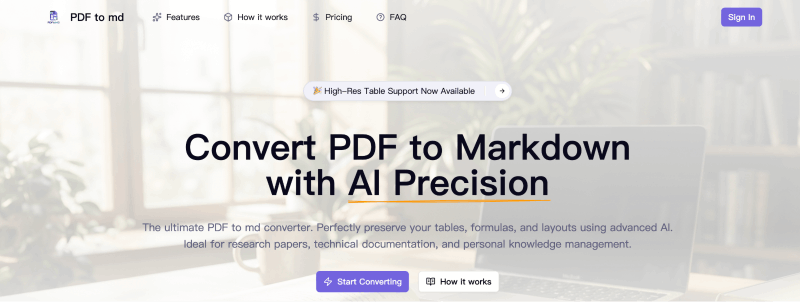
PDF to MD is an AI-powered web tool that converts PDF documents into clean Markdown while preserving complex tables, mathematical formulas, and multi-column layouts. It runs entirely in the browser, requires no installation, and outputs .md files ready for use in Obsidian, Notion, Logseq, or GitBook.
What is PDF to MD?
PDF to MD is a privacy-focused online converter that uses deep layout analysis to transform PDFs (up to 50MB, 100 pages) into structured Markdown. It handles tables row-by-row, converts math to LaTeX, and extracts images into separate asset folders. The tool is developed by an independent team and is accessible at pdftomd.org.
Key Features
- AI Table Extraction — Identifies and reconstructs standard and nested tables into valid Markdown grid format, cell by cell.
- Equation Recognition — Automatically detects inline and block mathematical formulas and converts them to LaTeX syntax.
- Multi-column Layout Handling — Parses columnar content (e.g., academic papers) and reflows it into correct reading order.
- Image Extraction — Extracts figures and images from the PDF, saving them into a separate assets folder for easy reuse.
- Instant Side-by-Side Preview — Compare original PDF and generated Markdown in real-time before downloading.
- Privacy First — Uploaded files are processed securely and deleted immediately after conversion; no data is stored.
- Free Credits — Get 20 free credits upon signing up, with no credit card required.
Who is it for?
- Personal Knowledge Management (PKM) users — Convert books, reports, and papers into clean Markdown for Obsidian, Notion, or Logseq to build a searchable second brain.
- Academic Researchers — Extract tables and equations from research papers into LaTeX-ready Markdown for literature reviews or thesis writing.
- Developers and Technical Writers — Migrate technical documentation from PDF to Markdown for integration into documentation sites or Git repositories.
What can you do with PDF to MD?
- Academic researchers: convert complex multi-column research papers into Markdown with LaTeX equations, retaining references and table structures.
- Knowledge managers: batch-convert scanned PDFs (note: scanned PDFs require OCR, which may affect accuracy — the tool supports PDFs, not images) into editable Markdown for knowledge bases.
- Content creators: extract images and structured text from PDFs to repurpose content in blogs or newsletters.
How does PDF to MD work?
- Secure Upload — Drag and drop a PDF (up to 50MB, max 100 pages). Files are encrypted and deleted after processing.
- AI Layout Analysis — The AI identifies columns, headers, footers, and reading order.
- Element Reconstruction — Tables are parsed into Markdown grid tables; formulas are converted to LaTeX; images are extracted.
- Export and Download — Preview the result side-by-side, then download as .md or a zip package containing the Markdown file and assets.
Pricing
PDF to MD operates on a freemium model. New users receive 20 free credits upon signing up. Additional credits can be purchased, though exact pricing tiers are not listed on the site. The free tier allows conversion of files up to 50MB and 100 pages per file.