Glimbench
Glimbench brings three everyday image and spreadsheet tasks into one free workbench: removing image backgrounds, turning table screenshots into editable spreadsheets, and converting HEIC photos to JPG. Open a tool, choose your files, review the result, and download it without creating a tool account.
Background Remover
Remove the background from product photos, portraits, or other images and download a transparent PNG at the original image size. The free workflow supports batches of up to five images and adds no watermark. Processing happens locally on the device. The model may need to download on the first run, and the cutout should be checked before use, especially around hair or complex edges.
Image to Excel
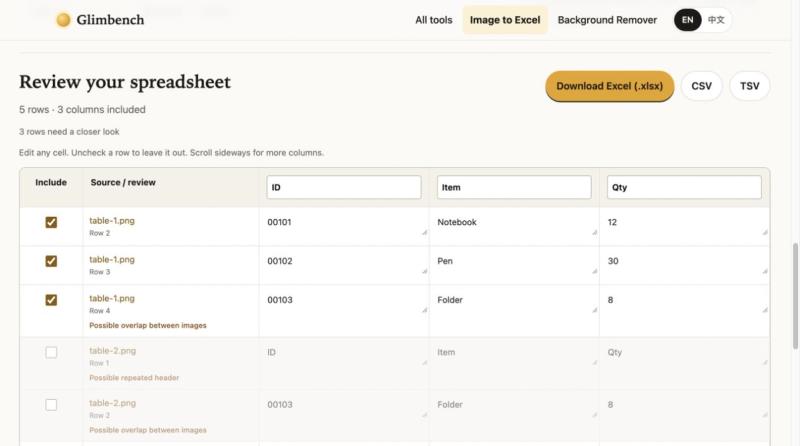
Combine several screenshots of printed tables into an editable spreadsheet. Review recognized cells alongside their source images, make corrections, and export XLSX, CSV, or TSV. This helps with turning table screenshots into data you can work with. OCR output requires review; complex photographs and handwriting are not guaranteed.
HEIC to JPG
Convert batches of up to twenty HEIC photos into JPG files with a selectable quality setting. Download individual results or a ZIP containing the batch. The conversion takes place locally in the browser, making it practical for preparing photos for tools that do not accept HEIC.
Glimbench is useful for creators preparing images, small businesses working with printed tables, and people moving photos between devices and applications. The interface is available in English, with a manual Chinese language switch. Files are processed locally rather than uploaded for these tools. Learn more and try the tools at https://glimbench.top/.