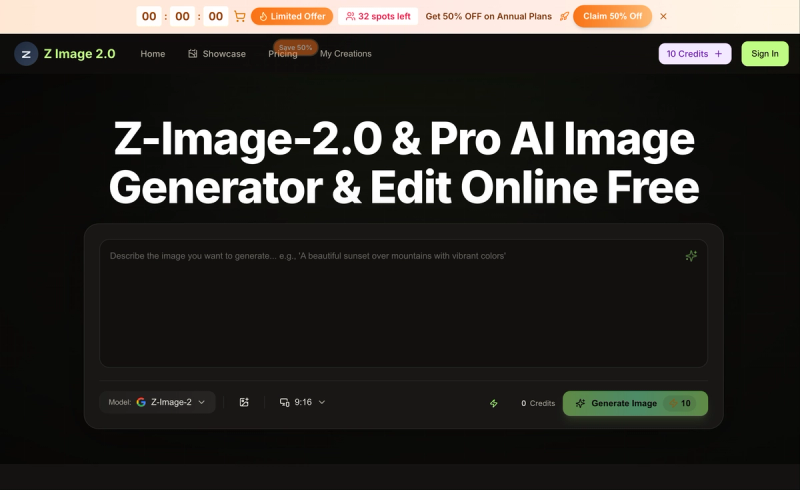
Z‑Image‑2.0 is a browser‑based AI image generator that turns text prompts or uploaded photos into 4K‑resolution artwork, available as a free tier (Z‑Image Online Free) and paid tiers (Z‑Image 2 & Pro) with higher limits and priority processing.
What is Z‑Image‑2.0?
Z‑Image‑2.0 is an AI image generator and editor that produces 4K images from text descriptions or reference photos directly in your browser—no download or install required. Developed by the Z Image team, it uses a proprietary model (Z‑Image 2.0 Model) to interpret prompts and image inputs, outputting high‑resolution visuals. The platform offers a free tier for testing and paid annual plans for higher volume and additional features.
Key Features
- 4K output in seconds — Generates 4K‑ready images for social media, ads, and client work, reducing iteration cycles.
- Combine multiple references — Upload several images to merge subject, setting, and style into a single coherent 4K image.
- Style transfer — Use one image as the style source and another as the subject, supporting realistic, anime, and watercolor styles.
- Text‑to‑image generation — Describe your idea in words and get high‑res artwork; the Z‑Image Prompts Guide helps craft better prompts.
- Background removal and swapping — One‑click background change or removal with clean edges, ideal for product pages and ads.
- Photo restoration — Restore faded or damaged photos with color correction, detail recovery, and flaw repair.
- Text editing within images — Update wording in graphics without breaking the layout (Z‑Image‑2 edit feature).
- Virtual try‑on — See outfits and accessories on a subject in seconds for campaigns.
- Custom avatars — Generate consistent character images across poses and looks for personal branding.
- Credit‑based usage — Each tier includes an annual credit allocation (Basic: 6000 credits/year, Professional: 24000/year, Enterprise: 72000/year).
- Commercial use license — All paid plans include a commercial use license, and yearly plans remove watermarks and grant priority generation queue.
- Additional AI models — Paid tiers include access to Seedream 5.0, Veo 3, Sora 2, Seedance, and Wan 2.5 models for AI video generation.
Who is it for?
- Animators and concept artists — Sketch environments, lock style before production, and explore character options while keeping consistency.
- Filmmakers and studios — Generate keyframes, storyboards, and promotional visuals quickly without hand‑painting every frame.
- Creators and influencers — Produce social media content, avatars, and profile art from plain‑language prompts.
- Marketers and brands — Create e‑commerce catalog shots, lifestyle imagery, and ad visuals without a studio or design background.
What can you do with Z‑Image‑2.0?
- E‑commerce & lifestyle imagery — Get catalog‑ready shots with proper lighting and framing without a photo shoot.
- Restore old photos — Revive faded or damaged pictures with automatic color correction and detail recovery.
- Virtual try‑on previews — Show outfits and accessories on a model before production for campaign approvals.
- Background swaps — Change or remove backgrounds for product pages, ads, and social media posts.
- Text editing in images — Update text inside graphics (e.g., signage, banners) while preserving composition.
- Custom avatars — Generate consistent profile art for channels, teams, or personal branding.
Pricing
Z‑Image‑2.0 uses a freemium model: the free tier (Z‑Image Online Free) provides starter credits with no credit card required. Three annual paid plans are available:
- Basic — $4.9/month (billed annually $58.8), 6000 credits/year, up to 50 images/month.
- Professional — $9.9/month (billed annually $118.8), 24000 credits/year, up to 200 images/month.
- Enterprise — $19.9/month (billed annually $238.8), 72000 credits/year, up to 600 images/month.
All paid plans include commercial use, no watermark, priority queue, and access to additional AI models for video generation.
FAQ
Is Z‑Image‑2.0 free?
Yes, a free tier (Z‑Image Online Free) exists with starter credits—no credit card required. Free credits can be used to generate images, but features like no watermark and priority queue require a yearly paid plan.
How do credits work?
Each generation consumes credits proportional to resolution and model usage. Credits reset annually on paid plans; free credits are limited to initial sign‑up. Budget tracking is available in your account.
Can I use Z‑Image‑2.0 on mobile?
Yes, Z‑Image‑2.0 runs in the browser on desktop, tablet, and mobile devices—no app install needed.
Upload common image formats (JPEG, PNG, WebP). Downloads are in PNG or JPEG at 4K resolution. The editor supports in‑browser refinement before export.