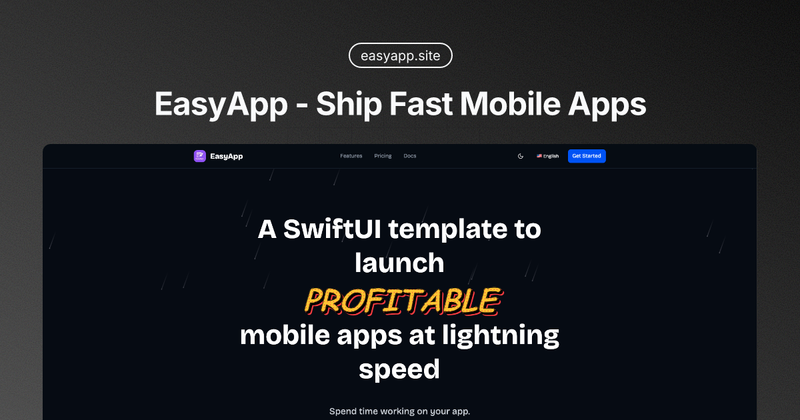
EasyApp is a SwiftUI template for iOS that provides pre-built core features like authentication, in-app purchases, and AI integrations, enabling developers to launch profitable mobile apps quickly.
What is EasyApp?
EasyApp is a commercial SwiftUI template for iOS 17+ that bundles complete user authentication (Supabase-based email/password and Apple ID), dual in-app purchase systems (RevenueCat and StoreKit2), AI services via Supabase Edge Functions, push notifications via OneSignal, and more into a single codebase. It is developed and maintained by a community of developers and offered as a lifetime purchase.
Key Features
- Authentication — Email/password and Sign in with Apple backed by Supabase, with registration, login, password reset, and email verification flows.
- In-App Purchases — Supports both RevenueCat and StoreKit2 with multiple paywall templates, subscription management, and annual discount display.
- AI Features — Smart receipt recognition using OpenAI multimodal model, text translation, and voice TTS via Supabase Edge Functions; API keys stored server-side.
- Flux Generation — Text-to-image and text-to-video via Replicate platform, with configurable models, styles, and sizes.
- Credit System — Built-in credit management with FIFO consumption, permanent/temporary credits, transaction history, and anti-abuse protection (email limits, device fingerprinting, risk scoring).
- Push Notifications — OneSignal integration with EasyAppNotifyKit abstraction, permission request components, and developer testing toolkit.
- Onboarding System — Interactive swipe-through onboarding with customizable content, animations, and completion state management.
- Internationalization — Xcode native localization using Localizable.xcstrings, supporting Chinese, English, and easy addition of other languages.
- Version Updates — WhatsNewKit integration that automatically displays new feature highlights per app version.
- WebView Integration — Bidirectional JS bridge with native↔H5 communication, script/cookie injection, and permission guidance.
- Modern Architecture — SwiftUI with iOS 17+ features, Swift concurrency (async/await), Cursor AI integration via built-in Cursor Rules, and hot reload support via Inject.
Who is it for?
- Indie Developers — Launch apps quickly without building auth, payments, and push from scratch.
- Startups — Use as a solid foundation for MVPs with revenue-generating features like subscriptions and AI.
- Experienced Developers — Skip repetitive setup and focus on custom business logic.
- Product/Design/Operations Professionals — Start building iOS apps with minimal SwiftUI knowledge using comprehensive documentation and examples.
What can you do with EasyApp?
- Launch a subscription-based app — Integrate RevenueCat or StoreKit2 in minutes, with paywall templates and subscription state management.
- Add AI-powered features — Implement receipt scanning, text translation, or voice TTS using the built-in Supabase Edge Function examples.
- Build a community app — Use the complete authentication, push notifications, and onboarding system to create a social or utility app.
- Monetise with credits — Enable the credit system to sell virtual goods or feature access with anti-abuse protections.
Pricing
One-time purchase of HK$700/lifetime, granting access to the private GitHub repository, all current and future templates (SwiftUI + server backend), unlimited personal and commercial projects, and lifetime updates.
Frequently Asked Questions
How many apps can I build with EasyApp?
Unlimited. You get access to the codebase and can use it for any number of projects.
Can I get a refund?
After receiving access to the private GitHub repository, EasyApp is permanently yours, so refunds are not available.
How do I get access to the GitHub repository?
After purchase, you'll receive an email invitation to the private repository based on the GitHub username provided during checkout.
Is there documentation available?
Yes, comprehensive documentation is provided, including an Installation Guide.
What experience level is required?
No prior SwiftUI experience is needed, but basic Swift knowledge is recommended. The template is designed for all levels, with detailed documentation to help beginners.
Community & Support
- Follow on X
- Join Discord
- Open discussions on GitHub Discussions
- Contact support at [email protected]