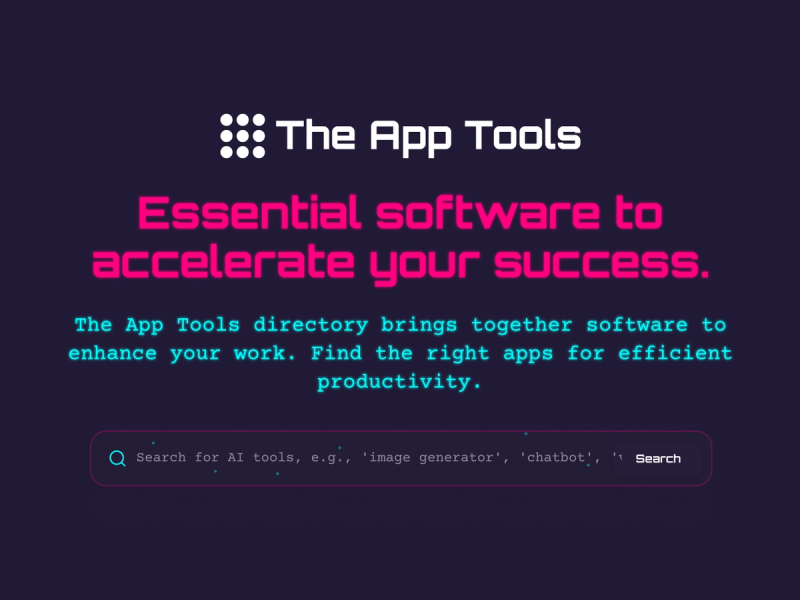
The App Tools is a free, web-based directory of AI applications for writing, design, coding, automation, and productivity, organized by category and pricing to help professionals discover and compare tools for daily work.
What is The App Tools?
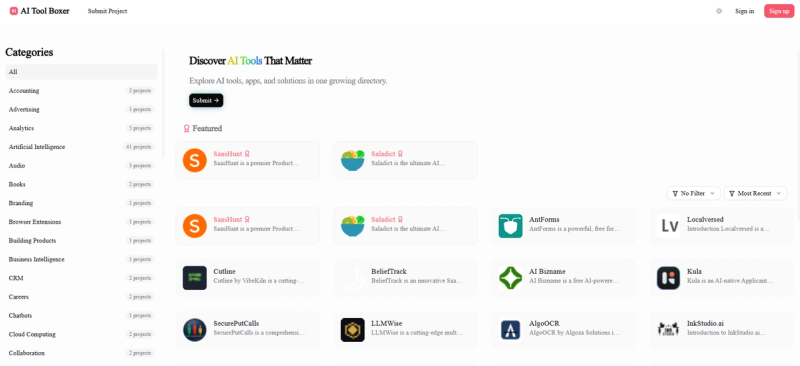
The App Tools is a curated directory that lists AI tools across over 50 categories, including AI Assistants, Content Creation, Design Tools, Automation, and more. It aggregates tools from various sources and presents them with pricing labels—Free, Freemium, Paid, and Free Trial—and category tags. The platform is maintained by The App Tools team and supports English. Users can browse the latest additions or explore by category to find tools tailored to their workflow.
Key Features
- Category browsing – Explore AI tools by over 50 categories such as Writing, Design, Coding, Automation, and Productivity. Each category groups tools serving similar use cases.
- Pricing filters – Tools are tagged as Free, Freemium, Paid, or Free Trial, enabling quick comparison by budget without visiting individual tool sites.
- Latest tools feed – A regularly updated list of newly added AI tools with short descriptions and direct links to their websites. The feed shows the most recent submissions first.
- Tool submission – Users can submit their own AI tool for review via the "Submit a AI Tool" page. Submissions are reviewed before inclusion.
- Search and discovery – Use the directory to find tools for specific workflows; each listing includes a brief description, category, and pricing tag for quick assessment.
Who is it for?
- Professionals looking to optimize their workflow with AI writing assistants, code completion tools, or automation bots that handle repetitive tasks.
- Marketers seeking AI for ad copy, social media content generation, or SEO analysis tools listed under the Marketing category.
- Developers integrating AI APIs or searching for AI-powered dev tools, code assistants, and deployment platforms like PrimeClaws VPS.
- Freelancers and small teams wanting to discover free or affordable AI tools for content creation, design, project management, and financial tracking.
What can you do with The App Tools?
- Discover new AI tools – Browse the latest additions to find tools like ToolHunter AI for AI directories, Breezit AI for venue management, or Supaslides for animated social media carousels.
- Compare tools by use case – Use categories like "Content Creation" or "Automation" to find similar tools and compare their pricing and feature descriptions side by side.
- Evaluate before adopting – Each listing includes a short description and direct visit link, enabling quick assessment without sign-up. Read the description to understand inputs and outputs (e.g., EditTextImage edits text in images online).
- Submit your own tool – If you have an AI app, you can submit it for inclusion in the directory via the submission page; it will be reviewed and potentially added.
Pricing
The App Tools is free to browse. Individual AI tools listed may have their own pricing models (Free, Freemium, Paid, Free Trial), but using the directory to discover and evaluate them costs nothing.
FAQ
What kinds of AI apps does The App Tools cover?
The App Tools covers AI apps across writing, design, coding, automation, and productivity workflows. It includes categories like AI Assistants, APIs, Content Creation, Design Tools, Automation, and more.
Is The App Tools free to use?
Yes. Browsing the directory, viewing listings, and comparing AI tools is completely free. No sign-up is required.
Can I submit my own entry?
Yes. You can submit your own AI app through the submission page at https://theapptools.com/get-started. It will be reviewed before being added to the directory.
How often is the directory updated?
New AI tools are added and existing listings updated multiple times per week. The editorial team continuously monitors the market to keep the directory current.
How do I compare products on The App Tools?
Use category and pricing filters to narrow the field, then review listings serving the same workflow or use case. Each listing provides a description and direct link to the tool's site.