What is DonePDF?
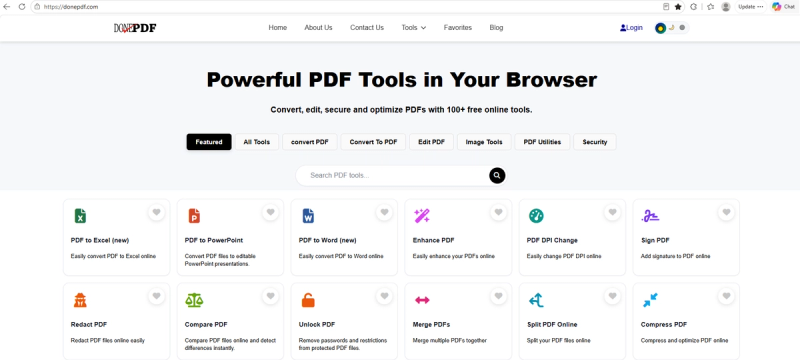
DonePDF is a comprehensive, browser-based PDF toolkit designed to make document management fast, secure, and accessible to everyone — no software installation, no account creation, and no hidden fees required.
Core Features
File Conversion: Convert PDF files to and from Word, Excel, PowerPoint, and popular image formats (JPG, PNG, WEBP, and more). Whether you need to extract data into a spreadsheet or turn a scanned document into an editable Word file, DonePDF handles it in seconds.
Compression & Optimization: Reduce PDF file size significantly while preserving visual quality, making large documents easier to email, upload, or share online.
Editing & Organization: Merge multiple PDFs into one document, split large files into smaller parts, rotate pages, reorder or delete pages, and add watermarks — all through a simple, intuitive interface.
Quality Enhancement: Improve scanned document clarity, sharpen blurry text, and clean up low-resolution PDFs for better readability and professional presentation.
OCR (Optical Character Recognition): Convert scanned, image-based PDFs into fully searchable and selectable text documents.
Why Users Choose DonePDF
- Completely free: All core tools are available at no cost.
- No installation required: Everything runs directly in your web browser.
- Privacy-focused: Files are processed securely and not stored longer than necessary.
- Multilingual support: The platform is available in multiple languages, serving a global audience.
- Fast and lightweight: Optimized for speed, even with large files.
Who Is It For?
DonePDF is built for students, professionals, small business owners, and anyone who regularly works with PDF documents but doesn't want to pay for expensive desktop software like Adobe Acrobat. It's a practical, everyday alternative for common PDF tasks.