
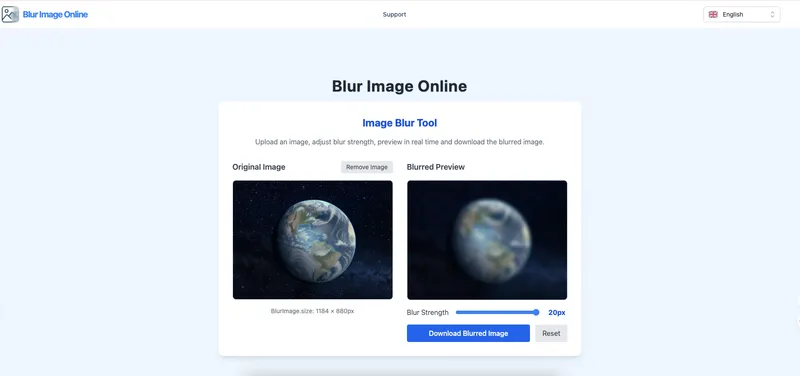
Blur Image Online is a free web tool that lets you blur faces, text, backgrounds, screenshots, and any sensitive details directly in your browser without uploading images to a server.
What is Blur Image Online?
Blur Image Online is a browser-based image editing tool that applies blur effects to photos for privacy protection or artistic purposes. It accepts images in JPG, PNG, and WEBP formats, processes them entirely on your device, and outputs a blurred image ready for download. The tool is hosted at blurimageonline.com and requires no account or software installation.
Key Features
- Real-time preview — Adjust blur intensity with a slider; the live preview updates instantly to show the effect.
- Multiple blur effects — Choose from Gaussian blur (natural background blur), pixel blur (hides readable details), motion blur (directional effect), and soft background blur (reduces distractions while preserving color).
- Selective blur with brush — Use a paintbrush mode to blur only specific areas (e.g., one face or label) while leaving the rest crisp.
- Full-image blur — Apply blur to the entire image with a single click, ideal for instant privacy masking.
- No registration or watermarks — Start editing immediately without signing up; exports are clean with no watermarks.
- Privacy-first local processing — All computations happen in your browser; images never leave your device.
- Free with no limits — Blur an unlimited number of images at no cost, with no trial or hidden fees.
Who is it for?
- Privacy-conscious individuals — Blur sensitive details in personal photos, screenshots of messages, or documents before sharing online.
- Content creators and marketers — Create teaser images with motion blur or soft backgrounds to build anticipation for product launches.
- Professionals sharing documents — Obscure names, addresses, account numbers, or license plates in screenshots for support tickets or presentations.
- Photographers and designers — Add artistic blur effects to portraits, landscapes, or product shots for a dreamy, abstract look.
What can you do with Blur Image Online?
- Blur faces in group photos — Hide identity of all individuals in event pictures before posting on social media.
- Blur text in screenshots — Cover email addresses, order IDs, chat messages, or any sensitive text with a single click.
- Blur backgrounds — Soften distracting backgrounds in profile photos or product images to emphasize the subject.
- Obscure license plates and private details — Mask plate numbers in car listings or street photos, and hide personal info in receipts or forms.
- Pixelate sensitive areas — Use pixel blur to clearly indicate that content has been redacted, ideal for legal or compliance use.
How does it work?
- Upload — Click or drag an image (JPG, PNG, WEBP) onto the upload area.
- Adjust blur — Choose a blur effect and use the slider to set intensity; the preview updates in real time.
- Download — Press the download button to save the blurred image as a clean JPG or PNG file. For selective blur, switch to brush mode and paint over the areas you want to hide.
FAQ
Is Blur Image Online free?
Yes, the tool is 100% free with no registration, watermarks, or usage limits. You can blur as many images as you need.
Does it process images on a server?
No. All image processing happens locally in your browser. Your files never leave your device, ensuring complete privacy.
Which image formats are supported?
JPG, PNG, and WEBP images are accepted. The output format matches the input by default.
What blur effects are available?
Gaussian blur, pixel blur, motion blur, and soft background blur. Each effect can be adjusted in intensity.
Can I blur only part of an image?
Yes. Use the brush selection mode to paint over specific areas and apply blur only there, leaving the rest unchanged.


