Alphaize is an image creation and editing workspace for people who want to describe visual changes in natural language. It brings the proposed action, the credit cost and the versions of an image into one browser workflow.
Create or edit with a plan
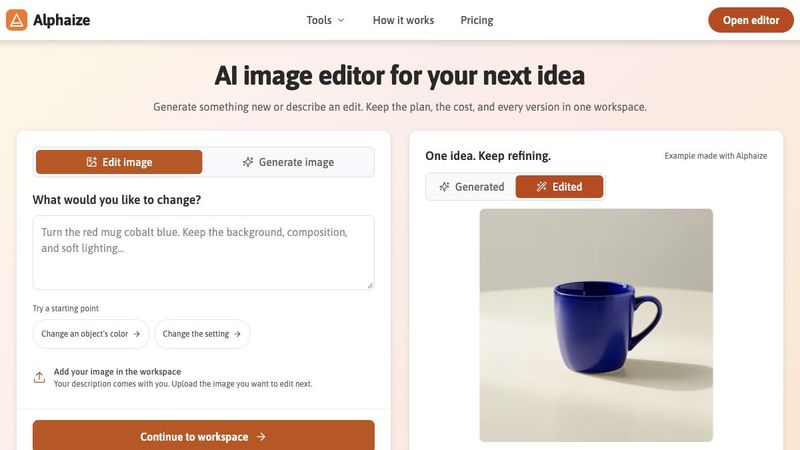
Start from a written idea, upload the image you want to change, or return to a saved version. Describe the result you want, review the proposed action and its credit cost before running it, and compare the resulting versions. Keep using an existing version as the starting point for further edits. The public homepage demonstrates changing a red mug to cobalt blue while keeping a similar scene and lighting. These are example outcomes; a prompt is not a guarantee that every detail will be preserved.
Free tools for smaller changes
The browser color tools provide a simpler route for tasks on flat artwork. The color picker samples a color from an image. The color changer replaces a matching color in a logo or graphic, with a tolerance control and PNG export. The solid-color transparency tool removes a chosen solid color so the result can be used as a transparent PNG. These browser utilities process images locally on the user's device.
Choose a suitable method
Matching a color in a flat logo is different from selecting an object in a photograph. Soft edges, gradients, shadows and textured images can require a selection method that follows the image detail. Use the small browser tools for the work they fit, and review AI edits carefully when a change involves more of the scene.
Credits and access
Alphaize runs in the browser. Image creation and editing in the agent workspace use credits, with the cost shown for review before a run. The local color tools are available separately as free browser utilities. Free utilities do not mean unlimited free AI generation. Alphaize is useful for exploring visual ideas, refining an existing image and making straightforward color changes in a single workspace.