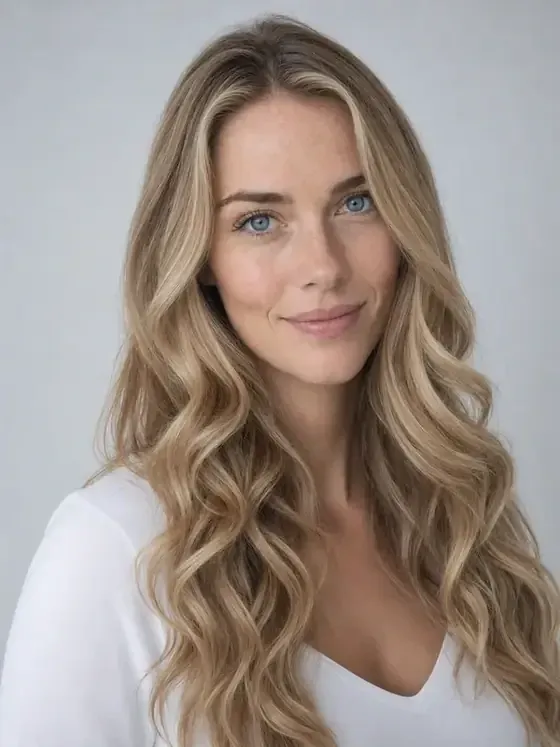
AI Hairstyle Changer is a browser-based hairstyle try-on editor at aihairstylechanger.ai that takes a front-facing portrait and returns a simulated photo of the same person with a different cut, length, bangs, or hair color.
What is AI Hairstyle Changer?
AI Hairstyle Changer is an AI photo editor that generates virtual hairstyle previews from a portrait. The input is a front-facing JPEG, PNG, or WebP image up to 10 MB; the output is an edited version of that same photo with a new hairstyle and color applied. It runs in a desktop or mobile browser with no app install and is maintained by AIHairStyleChanger.AI, which also publishes a separate bald-filter page.
What makes AI Hairstyle Changer stand out?
- Catalog of 104 hairstyles — styles are grouped into 12 categories including Straight & Smooth, Bob & Lob, Short Cuts, Layered & Wavy, Curly & Textured, Ponytails & Buns, Half-Up Styles, Braids, Updos, Vintage & Statement, and Color Treatments, with named entries such as Pixie Cut, Shag, Blunt Bangs, Finger Waves, and Hollywood Waves.
- Reference photo mode — upload a separate hairstyle image and the tool applies that cut, length, and texture to your own portrait rather than to the reference person's face; both images must pass content checks, and the output is an interpretation, not an exact copy.
- Solid and gradient color — 31 true-to-life shades plus symbolic colors, applied as a flat shade or a root-to-tip gradient; the page notes swatches are a guide and results shift with lighting, starting color, and screen settings.
- Face and background retention — the edit is directed at the hair while keeping face, pose, skin tone, clothing, and background recognizable.
- Multi-look comparison — signed-in users can select up to 10 hairstyles and generate separate previews from one photo, then review them as before-and-after pairs in their history.
- Optional AI Styling Advisor — with consent, it reviews visible face shape and stated preferences and returns six subjective style suggestions with reasons; the page states it is not a diagnosis and can be thrown off by lighting, pose, filters, or hair covering the face.
- Downloadable results — once a generation is complete and unlocked, the preview can be downloaded to save or show a stylist.
- No install, no account needed to start — one free guest preview is available before any sign-up.
Who should use AI Hairstyle Changer?
- Anyone facing a major cut: compare a bob, pixie, lob, or long layers on their own photo before booking, rather than judging from a model's picture.
- People with a reference photo from social media: upload the portrait plus the reference hairstyle to see that cut and texture translated onto their own face.
- Anyone weighing a color change: test warm, cool, lighter, darker, or bold shades, including root-to-tip gradients, next to their own skin tone.
- Clients preparing for a stylist appointment: download two or three favorite previews to communicate length, shape, and color direction in the consultation.
What can you do with AI Hairstyle Changer?
- Pre-salon planning: generate several previews from one portrait and narrow to the two or three that best express the length, shape, and color you want to discuss.
- Color experimentation: apply a solid shade or a root-to-tip gradient to a selfie to judge whether a warmer, cooler, or bolder tone suits you before any dye is mixed.
- Reference matching: upload a photo of a cut you saw online and preview how that cut, length, and texture reads on your own face and hair type.
- Short-cut and bald curiosity: browse pixie cuts, bobs, and blunt bangs, or use the separate bald filter to preview a clean-shaven head.
How does AI Hairstyle Changer work?
- Upload a clear, well-lit, front-facing JPEG, PNG, or WebP portrait up to 10 MB and pick the Female or Male option.
- Choose a hairstyle from the category filters and a solid or gradient color, or switch to Upload Reference and supply a separate hairstyle photo.
- Generate the preview, which the site advertises as taking under 30 seconds.
- Review the before-and-after view and download the unlocked result to share with a stylist.
Pricing
The model is freemium. One limited guest preview is free without an account; further generations use credits purchased one-time, so a subscription is optional. The AI Styling Advisor is sold as a one-time charge of 60 credits for three personal previews or 100 credits for six personal previews, with the assessment included.
FAQ
Is AI Hairstyle Changer free?
Only partly. It includes one limited free guest preview without sign-up. After that you must sign in and spend credits on additional generations, so it is not an unlimited free service.
What photo formats and size does it accept?
JPEG, PNG, or WebP up to 10 MB, preferably clear and well lit, front-facing, with your hair visible. Reference-mode uploads use the same formats and size cap and must pass content checks.
Will the preview match my real salon result?
No. The site describes previews as simulations, not promised outcomes. Your hair texture, density, growth pattern, and current color determine what a stylist can actually achieve, and AI output varies with image quality and lighting.
Can it recommend a style for my face shape?
The optional AI Styling Advisor does, with your consent, by reviewing visible face shape and preferences to return six subjective suggestions. It is styling guidance rather than a medical assessment, and the page notes that pose, filters, or hair covering the face can make the reading uncertain.
Do I need to install an app?
No. It runs in a modern desktop or mobile browser; you upload a photo, choose a look, and view the preview online. Signing in is only required for saving history, comparing multiple looks, and spending credits.