GPT Image 2 (GPTIMG2) is a free online AI image generator that creates product visuals, posters, UI mockups, ads, and reference-based edits with stronger prompt fidelity and cleaner text rendering than basic generators.
What is GPT Image 2?
GPT Image 2 is a web-based AI image generator that takes text prompts (up to 2000 characters) and optional reference images as input, and outputs 2K to 4K still images. It is developed by GPTIMG2 and runs entirely in the browser. The model is optimized for production graphics where readable text, layout hierarchy, and brand consistency matter.
Key Features
- Prompt Accuracy — Longer, more specific instructions are followed without losing core subject, layout, or message; ideal for complex briefs.
- Text Clarity — Stronger rendering for posters, labels, menus, UI mockups, and ads where in-image text must be legible.
- Reference Fidelity — Preserves product cues, character details, layouts, and brand references during edits, avoiding regeneration from scratch.
- Review-Ready Output — Generates 2K and 4K still images with detail and layout suitable for direct review and approval.
- Controlled Iteration — Supports targeted edits (change background, revise copy, preserve subject) without rewriting the entire prompt.
- Unified Still-to-Motion Workflow — Approved images can be used as inputs for downstream video generators like Veo 3.1, Kling 3.0, and others within the same workspace.
Who is it for?
- Brand designers — create campaign key visuals, mood boards, and tone frames with consistent styling.
- E-commerce leads — generate product hero art, lifestyle variations, and comparison images for merchandising.
- Creative strategists — test multiple visual directions early in the production cycle before committing to expensive shoots.
- Social media managers — produce thumbnails, promo art, and fast variations from a single direction.
What can you do with GPT Image 2?
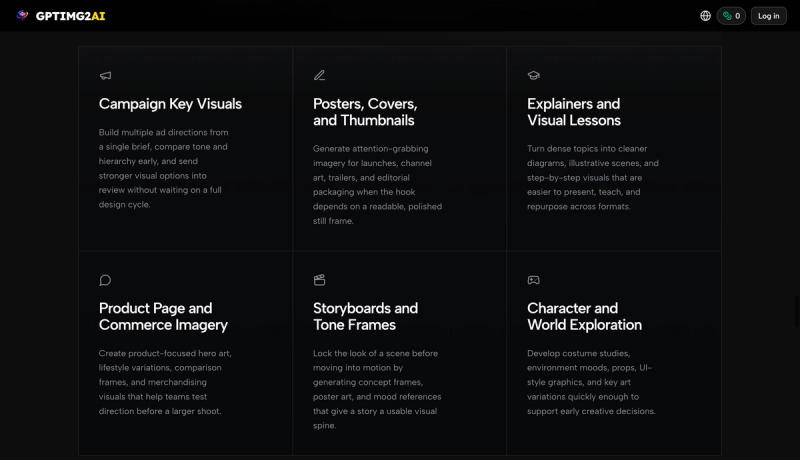
- Campaign Key Visuals — Build multiple ad directions from a single brief, compare tone and hierarchy, and send stronger options into review.
- Posters, Covers, and Thumbnails — Generate attention-grabbing imagery for launches, channel art, and editorial packaging with readable type.
- Product Page and Commerce Imagery — Create hero art, lifestyle variations, and comparison frames for product pages.
- Reference-Led Edits — Start from an existing product shot or brand asset to preserve composition, identity, and layout while making targeted changes.
- Storyboards and Tone Frames — Lock the look of a scene before moving into motion by generating concept frames and mood references.
How does GPT Image 2 work?
- Describe the image — state subject, framing, materials, lighting, brand cues, and any text to appear inside the asset.
- Generate the first pass — start from a prompt, reference image, or both.
- Refine the details — tighten layout, text, styling, and subject fidelity with targeted edits.
- Send the asset downstream — use approved images for campaigns, storefronts, storyboards, or as input for video generators.
Pricing
Freemium model. Offers yearly subscription plans with up to 50% off (promotional pricing ending July 6). Free tier available for basic generation.
FAQ
Is GPT Image 2 free online?
Yes, GPT Image 2 offers a free tier that allows users to generate images online. For higher resolution, more features, and commercial use, a paid subscription is available.
Can GPTIMG2 render readable text inside the image?
Yes, GPT Image 2 is optimized for text clarity in posters, menus, UI mockups, ads, and other graphics where readable in-image text is critical.
Can I edit an existing image instead of starting from scratch?
Yes, GPT Image 2 supports reference-based editing. You can upload an image and use prompts to modify specific elements while preserving the original composition and identity.
What formats and resolutions does GPT Image 2 output?
GPT Image 2 generates still images at 2K to 4K resolution. Output is in standard web-friendly formats (JPEG/PNG).