
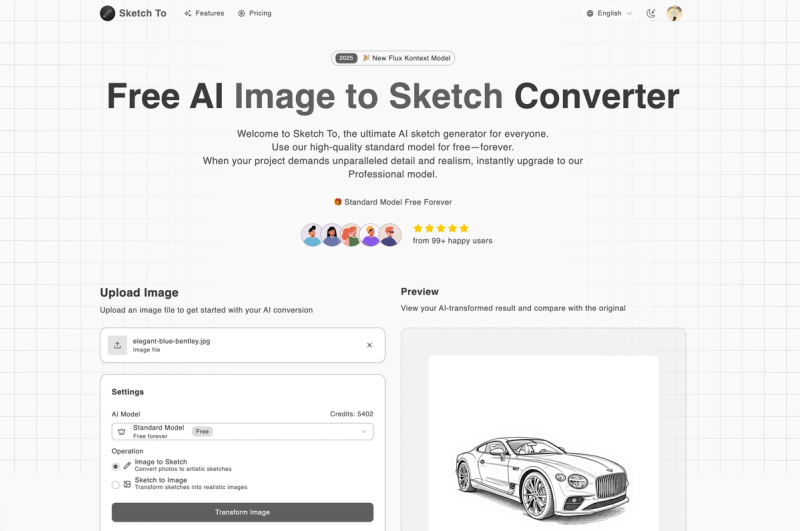
Sketch To is an AI-powered image-to-sketch and sketch-to-image converter that offers both free trial credits and professional models for high-quality artistic transformations.
What is Sketch To?
Sketch To is a web-based AI tool that converts uploaded photos into pencil, charcoal, ink, watercolor, and other artistic sketches, and can also transform hand-drawn sketches into realistic images. The platform runs entirely in the browser with cloud-based processing and is developed by the team behind Sketch To (no publicly named company). It supports input formats including JPG, PNG, and WEBP, with a maximum file size of less than 10 MB, and outputs high-resolution images suitable for print.
Key Features
- Bidirectional Conversion — Convert photos to sketches or sketches to photos using the same interface, with modes for "Image to Sketch," "Sketch to Image," and "Custom."
- Nine Artistic Styles — Choose from Pencil Sketch, Charcoal Sketch, Ink Sketch, Colored Pencil, Comic Sketch, Concept Sketch, Figure Sketch, Watercolor, and Digital Sketch.
- Two AI Models — Standard Model (1 credit per run, free trial credits for new users) and Professional Model (Nano Banana Pro, Seedream, Flux Kontext) for superior detail and realism.
- Flexible Credit System — Purchase credits in packs (no subscription, no auto-renewal) or subscribe to monthly/annual plans for recurring credits.
- Instant Processing — Cloud-based AI processes images in seconds; most conversions complete within a few seconds.
- High-Resolution Output — Download results in full resolution for print and professional use.
- Commercial License Included (Pro) — The Professional model grants commercial usage rights for client projects.
Who is it for?
- Artists and Designers — Convert reference photos into pencil sketches for further drawing or design inspiration.

- Content Creators — Generate unique sketch-style visuals for social media posts, blog headers, or video thumbnails.
- Students and Hobbyists — Use free trial credits to create artistic sketches for school projects or personal creative hobbies.
- Businesses — Employ the Professional model for commercial-grade image transformations in marketing materials, product mockups, or advertising.
What can you do with Sketch To?
- Photo to sketch: Upload a clear, well-lit photo and apply any of nine styles to get a hand-drawn look in seconds.
- Sketch to image: Convert a rough sketch or line art into a photorealistic image, useful for concept art or product visualization.
- Compare before and after: Use the drag slider preview to see the transformation side-by-side before downloading.
- Batch process: While the UI handles one image at a time, credit packs enable multiple conversions as needed.
How does Sketch To work?
- Upload your image file (drag-and-drop or file picker, max less than 10 MB).
- Choose between "Image to Sketch" or "Sketch to Image" mode, then select an artistic style (e.g., Pencil Sketch) and a model (Standard or Professional).
- Click "Generate" — the AI processes the image instantly. Preview the result with a before/after slider, then download the high-resolution output.
Pricing
Sketch To operates on a freemium model with credit-based usage. New users receive free trial credits to test the Standard model. Paid options include:
- Credit Packs — Purchase credits as needed; no subscription, no auto-renewal. Specific pack sizes and prices are not listed on the site.
- Basic Plan — $7.99/month billed annually ($9.99 month-to-month), includes 2400 credits/year (approx. 1200 images), standard quality downloads, image history.
- Pro Plan — $15.99/month billed annually ($19.99 month-to-month), includes 9600 credits/year (approx. 4800 images), commercial license, priority support.
FAQ
Is Sketch To free?
Yes, new users receive free trial credits to use the Standard model. After trials, the Standard model costs 1 credit per run. Professional model runs consume more credits. Credits can be purchased in packs without subscription.
What file formats does Sketch To support?
Sketch To supports JPG, PNG, WEBP, and other major image formats. Maximum file size is less than 10 MB.
Can I use the outputs commercially?
The Professional model includes a commercial license that allows use in client projects. The Standard model outputs are for personal use only.
What's the difference between Standard and Professional models?
The Standard model is optimized for speed and general quality, using 1 credit per conversion. The Professional model (Nano Banana Pro, Seedream, Flux Kontext) provides superior detail, texture, and realism, ideal for commercial and high-end creative work.








