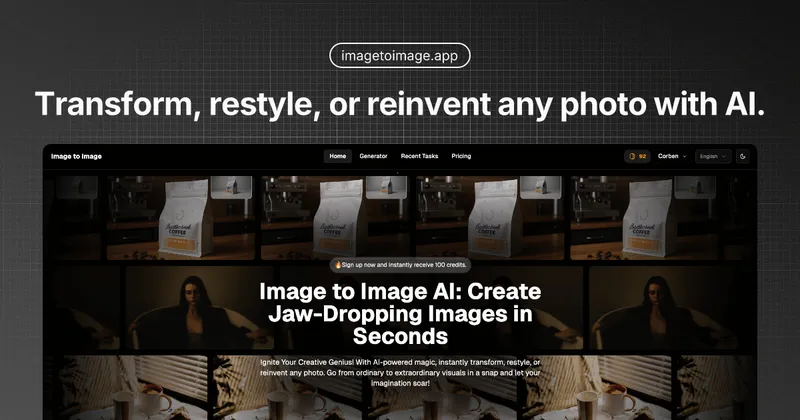
AI Picture Generator is a web-based AI tool that turns text prompts or reference photos into high-quality images in seconds, offering multiple models, quality modes, and batch generation for efficient content creation.
What is AI Picture Generator?
AI Picture Generator is a web-based platform that converts text descriptions or uploaded images into AI-generated visuals. It supports text-to-image and image-to-image workflows, producing outputs in common aspect ratios like 1:1, 9:16, and 16:9. The tool is developed by the team at aipicturegenerator.ai and runs entirely in the browser, requiring no software installation.
Key Features
- Text-to-Image Generation — Create images from detailed prompts using models like Nano Banana, Turbo, or Max; choose speed or quality modes.
- Image-to-Image Transformation — Upload a reference photo and describe changes; the tool preserves structure and composition while restyling backgrounds, lighting, or subject details.
- Batch Generation — Generate 2–4 image variations in a single run for A/B testing or rapid exploration; ideal for ad creatives and content series.
- Image-to-Video — Convert any generated or uploaded image into a short motion video in approximately 15 seconds (depends on model and queue load).
- Multiple AI Models — Select from specialized models for photorealism, anime, illustration, or fast drafts; model icons include Google, OpenAI, Grok, Alibaba, ByteDance, and others.
- Commercial License — All generated images come with unrestricted usage rights for personal and commercial projects; the platform does not train on user inputs.
- Credit-Based Pricing — Generations deduct credits dynamically based on model and settings; credits are shown upfront before each job. Failed generations do not consume credits.
- Permanent History — All prompts, uploads, and outputs are saved to the account for later re-download; users can delete their history at any time.
Who is it for?
- Performance marketers — Batch-generate 12–20 ad creative variations, pick winners, and refine with image-to-image for consistent brand styling.
- E-commerce sellers — Use image-to-image to keep product shapes intact while swapping backgrounds and lighting for catalog shots.
- Content creators — Start from gallery examples and tweak prompts to quickly produce social media graphics or short-form video assets.
- Product designers — Switch between fast models for exploration and high-detail models for final renders without changing workflow.
What can you do with AI Picture Generator?
- Ad creatives: Generate scroll-stopping product visuals and campaign variations, then iterate with image-to-image for consistent brand assets.
- Product photography: Upload a clean reference photo and apply studio lighting or new backgrounds while preserving the product’s shape and details.
- Social media content: Create images in feed-friendly 1:1 or vertical 9:16 ratios, then animate the best frame into a short video for Stories or Reels.
- Design mockups: Use batch generation to compare multiple style directions quickly, then finalize the selected output with a higher-quality model.
Pricing
AI Picture Generator operates on a credit-based subscription model with three tiers: Starter, Standard, and Premium. Each tier includes a yearly batch of credits (e.g., Starter: 3,600 credits for $191/year) with per-generation costs shown before each job. Plans are available on a one-time, monthly, or annual basis with discounts up to 40% for annual billing. All tiers include commercial licensing and credit refunds for failed generations.
FAQ
How do I choose the best model for my task?
Start with a faster model (e.g., Turbo) for quick exploration, then switch to a higher-quality model (e.g., Max or Nano Banana Pro) for the final output. Each model is optimized for a specific balance of speed, detail, and style.
Can I turn an image into a video? How fast is it?
Yes. Select any generated or uploaded image and create a short video in approximately 15 seconds under light queue load. Generation time varies by model and current demand.
What happens if a generation fails — do I lose credits?
No. Failed generations do not deduct credits. The platform provides compensation for system errors as stated in the page rules.
Can I use the generated content commercially?
Yes, for personal and commercial projects. You are responsible for how you use the output, especially when uploading copyrighted or trademarked material. The platform does not train on your prompts, uploads, or generated images.
Do you store my prompts and images? Can I delete them?
Yes, your generation history is saved to your account for revisiting and re-downloading. You can delete your history at any time. The platform does not use your data to train models.